


TheOnlyDroid
Members
-
Joined
-
Last visited
Everything posted by TheOnlyDroid
-
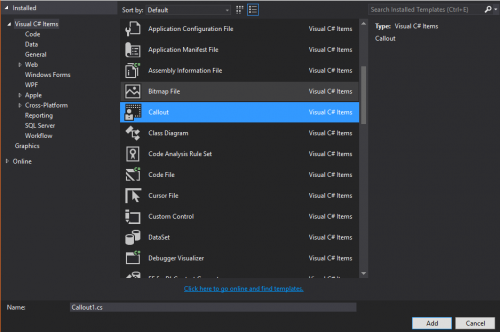 Yeah I hit my bind and it added it; It been removed just need to throw the updated files there; I didn't actually notice it until an hour ago, stress; lack of sleep and work has got a grasp on me pretty good... (Edit: Fixed Compiled Template added) Ironically not a callout
- 7 comments
- 2 reviews
-
Just a Visual Studio (2015) C# Template for LSPDFR Callouts, I decided to create this mainly because I'm lazy and like to save myself to some and have everything I need there when I create the class... So have it. Installation: Drag the provide file structure into "\Documents\Visual Studio 2015\Templates" and restart Visual Studio, once done you should see "Callout" under the C# items when creating a new Project Item.
- 7 comments
- 2 reviews
-
-

- 2
-
-
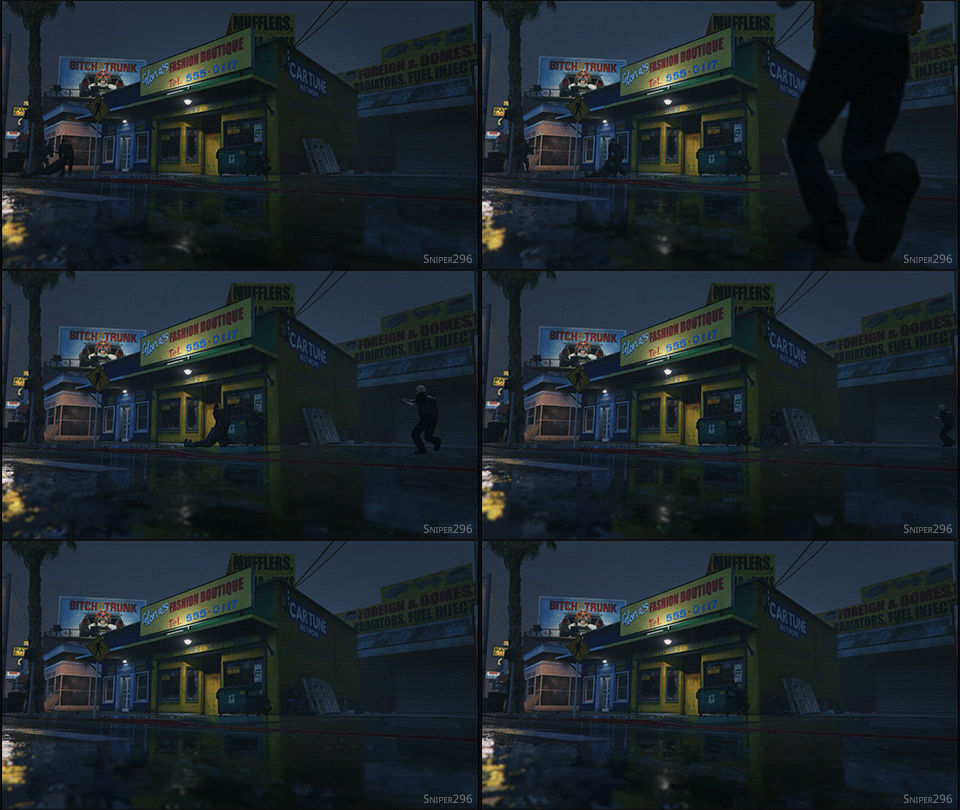 ^ It doesn't happen very often, unless theres 'GOOD COVER' for another offer to drag the injured officer away; Next time you're in-game try shooting some of the Coppers in the knees in a medium/large shoot-out, usually happens the most.
 -
Do you have any weapons out when you first press "ALT+T"?
-
This might make me should like a "You think you know it all"; But when I actually bothered to take a look at the LSPD:FR portion of the site, and saw "RageHook" and did a quick google to find the page. By that time I'd already put two and two together and kinda thought well.... Its going to be coming soon, but how soon; Its never that long after something is released (that you use) it comes out.
-
GTA V is on the same engine upgraded, honestly it maybe as simple as re-creating a few things and DSOUND.dll kinda' thing for GTA V, and updating abit of the code and so on, or it may need a total re-write.
-
Fixed the issue by forcing my usual width x height.
-
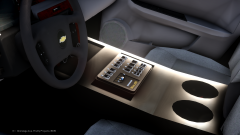 This would be the point where i shout "Get it into zModeler, and smooth everything out", but honestly it wouldn't be worth it unless you had the latest version allowing for basically copy and pasting your previous action and then lowering the poly count down dynamically back to some-what where it was.
 -
Alt-Tabbing didn't work at the time, can't verify the screen-res it uses when it loads in windowed because i'm re-installing it.
-
As i've stated its only in fullscreen mode, and i quote "i'm getting this issue while in Fullscreen and only full screen", and i Do not wish to play in Windowed mode, I've already done it and that worked.
-
Considering that i have just installed the game today, I have yet to see the point of "Backups"
-
Sorry, i forgot to add the notes, I had already tried doing that.
-
I recently bought GTA IV (mainly because EFLC just crashed with mods), and for some reason i'm getting this issue while in Fullscreen and only full screen, with a black square in the top left of my screen.
-
I'll give it a try, seen as i have back-ups of all the default vehicles. Note: I've got a disc version but seen as the install was failing because of a data2.cab issue i just installed my steam version. Update: Seen as its a new install, i've actually got no saves and it seems to be an issue when i drop the two guys off (EFLC) before returning to the flat, but i've got more information on the error. it seems to be an issue with ZLIB20
-
Well suddenly out of no-where i'm getting this error, no idea why its doing it, but the game was working fine for a good few hours right after i fixed the crashing and mouse problem that i had... Note: THIS IS NOT A LCPDFR SUPPORT REQUEST! - Mods 1) Vehicle 2) Trainer 3) ELS 4) LCPDFR
-
Issue Fixed: - Mouse Issue) Right Click (Both EFLC.exe and LaunchEFLC.exe) Properties Comparability 1- Run this program as 'Windows 7' 2- Disable Visual Themes 3- Run this program as an administrator - Crashing) Remove all your saves.
-
I actually got it VIA chillblast in a giveaway so i redeemed it on Uplay, so to answer your question it is Uplay... Update: I also have an issue where TBOGT crashes but TLAD doesn't crash..... Mods. - ELS - Vehicle Mods (x1 Police) - and the most obvious
-
For some reason my mouse has suddenly stopped working when i'm playing EFLC (its fine on the desktop), it just gets stuck in the top left and it was fine a few hours ago. Has anyone managed to solved this issue, if not have a temp issue. Note: Verified all games that aren't GTA List of installed games (latest first) - GTA 4 EFLC - Assassins Creed: Unity - Assassins Creed: Blacflag + DLC - Assassins Creed: III - Watch Dogs
-
@Leonov - "I could see a Arson Charge flat out rather an attempted Arson Charge. There could be some endangerment charges of some sort due to the highly toxic nature of burning tires.", totally agree.
-
-
To be honest i go through the same when releasing new patches for programs and other things *hides*, but i'm only one person that understands what you need to go through with the development of the "MOD" frankly more of a game because of the way it turns around, But the simple option is upgrade your system or OS, or the harder option "Don't complain and just keep it to yourself". Correct?
-
-2 Mins and 30 seconds
-
Hasn't this got a little off topic now @Sam & @Jay
-
I dont know if anyone else has spotted this but the CSS and HTML of the forum changes every four pages in the topic and only for this thread. Before Page http://prntscr.com/28olfc Changed Page http://prntscr.com/28olj2
-
They spawned for me but the Charger wasn't there only two SUV's

