


SHOME95
Members
-
Joined
-
Last visited
Everything posted by SHOME95
-
-
15 bucks a month for xbox live no thanks
-
seems like the same damn issues from last video now with echo strike 2 lol
-
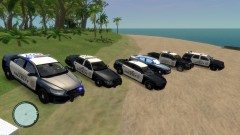 erole gaming and lle have merged spots open
 -
agreed our clan uses this also
-
-
OUR SHERIFF DEPOT
-
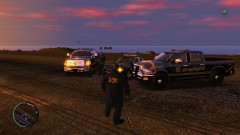
From the album: EROLE SHERIFF DEPATMENT
-
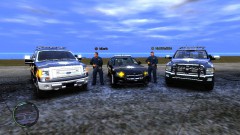
From the album: EROLE SHERIFF DEPATMENT
-
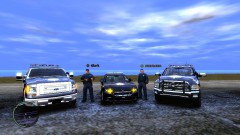
From the album: EROLE SHERIFF DEPATMENT
-
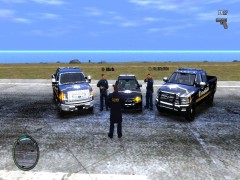
From the album: EROLE SHERIFF DEPATMENT
-
2013 ram powerwagon by bpm 2013 ford f150 by voodoobie 2011 charger dev by dhruv comments are encouraged EROLE clan Newest Sheriff Dep vehicles
-
my new sheriff fleet
-
http://www.youtube.com/watch?v=XP7M5pV8_-Q
-
http://grandtheftauto.filefront.com/file/GTA_IV_EFLC_Title_Update_1120;114379
-
ok ill do both standby tell tomorrow ok
-
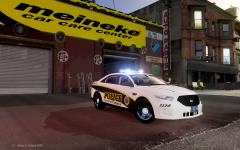 i believe this is evi's 2010 with 2013 nose he released awile back as a slicktop. looks good in the pic
 -
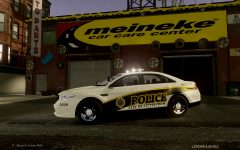 not a real 2013 but nice pic
 -
thx i know that cj's car is basically yours redone a bit and i agree
-
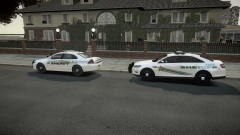 theres like several.... evis ,undercoverchickens, bpm's , cj24 ect ect example http://gtapolicemods.com/downloads.php?do=file&id=2180
 -
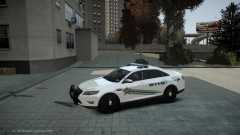 theres like several.... evis ,undercoverchickens, bpm's , cj24 ect ect
 -
only bad thing is there car is a 2013 taurus not the 2010 u got here
-
only bad thing is there car is a 2013 taurus not the 2010 u got here
-
your mods out weigh what your 2.5 ram can do as he said u need x64 and id say at least 4 to 5 gb of ram i went from 4 to ten and its amazing better yet your celeron d is kinda crap see if u can find a quad core pc. even a 4 to 5 yr old one amd phenom x4 or ect
-
this happened in a multiplayer session re-spawning another car (same one) that fixed it. but thing is when activating lights it changed my game time from day to night then back to day video is being uploaded http://www.mediafire.com/download.php?gqwa52co829kcxd will upload elsewere today sorry


