


Officer19
-
Joined
Everything posted by Officer19
-
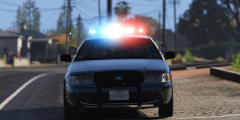 Amazing and Beautiful Great Work !! :D
 -
Yeah i thank you for that but i asked you (SUGGESTED) to remove any outdated mods / plugins Good luck with the mod ! :D
-
Check that you have removed your old mods folder and the plugins which are not supported by the latest version of RAGE Plugin Hook
-
Yeah go to your game's shortcut on your desktop then right click on it the Properties then add this "-verify" to the target box like this (respect the space) : ""F:\Games\Grand Theft Auto V\PlayGTAV.exe -verify"' then Run your game as administrator
-
Could you post your Log here and few screenshots from your main directory if you can please ! ?
-
Do you have a legit version of Grand Theft Auto 4 ?
-
Good :D
-
You can check his updates around these mods if he didn't release a new version of his mods supported this version of RPH (Latest version) so you have to wait until the release
-
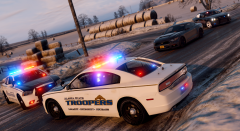 I really loved these textures :D nice shot Great Work !
 -
So try the latest version 0.42 I noticed another something .... You have to update your game Supported game versions Latest game patch is v791. Latest supported game patch is v757.
-
Nope 0.42 https://ragepluginhook.net/Downloads.aspx
-
Update your Rage Plugin Hook
-
Hey Do you have a steam or retail version of your game ? He needs your DISKS :D
-
Nope but repairing its a method to avoid Re-installing the game why do you want to re-install the game and you can repair it to get your files back and fine :D
-
Repair you game to fix and find your missing files You have few files are missed , so repair your game if you have Steam version you are going to verify cache to repair your game if you have Retail version you can go to control panel and click n Grand Theft Auto V then modify then Repair your game .
-
Don't play online using Scripthook and TrainerV cuz you will be kicked from the game
-
Do you have mods folder ?
-
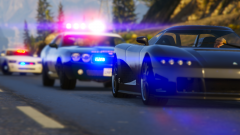 Nice One :D
 -
High Saturation with RadianceV awesome one :D
-
Okay good luck with new PC desktop :D
-
You are welcome :D if you need links i can provide it in a Post :D if you want :D
-
You just need to read the requirements of Grand Theft Auto V that yo can find it on Rockstar's site then , to be able to play LSPDFR you just need a legit version of the game the you're free to play it with high performance .. You just need High performance because i think that RPH is going to decrease few FPSs from your game so you will need high specs :D You just need to take your time to get the best PC desktop for gaming :D
-
Yeah :D
-
I think its not a problem from the game but its an issue from the site and i think that they are trying to fix it (I THINK) I am not sure i just hope to fix it :D . So don't care its a normal message :D
-
He is making for you another setting for the Revert :D or you can check your folders if you have a backup from a previous version of your game :D
