




Rosebuddy
Members
-
Joined
-
Last visited
Everything posted by Rosebuddy
-
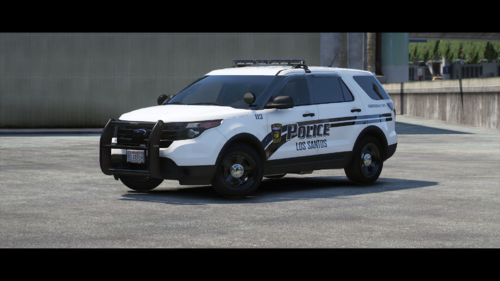 Probably not coming, can't get in contact with the people who own the 2020 fpiu so it wont happen till they respond and allow me to purchase it.
 -
 Doesn't seem to work if you want to block off a highway lane with your car parked sideways. Is it possible to fix that or is gta ai too dumb. 🙂
- 114 comments
- 19 reviews
-
-
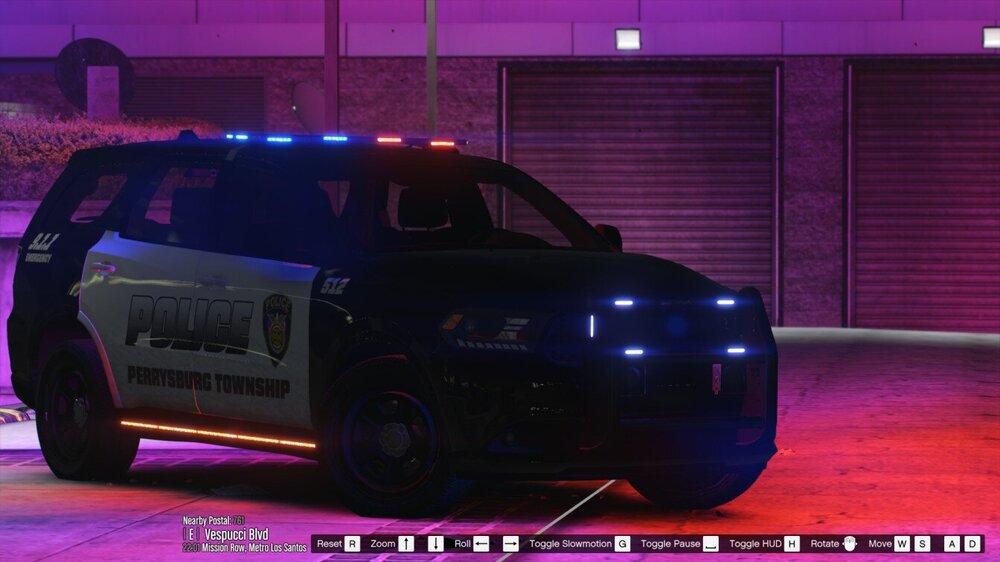
Started working on a small to medium sized pack featuring the Perrysburg PD. Will be non-els with reflective liveries. Only 1 car is complete and that's what I'm showcasing today. Hope you enjoy!
-
Maybe ultimate backup? Some how get outfits from there.
-
Any resources on how to integrate eup outfits on peds in your script?
-
Hi, make sure you have all the required mods and files to use addon cars try following a tutorial on youtube. Also make sure you added them to your dlclist.xml
-
Hey thanks for the comment. Those are for vehicles coming in future updates. I accidently included them by mistake.
-
Toledo Ohio Lore-Friendly LSPD Pack This is my first pack and first models. Made this for myself but decided to release it. Tried my best to make it as accurate as I can it's probably 90% accuracy on the exterior at least. Interior not so much. The crown vic and charger are old liveries used by TPD. Still in use today but rare to see. Includes DLS configs. Light patterns are not accurate and also not the best but they are a work in progress. Hard to get references. Vehicles included 2013 FPIU w/ Code 3 RX2700 Ford E-350 w/ Code 3 RX2700 2011 Crown Vic w/ Code 3 Defender 2008 Dodge Charger w/ Code 3 Defender Requirements DLS SSLA Planned future updates 2020 FPIU w/ Code 3 Defender 2020 FPIU w/ SoundOff nForce NXT 2016 FPIU w/ Code 3 Defender 2016 FPIS w/ Code 3 RX2700 Unmarked 2016 FPIU Fix collision on lightbars and pushbars More liveries with unit number variation Bugs As I stated this is my first pack so there may be bugs. Please use the comment section to report them and not reviews. TOS
-
Yeah just relaying what they stated. If you talked to them they could probably give the specifics. Also a dmca at this point and time would be utterly useless. Everyone has their hands on the files already and they are preserved. Just posted this to bring attention to it and also maybe encourage people to make callouts not necessarily to make it fully compatible with rage that would just be a bonus.
-
It really is amazing. Now only if we can get the RPH team to fix whatever is incompatible and devs to update their plugins to allow callouts to function there would be a dream!
-
Many may not know but the Liberty City Preservation Project just released their first public version. It's a million times better than the old Liberty City Remix mod. However, LSPDFR working on it is a gamble. It works for me but others it don't. The devs stated that it's issues with RPH that is causing this. Hopefully that can get fixed soon. Some callouts work most don't. My request is if you have made a callout plugin and you can get lspdfr running on the map please consider adding liberty city calls to your plugins. Just wanted to get this out there to bring more attention to the LCPP mod and maybe developers can keep this in mind.
-
 thank you so much
 -
I have a vertical light and the emis are rotated in zmodeler but in game the emis are flashing horizontally. Any way to fix this? https://imgur.com/a/EpwebfA
-
 Amazing work here!! Would it be possible to update to work with ultimate backup? Like with the traffic stop callouts I know you can change the vehicle and ped but if I could have a ped with eup that would be amazing
- 195 comments
- 36 reviews
-
-

- 3
-
-
RagePluginHook_03082023_000249.log
-
Hello. I'm currently porting fivem addon police cars to SP. I did this once before and everything worked fine. My problem now is the cars are installed and all work with their respective meta files but the the sirens dont work. The lights turn on but the sirens will not. I have created ELS xml for every vehicle. The method of installation was through addon creator but that caused a lot of the vehicles to break and crash the game. I installed them with lml and everything works perfectly like I said except the lights. I don't know what could cause the issue so ill post the meta files from one of the cars if anyone could shed some insight. vehicles.meta carvariations.meta carcols.meta 12Sprinter2.xml
-
 Is there any way to make it more customizable? I have British units and would like to change the menu text and the types of units ect.
 -
Update: I reinstalled windows and everything works now.
-
As I stated above I already tried that. Thanks anyway.
-
I managed to generate a log. Not much in there but you know more than me. RagePluginHookLauncher.log
-
I was on steam. But I tried switching to epic to resolve the problem. It did not help. I have also tried launching into sp or the siren part then opening rage. It says GTA V is already running and stays stuck on "launching game".
-
I have a fresh install of gta, i've disabled all AV, ive disabled geforce overlay, ive forced windowed and borderless, and i've forced dx11. For some reason rage will not hook my game. It only launches gta v. Also uninstalled riva tuner i think its called.
-
-
 [Support Needed] I've followed the instructions in the read me exactly and when I launch none of the cars are in-game and I also cannot spawn them. Edit: I have got the cars in-game now but the back-up and npc's still patrol in vanilla vehicles. Edit: My problem is completely fixed.
- 215 comments
- 38 reviews




