




Kal74
Members
-
Joined
-
Last visited
Everything posted by Kal74
-
I asked something similar to this over on page 1, If you go over there, you can read the response to it.. My question was a bit more vague, not as detailed as yours, I actually like your details better than mine, but it was about the backup cops ramming my car in a pursuit.. I think my solution was to exact revenge on those cops ramming me off the road by means of sticky bombs!
-
 Thanks for the update Albo1125, you always delivers the goods! and you never disappoint..
- 3,646 comments
- 306 reviews
-
-

- 1
-
-
Well it is your right and choice not to use what I suggested, and it is also your opinion of what realism is.. We are talking about a video game with limitations here as Ben has pointed out.. I would suspect that 90+ percent of us playing LSPDFR are not even cops in real life. I wanted to edit my comments and say you have every right to make a suggestions for improvement.. I will leave those types of questions for the developers to answer... I can however disagree on what is considered realism in my mind..
-
If you use Traffic Policer by Albo1125 you won't ever have this problem, you can have the car follow you and pull over to a safer place to conduct the traffic stop..
-
 I agree, I haven't ran into a single modder with a crap attitude.. At the same time.. it helps when people like us are respectful and appreciative towards them in our comments... Also, *cough* *cough* a nice 5 star review will always give them that extra boost they need to keep doing what they do best..
- 1,915 comments
- 242 reviews
-
-
- 1
-
-
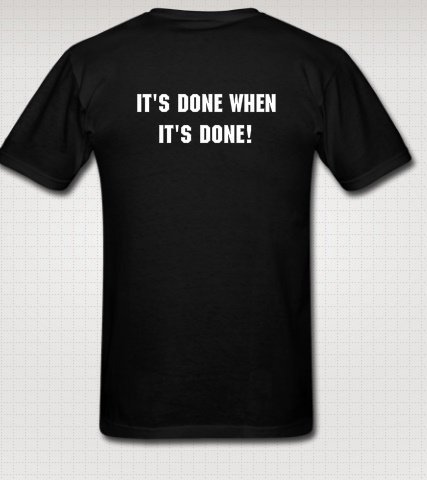
Yeah, I actually got it today and I love it.. They did a great job.. The funny thing is as a joke between the wife and I.. I asked if they made underwear with LSPDFR, turns out not only do they have normal underwear, apparently they have thongs and bras you can order. I about died laughing when I found this out.. now if I can just picture where in the hell on a thong would the logo LSPDFR be... lol
-
Right on time Albo1125. Downloading this before website maintenance kicks in..
- 3,646 comments
- 306 reviews
-
-
- 1
-
-
This shirt I just got in the mail today has the answer for you..
-
Anyone else using a controller to play LSPDFR 0.2 and plan do the same for 0.3? I use a PS4 Controller currently, plan to keep using it in 0.3. Come to think of it, I have never played this game fully with a keyboard... I love playing with a controller.. I guess I should of also verify that there will be controller support for 0.3.
-
Awesome. Glad you decided to do that.. Now go out an arrest the first person you see, even if they did nothing wrong.. ..Also, if you enjoy Albo1125 Plugins, please leave a 5 star review..if you don't mind.. personally if I could give him 10 stars I would..
- 1,915 comments
- 242 reviews
-
-
- 1
-
-
you could always just go to 0.2b.. Just saying Albo1125 makes the most awesome plugins for LSPDFR.. You will never regret installing anything he puts out, once you get everything on the correct version, but that's up to you.
- 1,915 comments
- 242 reviews
-
Go here: http://www.lcpdfr.com/files/file/8107-arrest-manager-41-more-jail-points-prisoner-transport-vehicle-manager-towinginsurance-releasedetain-autodoorshut/?page=19&tab=comments#comment-72244 This post and the other post on Arrest Manager will have the same answer.. In case you missed the edit from the other page. Okay, saw your response over there.. get 0.2b man...
- 3,646 comments
- 306 reviews
-
-
Did you read up top under the section that says Please read this before asking for support! Check whether you have LSPDFR 0.2b installed, not 0.2a. If you're crashing when arresting someone, this is especially important.and guess what.. In your log it says : [28/10/2015 13:29:49.935] LSPD First Response: Running LSPD First Response 0.2a Also, more bad news for you, if you are running Traffic Policer, it says: Traffic Policer was designed to work with RPH 0.28, Albo1125.Common 2.4, RageNativeUI.dll 1.2 and LSPDFR 0.2b.. <---------------------------------------------- LSPDFR 0.2b
- 1,915 comments
- 242 reviews
-
-
- 1
-
-
I can do sticky bombs!
-
1. I just thought it would be more convenient to take a suspects ID, access the in car computer and it maybe auto-loads their name when you access it.. I know you can go to the notifications area, but that seems kind of unrealistic.. Just the appearance of the UI for the computer and the way you enter a suspects name, just looks a bit dated is all...but I will live with it,,, not a game breaker for me.. 2. I refuse to pull over, and allow some rookie to take over my pursuit... looks like I may just have to serve up a double dose of justice and ram them off the road..
-
I don't know if this has been answered before, but will there be improvements to 1. The in car computer for suspect searching? Maybe a laptop look with a screen that keeps the suspects name on it so you don't have to remember how to spell their name, (seen some strange names) maybe slide their I.D into a slot and it loads their profile.. idk.. any improvement to this a is a good one. 2. Calling for Backup and not getting rammed from behind by fellow officers during a pursuit?
-
but that is your opinion and everybody else don't think or act like you.. People should be happy they are getting something for free.... There is a reason they don't commit to dates.. target or actual.. a google search or forum search would probably tell you why. In the newest preview, he answers the question about the release date, once again http://www.lcpdfr.com/forums/topic/56587-lspdfr-03-hot-pursuit/#comment-378427 First post top of the page Sam says, "Allow me to quickly note as well. No, we don't have a release date for 0.3. Releasing a new version of LSPDFR is actually quite the mammoth of a task - one that you can't simply put a date on. We're putting out these previews as it is something that the majority of our fans asked for, and it gives us a great opportunity to get feedback on the modification as we develop it. Will your game be rocking LSPDFR 0.3 soon? Absolutely, but we're not quite ready to define exactly when that will be."
-
-
Awesome! I love it, Every preview released makes the blood pump with excitement..Thanks for the update Sam. Thanks to you and the rest of the Development Team for all of your hard work on 0.3 so far, these screenshots and previous screenshots prove you guys are knee deep in the good stuff. Can't wait for the finished product, keep up the great work! That is a great suggestion Lundy, and to be honest, the more areas you can chase down a suspect the better.. especially if we want to add to the realism..
-
Maybe they don't announce it because they don't want to be held to a date.. You know how it is, people are giving dates for something to be released, the date comes, it isn't released because of an unforeseen circumstance, that may of popped up the day it was suppose to be released and then next thing you know, you got thousands of pissed off people knocking at your door.. I wouldn't want to deal with that either.
-
no problem at all.. I genuinely wanted to help you resolve the issues, but placing the files different folders just to generate errors wouldn't help us resolve anything, it would just generate errors and that wouldn't really help us, to help you.. So a fresh install of GTAV, LSPDFR, RagePluginHook v28, should hopefully alleviate the issues you are currently having.
- 3,646 comments
- 306 reviews
-
You might have some kind of file corruption going on..I don't know, it's either that or you have files missing.. out of date plugins or something you are using is causing conflict..There are a lot of people who run this Plugin, including myself and I have no issues running it at all, so this is clearly an issue on your end.. I also, run Police Radio and it runs just fine for me, but if you look at errors from your logfile, you are having the same error occuring with Police Radio as well...I know that you said you put the files in another folder to generate the error, but there is no reason for you to do that. I suggest you start a fresh new GTAV install, re-add LSPDFR and re-add the newest RagePluginHook. or just remove Traffic Policer and ignore me... Same type of error you are having with Traffic Policer, you are having with the Police Radio as well : [26-10-2015 06:56:07.364] ERROR: Could not load plugin from "D:\Steam\steamapps\common\Grand Theft Auto V\Plugins\PoliceRadio.dll". Could not load file or assembly 'PoliceRadio, Version=1.0.0.0, Culture=neutral, PublicKeyToken=null' or one of its dependencies. The system cannot find the file specified. Seeing this throughout your log: Invalid call to console command, example here [26-10-2015 07:43:55.576] Invalid call to console command "LoadPlugin": Could not find file 'D:\Steam\steamapps\common\Grand Theft Auto V\Plugins\PoliceRadio.dll'. and Traffic Policer: [26-10-2015 10:24:25.752] ERROR: Could not load plugin from "D:\Steam\steamapps\common\Grand Theft Auto V\Plugins\Traffic Policer.dll". Could not load file or assembly 'Traffic Policer, Version=4.5.0.0, Culture=neutral, PublicKeyToken=null' or one of its dependencies. The system cannot find the file specified. Seeing this throughout your log [26-10-2015 10:20:35.161] Invalid call to console command "LoadPlugin": Could not find file 'D:\Steam\steamapps\common\Grand Theft Auto V\Plugins\TrafficPolicer.dll'. Your screenshot shows both those plugins in the correct folder.. Your log is generating errors for those other 2 plugins I mentioned before, unless that is due to you purposefully placing the files in the wrong folders to generate errors, again no clue why you would even do that.. Also, if you are attempting to load some of these plugins via the in game console, you shouldn't be, most, if not all of these plugins load automatically per the readme.. So when you launch RagePluginHook.. all of those plugins should load automatically unless otherwise configured in the RagePluginHook Config Console. So either you have some type of file corruption going on or you are attempting to load plugins via the in game console, outdated plugins.. Only you would know if you are hitting F4 and typing in LoadPlugin.. I am just speculating, either way the log does not match up with your screenshots and what you have said you have done, not done, double checked, triple checked, whatever the case may be.. I would personally re-install everything from scratch..but that is just me.
- 3,646 comments
- 306 reviews
-
-
- 1
-
-
ok I will be waiting for your log. Did you already update scripthookv? Also, despite whether something is working or not, you really shouldn't have files in multiple places if it doesn't tell you to do that in the ReadMe. Did you update Code3 Callouts?
- 3,646 comments
- 306 reviews
-
Ok FYI, you have SpeedRadar.dll and the SpeedRadar.ini, in 2 locations, according to the screenshots you have them in the Plugins Folder, and in the main directory. Get rid of them from the Main GTAV Directory.. The CalloutsV_Audio file is missing from the LSPDFR Folder where all the audio files are located.. Have you updated Code3 Callouts? I ask because if you did, that NAudio.dll file in your Main GTAV directory should have been removed per the instructions of the ReadMe File. The update also came with an update to Stealth.Common DLL.. I see you are using ScriptHookV, have you updated since GTAV updated? if not, go here to get it http://www.dev-c.com/gtav/scripthookv/ Do me another favor, can you repost your RagePluginHook log, this time make sure its the entire log please.. You can use http://pastebin.com/ to put the whole log in and then copy and paste the link from the address bar here, please. I updated this because you are already playing the mod, you just can't get this plugin working.. so its not a ragehook issue as far as I can tell, just repost that log for me please
- 3,646 comments
- 306 reviews

