TheNastyOne
Members
-
Joined
-
Last visited
Everything posted by TheNastyOne
-
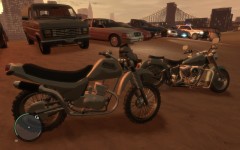
From the album: LCPD:FR
-
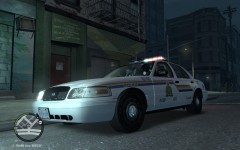
From the album: LCPD:FR
-
From the album: LCPD:FR
-
-
 Core2Duo @ 2.8ghz, 4gb ddr3 kinston ram @ 800 mhz, dg33fb mother board, BFG GTS 250 1 gig overclocked edition. Pretty sure im within sys req lol. But I found out what it was. I was useing v5.4 of the traffic fix script. For some reason it causes the textures to vanish for me. Uninstalled it, Replaced it with the older trafficfic.asi i had in a car pack and now its running flawlessly again at 40 fps :) Full textures full sight range. Thankyou guys for the insight though.
 -
Ya i just confirmed it Sam, It got to the point where the only textures that would even load was a 1 block radius around where you pick your cruiser (closest to Niko's house) As soon as i would leave that area by playing bumper cars with invisible buildings. It would vanish also. None of the textures would reload either. So i put in a older TrafficFix.asi And i havent had a glitch yet. I must say though. Yours spawn much more variety. Could just be my PC plz help? SPECS Core2Duo @ 2.8ghz 4gb DDR3 Kingston Ram @ 800mhz (2 - 2gig sticks) DG33FB INTEL MB 500GB HD BFG GTS 250 1Gig OverClock Edition (Clock:750 Mem:1120 Shader:1836) I thought i would be more then sufficient. When i use the .asi I get full textures (50view 50 detail) at 40 fps minimal stuttering. With the script i get the same fps but with absolutly no textures except for peds and vehicles. I did however notice that when the building textures are gone i can see what seems to be hundreds of cars driving around on the roads. Could it be a fault some where? Causeing the game to divert all the memory to the traffic script and leave none for loading textures? Not sure. Just insight. Thanks for reading this. Any comments/help are always appreciated, Matt
- 97 comments
- 67 reviews
-
From the album: Bug/Glitch Photos.
"" -
Just an album for Bugs/ Glitches
-
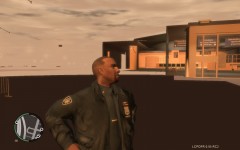
From the album: Bug/Glitch Photos.
"" -
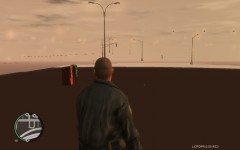
From the album: Bug/Glitch Photos.
"" -
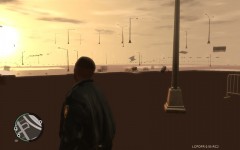
From the album: Bug/Glitch Photos.
Not Sure whats going on with this. But even now that i have reverted back to the .asi trafic loader its still getting this texture glitch. Just not as bad. Still see buildings and such, But all in the low LOD (level of detail). Not sure whats happening here sam. But i do like your traffic loader much better. Works superb. Other then this texture problem -
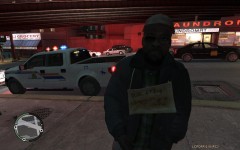 :'( I Dont know why. But i installed version 5 of the traffic patch and now im getting missing textures horribly. :'( worked fine before. Even if i got back to the .asi trafic loader. Its not as bad but still happening :F man. Was going flawless. Knew it was to good to be true XD Was trying to go for the Downtown Vancouver look with this picture XDXD haha thx for the posts :)
 -
You Da Man Sam!!!! Completely stoped my crashes. So far. Only played about 40 mins. BUT! None the less a million times better then the .asi i had before. How ever. There is one issue. Seems to me that the texture glitch is back :'( never had it before this one. Not sure what it could be. going to try to realign GTA IV on my hard drive and realign all the game files. See if that helps. Will post back shortly.
- 97 comments
- 67 reviews
-
From the album: LCPD:FR
-
-
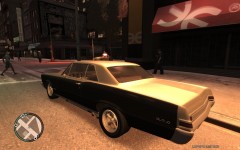
From the album: LCPD:FR
........No Description Needed........ -
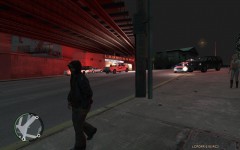
From the album: LCPD:FR
Some Shady Folk Aound These Parts At Night -
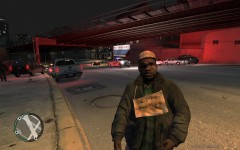
From the album: LCPD:FR
This Guy Kept Posing For The Camera. And Trust me. Save a Dollar. Dont Pull His Finger. -
Hi guys. Found a solution to this. Had to download "Windows Install Cleanup" and manualy delete the registry. took a bit. But there is six registry lines you need to hightlight and clear all labeled "Grand Theft Auto IV XXXXX-XXXXXX(Registry codes x 6 )" Delete these in order to be able to install the 1.0.7.0 patch. Hope this helps some people. Fixed it for me, on windows xp sp3. Sadly though. Still having issues with LCPDFR-R2. all is well till i try to load and then it just crashes right before it loads to the opening scene. No error. Just another ding lol. and the CTD. Not sure whats going on but if i figure anything out ill be sure to keep posted :) (If anyone has any insight on this it would be much appreciated) And yes im running as admin and such. i do read the forums lol ;-)
-
Nope they dont know about any third party addons Just that i deleted my root folder. Thbaks for the reply's gents.
-
Hi All. Im so tired of looking around for answers. Was having issues with FR stability the otherday, so i went to reinstall the game but Securom would not deactivate. So, i looked online and post after post said "just delete the Root folder and reinstall" I thought "Great!".........Not so great. Now after 8 hours of straight hunting, im back here. Posting. (Sorry) It seems like its still reading the game as being installed, even when i log into RGSC it still says play, yet when i click on it, it straight up tells me its not installed and to reinstall it, Yet when i put in disc 1 it brings up the maint. menu (Repair , Modify , Uninstall) All which do nothing. Tried it multiple times. So i deleted the rest manually. And now. After hunting through files for hours. i cannot find anything else related to "gta" on my pc. And its still reading it as installed. I think i may have really messed myself on this one. I hope theres a fix for this. I also have a post in at rockstar support. Just wondering if anyone has ever experienced anything like this. Or if there are any plausable fixes Thanks for reading. Matt
-
To Activate the account on here, simply log in when propmt during the install of RC2. Other would be better suited for answering the rest i am new as well :)
-
No, none. Sorry i meant to put that in the previous.
-
Hello community, Im usre by now your all tired of hearing about them. But im experienceing some issues. After having hunted for answers allover the site and google this is my last resort. No issues going on dudty or anything. Everything seems to work flawlessly and then all of a sudden the game just closes. Hear a ding, but no error repoted from windows? I have reinstalled, hmmm must be at least 8 times now. tried all the ways on the forums. tried my own ways. But nothing. Still runs for 15-25 mins (if im really lucky) and then crashes to my desktop. Specs. WindowsXP SP3 4gb ddr2 kingston ram intel core 2 duo @ 3.8ghz Nvidia GTS250 1gig overclocked edition Running game as admin always. My brain is fried from trying to come up with solutions. Last thing i wanted to do was create another crash post on the forums, but none the less. Thankyou for reading this. Hope some one has a solution. Will Be on TS server in public lobby.