


TheNastyOne
Members
-
Joined
-
Last visited
Everything posted by TheNastyOne
-
-
Just Random Stuff Showcasing the Carpack and other cool stuff
-
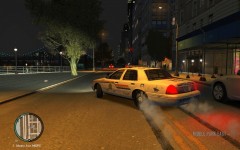
From the album: Random Screens
-
-
-
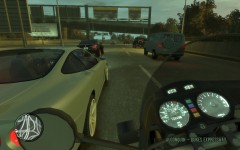
From the album: Random Screens
-
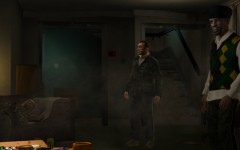
From the album: Random Screens
-
-
-
-
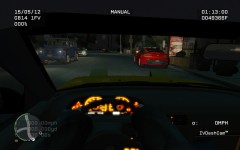
From the album: Random Screens
-
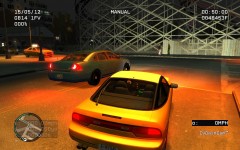
From the album: Random Screens
-
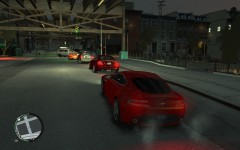
From the album: Random Screens
-
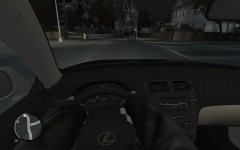
From the album: Random Screens
-
Sorry Nicolai. Just thought it would be good to know for LCPDFR. Make it that much more realistic with all real cars. Feels like a completely different game to be honest. New Pics In My Gallery :)
-
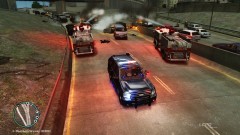 ....Hmmmmm..I kind of um....Pulled the trigger on that RPG.....Im sorry...But he told me not to push that button.....You never. NEVER tell a man not to push a button. Cause, By nature. HES GONNA PUSH THE BUTTON.....Sorry....Curiosity Killed the cat. In this case Cats. lol Great picture.
 -
thanks jay :) you guys as well LCPDFR is great!!!. I know this is slightly off topic here. But i found a bug in RC2 where one of the call outs in a alley way, the suspect and the victim spawn inside the building? i couldn find a way in lol. Is it a glitch or am i just dumb? Will post snaps the next time it happens
-
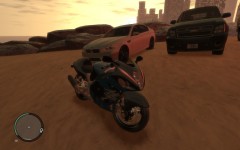 lol no problem man. No its not a police model. Would be cool. Was just trying to showcase some of the vehicles in the car pack i use. Its superb. Changes every vehicle to hi poly models. So it requires a decent pc. But not to great. Only runnin 2.8ghz duo core 4 gb ram BFG GTS 250 1 gb graphics card Still getting around 40 fps in city. Think it was 75 when i took this picture
 -
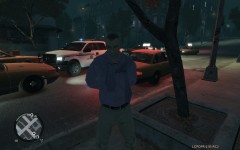 I honked my horn and he straight up pulls a PDW on me and just lets loose. I Finaly got him with the taser as he was reloading lol. Civies are crazy on hardcore mode XD
 -
Hi all. Been playing around with different mods for about a month now. Been having serious issues lol. From crashes, to bugged textures. Right to no textures haha. But i have found it. Finaly a good stable set up. The only thing that has crashed the game on me since is ELS some times messes up. Few and far between though (Think it may just be my lower end pc) Also, not sure if its just me but when i use TrafficFlowV5 script the game wont load any textures at all Just vehicles and peds, posts n lights. thats it.. Pictures in my gallery. Strange. But any way here they are, Also some pictures of a few of the cars in my gallery. The pack has everything from Honda CRX right to the Laborghini Aventador. .ASI FirstPerson.asi <-(Available On This Fine Site) TrafficFix.net.dll(Still seem to get a ton of taxi's) <-Available With Car Pack !i!i!iEDIT!i!i! : To Fix Taxi Glitch Open The .CFG and change the SPAWN_INTERVAL= ### MilliSeconds!! 2 min=120000ms. Also I Turn SHOW_TEXT to false, it gets annoying. Just shows whats cars are spawning. ELS.asi V6 SCRIPTS First Response<-(Available On This Fine Site) IVDashcamV2<-(Available On This Fine Site) Indicator (Still not sure how to use it XD)<-(Available On This Fine Site) MODS GTA IV CarPack Vol 10 (Around 450MB of high def vehicles. Replaces them all. Need a decent pc.) Link To Video Of Cars. http://www.gamefront.com/files/21301089/gta+_iv_cars_pack_vol_10.rar Link To GTA IV Car Pack Vol 10. With this setup i have had no Texture glitches, minimal stuttering, and a average of 35fps. can get 50 if i turn the shadows off. The Taxi's do get kind of annoying, so if anyone finds a better traffic fix PLEASE for petes sake leme know lol. Pulling taxi's over is only fun for so long lol. Hope this works for others. Cheers, Matt P.S I also changed all of my police vehicles to ones i wanted (RCMP) With no issues. Just used SparkIV as usual. Remember to rebuild the archive!!!! :-) EDIT 2 For thes of us who are using Carpac vol 10, If you have noticed the "handling.dat" is a horrible mess. I have taken the time to go through it and reorganize it. This should help for thoes of us who like to edit our own handling.dat If You would like it please feel free to message me. Took about 4 hours to in scrable everything and get it back to its proper location. If i get enough requests for it i will upload it to the site. That is if i can get the orig. editors permission,...How ever. Does that apply if i only reorganized?? Did not change anything within the file. Still is as when i recieved it. Just "neater" :biggrin:
-
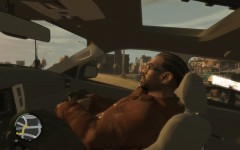
From the album: LCPD:FR
-
Random Pictures of RC2. Almost have it perfectly stable. Even With the HD carpack
-
Keepin It Low ;)
-
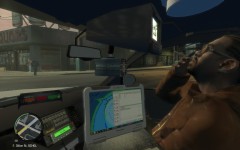 Jacob Says Eff Tha Police Mon!
-
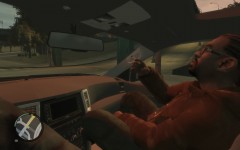 Jacob Just Never Quits.
-
Guilty Look
-
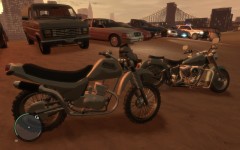 Fat Cat chopper e150 fbiCV aston chevy Bmw RCMPCV RCMP impala f150 Vw
-
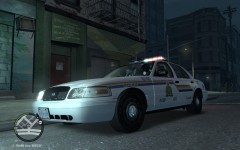 Call To Local Ganja Cafe
-
beemer Fbi busa
-
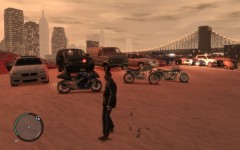 All L
All L
-
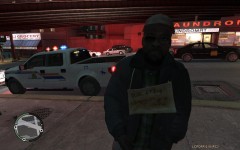 This Guys My Hero XD
-
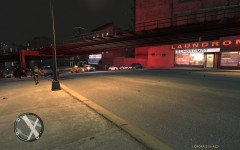 They Got One!
-
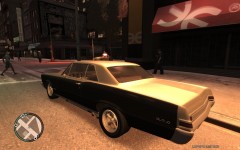 1 Of The 100 HD Cars 67 69 GTO
-
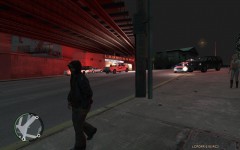 Doin Some Laundry, Under The L, Downtown Van XD
-
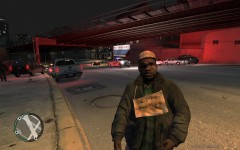 FridayNightDT Vancouver
-
-
From the album: LCPD:FR
-
From the album: LCPD:FR
-
From the album: LCPD:FR



