



OfficerVeX
Members
-
Joined
-
Last visited
Everything posted by OfficerVeX
-
YOU'RE TEARING US APART @Sam
-
If this releases today i'll be like 🙂 😄 If it does not then i'll be like 😞 😓
-
If it releases today i'll be happy, if not I will be very very sad. 😞oopsPlease hurry I can't hold it any longer.Love it.I'm excited. 😄
From the album: LSPDFR Art
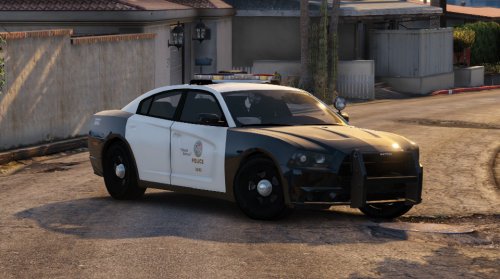
DO NOT USE UNDER ANY CIRCUMSTANCES WITHOUT MY PERMISSION, FAILIURE TO OBIDE WILL RESULT IN 20 YEARS IN B.B.PHello! Welcome to my very first in the How-To series I plan to be doing. I'm doing this because I see a-lot of people asking how to install vehicle models into the game. I aim to make these tutorials as SIMPLE as possible to follow. If you need help feel free to contact me via PM. So, let's begin! STEP ONE: Requirements - please make sure you have the following items before you do ANYTHING. -A legitimate copy of Grand Theft Auto Five. -A BACKUP of your saved game [CRITICAL] -OpenIV (Can Be Downloaded at http://openiv.com/) -A vehicle MOD for GTA:V that you like STEP TWO: Modding the game - Firstly, go to your windows start menu and search for OPENIV, and open the program. Please ensure that you have the REQUIRED open IV file in the GTA V dictionary. It should look like THIS: - http://i.imgur.com/tCM23JW.png To find where GTA V is installed go to Steam > Library > Right click GTA V > Properties > Local Files > Browse Local Files. Now we have that done, we can open OPENIV and click WINDOWS under GTA V. And then click edit mode at the top right in the bar. Like this: http://imgur.com/w3Pqwqc http://imgur.com/ATfncwH Now, ENSURE YOUR GAME IS BACKED UP BEFORE YOU PRESS EDIT MODE. BACKUP! BACKUP! After, and only after you are certain you have backed up your game, then navigate to the following folder: x64e is where most of the vehicles are located. Scroll down to find this file. http://imgur.com/cFeRzZg Depending on your mod, IT MAY TELL YOU TO INSTALL THE VEHICLE SOMEWHERE ELSE. if so, that is self explanatory. open the x64e and go to LEVELS > GTAV > VEHICLES and drag and drop the vehicle folders inside your vehicle mods folder into that dir. STEP THREE: WHEN IN DOUBT, TEST IT OUT! Close OPENIV and test out your game, and complete this checklist Has the game launched correctly? [Y/N] - If N PANIC! PM OfficerMurgatroyd right now, and restore your game to it's previous state using your backup. -Is the vehicle being displayed correctly and driving correctly? [Y/N] If N, then reinstall the mod.Just a collection of personal artwork and stuff



Account
Navigation
Search
Configure browser push notifications
Chrome (Android)
- Tap the lock icon next to the address bar.
- Tap Permissions → Notifications.
- Adjust your preference.
Chrome (Desktop)
- Click the padlock icon in the address bar.
- Select Site settings.
- Find Notifications and adjust your preference.
Safari (iOS 16.4+)
- Ensure the site is installed via Add to Home Screen.
- Open Settings App → Notifications.
- Find your app name and adjust your preference.
Safari (macOS)
- Go to Safari → Preferences.
- Click the Websites tab.
- Select Notifications in the sidebar.
- Find this website and adjust your preference.
Edge (Android)
- Tap the lock icon next to the address bar.
- Tap Permissions.
- Find Notifications and adjust your preference.
Edge (Desktop)
- Click the padlock icon in the address bar.
- Click Permissions for this site.
- Find Notifications and adjust your preference.
Firefox (Android)
- Go to Settings → Site permissions.
- Tap Notifications.
- Find this site in the list and adjust your preference.
Firefox (Desktop)
- Open Firefox Settings.
- Search for Notifications.
- Find this site in the list and adjust your preference.