iEcosan
Members
-
Joined
-
Last visited
Everything posted by iEcosan
-
Holy damn! Thanks mate! Requesting a lock.
-
You need a better CPU, GPU, RAM..... A better computer. You can buy a good by asking help in this thread: Just ask what is the cheapest computer which can run IV on high settings which a good ENB. I hope this is going to help!
-
![[WIP] 2007 Alaska State Troopers State Troopers Crown Victoria Police Interceptor](//s3-gallery.int-cdn.lcpdfrusercontent.com/gallery/album_1419/sml_gallery_2982_1419_14784.jpg) Clean indeed.
Clean indeed. -
Hmmm, I will try to remove the car pack and then try again, thanks. Off topic: Also guys,can you please help me with this?
-
So with the HQ, you mean the High Quality of the texture? Won't that lag the game? :
-
-
So in Single-player it's like the normal siren?
-
High Poly Vehicles which is HQ and doesn't lead to texture delays
-
I am really interested to know more about this website and the staff/members themselves too. This is a new adventure for me . A new experience. Off topic: Also guys if you don't mind to help me here... No one replied yet.
-
I used to mod for GTA SA, I like the modding way for SA more than IV. You don't need to ask for permissions, as long the right credits are included. It's because I wanted to make a Kuwait PD pack...It will take ages to learn how to edit models in zmodeler, and get permissions for the models I want. Anyways, thanks all for the answers.
-
What if I want to run Game4Video's ENB? I get lower FPS. Here:
-
- Intel® Core™ i5-3750k CPU @ 3.4GHz - System Memory - 16GB - Graphics - HD Radeon 7950 3GB Current Resolution 1920 * 1080 Refresh Rate 60 Every thing on max, except for view distance on 40, and Vsync = off. I need help with the settings too. So, if anyone is going to help us both, can you take a screenshot of your graphics settings and post it here? And then post your specs below it? Thanks in advance.
-
Hello all, I am still new to LCPD:FR modification, I played it only one time. I will be doing videos next week with commentaries and cool stuff bla bla bla, BUT. What I need from you guys is to tell me the primary mods I need to set myself up. Like taxi traffic fix and towing services and those cool stuff I have seen in videos through YouTube. Please help me with this, and posting a link for each modification is appreciated! Thanks in advance.
-
Thanks man.
-
Aha, thanks mate Off topic: Can you please tell me the police's car files? The only ones I know are police and police2 which are for sedan cars.
-
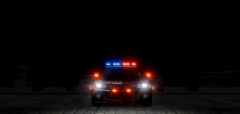 Awesome
 -
What I meant that there's textures more than models in hundreds.. And
-
Hello, I am new to LCPDFR and GTA IV... The problem is, when I want to download something on this site, I just the download the skin, not the vehicle files... I know there is an option to search for Models but, there is a lot of cool skins. If I downloaded a CVPI skin, I won't know for which CV it's for, or it works on any CV? I hope this is the right section for this.
-
Hello all, What my problem is, that I run the game on 50-60 FPS with these mods: LCPDFR ELS Carrythxd's weapon pack Carrythxd's car pack v4 Fiona5's roads Police car mods Game4Video ENB Specs: 500 GB SATA 250 GB SSD 16 GB RAM Intel core i5 3750k @3.4 GHz HD Radeon 7950 3GB So when I record, FPS drops to 20-30 When I install Carrythxd's vehicle pack v4, the textures start to disappear... Settings are all on max except for view distance on 40. Vsync = off Do you recommend any other recording program instead of Fraps? Do you recommend any tweak to stop textures delays? Thanks in advance.
-
It's amazing! Great job ;)
-
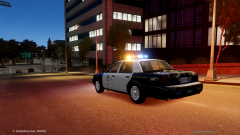
From the album: iEcosan
-
-
-
-
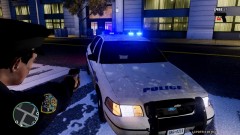 DEM LIGHTS :3

![[WIP] 2007 Alaska State Troopers State Troopers Crown Victoria Police Interceptor](http://s3-gallery.int-cdn.lcpdfrusercontent.com/gallery/album_1419/sml_gallery_2982_1419_14784.jpg)