




Kilyin
Members
-
Joined
-
Last visited
Everything posted by Kilyin
-
-
-
-
.thumb.jpg.bb1e8ecec8228dbd477e7dcb330fb034.jpg) protip: if you want a true unmarked impala, replace all the liveries with impa14_sign_4.png from the original .ytd files.
protip: if you want a true unmarked impala, replace all the liveries with impa14_sign_4.png from the original .ytd files.- 97 comments
- 62 reviews
-
In Simple Trainer, vehicle options, vehicle color menu, you can make it any color you want.
- 97 comments
- 62 reviews
-
If you replaced the entire vehicles.meta, you don't need flags.txt... per the instructions.
- 97 comments
- 62 reviews
-
-
-
-
-
 Can't agree with this enough. RPH 24 is the most stable version I've used. Not a single crash to desktop, and any crash is relegated to inside the game with a plugin. I am kind of fearing that RPH development might get stagnated by idiots who don't install things properly and then whine about it, but hopefully the RPH programmers will ignore all that jazz.
- 3,646 comments
- 306 reviews
-
-

- 2
-
-
For us people who just use the car mods, is there a good way to verify a model and the LODs have been done correctly?
-
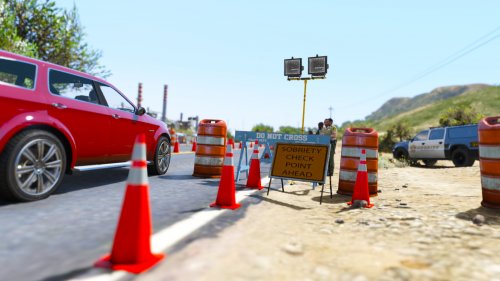 Manually with map editor. I think the problem was other maps were loaded at the time. Doesn't seem like you can load very many at once.
 -
 I'm pretty sure there is a hard limit to modded police vehicles. I had the same deal, knew I was installing a model correctly, but it would crash constantly on startup until I removed another vehicle model.
- 371 comments
- 38 reviews
-
-
Do you have a lot of police car models? Try removing a different model and adding the felon to see if that's the problem.
- 371 comments
- 38 reviews
-
Naw, I just noticed a new version was out and the thread hadn't been updated.
-
-
0.3b has been released. https://www.gta5-mods.com/scripts/rescue-mod-v-fd-ems-coast-guard Version 03b changelog: -added flashing icons (blips) on the minimap to specify the exact location of a callout ; -added more in-game messages to guide the player ; -added a notification to let the player know if the script has loaded successfully at game startup ; -minor improvements a few tips to get a better experience with the mod: -WATCH THE VIDEO TUTORIAL on how to use the mod ; -DO NOT CHANGE THE PED model used by the mod or you won't be able to enter clothing stores / hair cut saloon ; -For people who can't get the mod working if they press F6: you installed it wrong: the mod do NOT need ragehook but scripthookv and scripthookVdotnet, also make sure other scripts you use do not uses the same keys as rescue mod ; -DO NOT CALL FOR EMS / FD via the backup menu: they are automatically dispatched when needed ; -make sure you you installed this (required by scripthookdotnet): https://www.microsoft.com/download/details.aspx?id=48145
-
-
-
-
When loading the map, get an "Object reference not set to an instance of an object" error. Using CheckCheck(WithPeds).xml
-
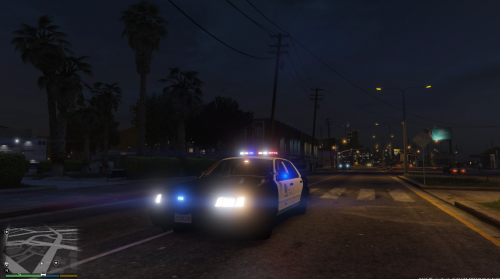 Kind of joking, been seeing a lot of CVPIs get uploaded then mysteriously disappear.
- 99 comments
- 13 reviews
-


.thumb.jpg.bb1e8ecec8228dbd477e7dcb330fb034.jpg)


