


.jpg.59754a1305ef4f2081108239dbfaa360.jpg)

ROBDABANKLAITH
Members
-
Joined
-
Last visited
Everything posted by ROBDABANKLAITH
-
fair enough :D
-
haha I almost fell for something like that too :D that looks like an old OS :P
-
I have my last exam in an hour, so I give you permission to release it haha :D I'm just so pumped to actually have a game that won't crash as much with mods :D :D :D :D :D :D :D
-
 nice convo we're having on two forums haha :D
 -
Well I have no idea then. I'll check mine out later tonight if I remember :|
-
yeh, thats if you dont have steam. if you have steam you have to block the updates from the game properties
-
thanks Im not sure, there might be one built into the trainer.
-
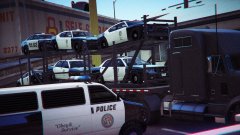
Of course... the Native trainer :P I should have thought of that. how to you life the cars to the top though ??
-
It is very cool, how did you do it????????
-
Open the firewall and click "Allow a program or feature through windows firewall" (on windows 7) then click on "change settings" (you need to be an administrator) Finally find the program you want to block and uncheck it.
-
what firewall do you use? I could try and help if you want
-
Sounds amazing, but tbh, I will wait as long as they want me to as I know it will be well worth the wait... :D
-
Good luck. I hope that we can mod cars so we can get better Crown vic models ETC
-
They've shut the other thread :( anyway, I don't think that they'll release it before Rage is released. I hope it doesn't come out until after next week, I have my hardest AS exams on Wednesday and Thursday :(
-
Looks like I was completely wrong :( Sorry for the hype everyone, I hope you accept my apology :D
-
I know :D but i'm just happy that it could be remotely true, it makes my life a lot more bearable right now :D
-
oh right. Oh well :( still 2 days until something happens :D
-
I'm guessing (complete speculation) that it allows gta4 scripts to be converted to gta5 easily.
-
Oooppps :D my bad :D
-
Sorry :D but the rage plugin logo is in some (if not all) the LSPDFR photos. It will be brilliant if that is the release as I have a two week break from my A-levels :D Its also close to UK half term so I'm home all week
-
http://ragepluginhook.net/ComingSoon.aspx LSPDFR coming with rage??? BTW im not asking for the release date i'm just pointing it out :D
-
Haha my english is so bad. I know that police mod isnt being made by G17 I just need to fix my punctuation. My bad :P Fixed it :D sorry for the mistake I should really learn to proof read things :D Just thought you should know there are three police mods. Theres SAPDRR (palm beach games) they produced the GTA:SA version. The mod you're playing (Police mod which is created by dehan) and finally, LSPDFR (still in development) created by G17. The G17 group created the GTA 4 mod. I hope this makes sense, and I thought I should correct you as sapdfr (now sapdrr) and lspdfr aren't the same.
-
I found this video so annoying that I took it upon myself to correct him. I'm not sure if I did it right tho :P this is what I said "Just thought you should know there are three police mods. Theres SAPDRR (palm beach games) they produced the GTA:SA version. The mod you're playing (Police Mod) and LSPDFR (still in development) created by G17. The G17 group created the GTA 4 mod. I hope this makes sense, and I thought I should correct you as sapdfr (now sapdrr) and lspdfr aren't the same."
-
yeh. I don't care if there is only one callout in the first release as it would hopefully mean it will be more stable :D anyway I can wait as I know it will be worth it :D Good luck G17
-
all look great, I love the coast guard idea. However, i'm not quite sure about the plane thing, that's probably so hard to get right. But still great ideas :D


