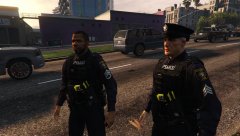
rukrim
Members
-
Joined
-
Last visited
Everything posted by rukrim
-
 thats strange....no one reported an issue just like this one.......mmm....you are putting then in mods folder?
- 273 comments
- 61 reviews
-
if you tried automatic installation, try manual installation instead. for some patchday9ng doesnt work. so try to install them at the most recent patchday(number)ng you have.
- 273 comments
- 61 reviews
-
No. I removed the traffic vest from the options on v3 because many asked an option withouth any vest..
- 273 comments
- 61 reviews
-
-

- 1
-
-
thats included on the automatic (oiv) installation. i forgot to put the proper props on the manual installation files. s_m_y_cop_01_p.ydd s_m_y_cop_01_p.ytd those are the proper ones. enjoy :D
- 273 comments
- 61 reviews
-
-
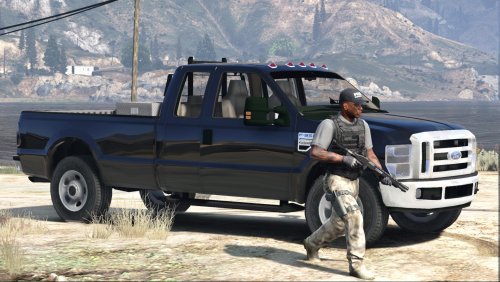 lol...do you plan on releasing this awesome model as a dev resource in the development section?
- 15 comments
- 7 reviews
-
mm...if you go to dlcpacks....do you see patchday9ng?....because the automatic installer added (in case you have the dlcpack it replace...but you dont have it so it should have been added) the files to that location...... if you dont have them there let me send you via pm the files....anywa iam going to update to v3 soon....you want me to send the files or i can just update to v3...which supports manual installation too
- 273 comments
- 61 reviews
-
-
- 1
-
-
yes thats why it didnt work, for V4 i will make an addon version just as EUP. try adding them to x64e or simply add them to patchday8ng....so they will overwrite all the other ones.
- 273 comments
- 61 reviews
-
-
- 1
-
-
v3 will support both automatic and manual installation. V2 files where installed at update/x64/dlcpacks/patchday9ng/dlc.rpf/x64/models/cdimages/patchday9ng.rpf/
- 273 comments
- 61 reviews
-
V3 Coming in some minutes hopefully, its a massive update which will provide a lot of options of donwload. From the order of parts, to the use of all ranks patches or some. It takes time, and iam trying to make it faster. Good things take time :P features for v3: -withouth vest variant added -new rank patches added (new hq redone texture) -Added leg holster again as the third belt. -Deleted traffic vest because belts dont fit very well with it. (i can make a version with the traffic vest but withouth one of the vests or the ''withouth vest option''.? -Fixed heads position in ydd file. Now voices should match with the faces (white, black and latino voices with the faces) -Fixed textures of belts More things like baseball style hat, and new lowr pant with boots as an option coming soon as another ped. As there are a lot of preference i will start doing that. Some like realism so they want a lapd look alike ped....but some others want a more another type of policeman's uniform that are in some countrys...like pants and boots, always vest (never withouth vest), leg holster, baseball style hat, etc.
- 273 comments
- 61 reviews
-
-
yeah i also like all the ranks....but i will make two options on V3, one with some things and other one with some specific things some wanted hah
- 273 comments
- 61 reviews
-
-
- 1
-
-
lol thanks for the fix....anyway...i will update that with V3 proff that we can import them to autodesk:
- 273 comments
- 61 reviews
-
thats a another configuration....the ped has another configuration...dunno where...but it applies apparently certain parts when certain amount of stars are presented. i will look into it :d yes i will in next update ( V3) glad you liked it..... yes iam going to make a sheriff version, but first a female cop from lspd about the traffic vest....i cant fix that right now....i will be able when autodesk 3ds max geo script its updated with exporting feature from the programm
- 273 comments
- 61 reviews
-
-
nono, the camelbak came with that type of vest with the taser added. i can edit these things with autodesk 3ds max, but the script for gtav that let us import this files to edi them dont have the feature YET of exporting.....so later if that update of the script comes i will fix all these things, add cuffs, flashlight, relocate taser , etc.
- 273 comments
- 61 reviews
-
-
- 1
-
-
-
i will see what i can do :D. i dont know if @Alex_Ashfold is already using this tools to add more things to EUP....dunno . what i could add right now maybe its this vest with the taser....and maybe the vanilla vest too. the traffic vest its already available at EUP
- 273 comments
- 61 reviews
-
1. this will only be possible to fix as soon as this script: https://www.gta5-mods.com/tools/gims-evo-with-gta-v-support its updated. i can edit those things with autodesk 3ds max but i cant export the model yet 2. this also cant be possible because of problem explained above at (1.) . i can move the belt with the holster, gun and radio but i cant export the model sadly yet, 3. i already uploaded V2....check it haha, i fixed that issue. 4. i will try but its not easy...because i used 6 different faces with different skins and the configuration of the short sleeve model was setted up to apply 3 textures only.....so there will be some faces and hands that will not match with the skin of the arms. thanks :D,
- 273 comments
- 61 reviews
-
the files names are s_m_y_cop_01.ydd s_m_y_cop_01.ymt s_m_y_cop_01.yft s_m_y_cop_01.ytd and are located at patchday9ng/x64/models/cdimages/patchday9ng.rpf/ new props (new glasses and hat skin) : s_m_y_cop_01_p.ydd s_m_y_cop_01_p.ytd and are located at x64e/models/cdimages/pedprops.rpf/
- 273 comments
- 61 reviews
-
-
- 2
-
-
can you be more clear please...?? ...you mean how to spawn or as what spawns....it will spawn as the normal male cop
- 273 comments
- 61 reviews
-
i will think about it :D. its not easy when you have 6 different faces with different color of skin lol please check at patchyday9ng/x64/models/cdimages/patchday9ng.rpf/ that the files s_m_y_cop_01 are there. this file was setted up to install in that location....its the last update dlcpack for singleplayer models...so if you installed all correctly it should appear in game
- 273 comments
- 61 reviews
-
-
- 1
-
-
-
-