


LeGeorgettier
-
Joined
-
Last visited
Everything posted by LeGeorgettier
-
 I replaced OvenIV's Open Camera ASI for this mainly because this one let's you use custom cameras on clips you wrongfully swapped cameras and landed and the FPV. So far no issues with anything. I could also edit clips I had saved and could not change cameras because of the limitations. Great improvement and also very stable!
 -
 This is by far the best thing that ever benn brought to the N-ELS community since we found how to make custom carcols!
- 334 comments
- 15 reviews
-
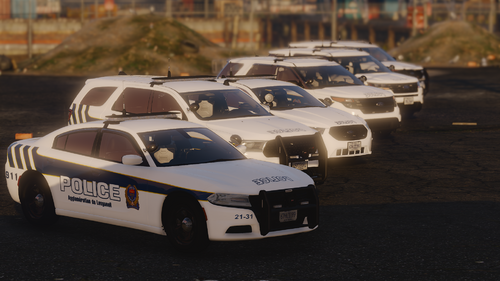 Bien joué! Bonnes teintes de couleur, les polices punch bien et les lignes sont bien découpées. C'est du travail bien fait. Si je peux me permettre un point à ajuster à mon avis tu pourrais ajouter un "stroke" blanc de quelques pixels à tes logos du SPAL pour les rendre un peu plus comme un vrai auto-collant. Aussi oublie pas de découper tes poignées de portes 😏 Jte te pogne les culottes à terre. Bon travail =D J'ajouter la 5e étoile si tu rend sa parfait pour le belle communauté de francophone qui veux jouer Longueuil!
 -
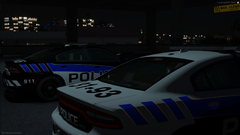
From the album: WIP - Service de Police de l'Agglomération de Longueuil
Une nouvelle génération de véhicules sera maintenant visible à Longueuil! -
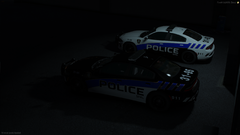
From the album: WIP - Service de Police de l'Agglomération de Longueuil
Une nouvelle génération de véhicules sera maintenant visible à Longueuil! -
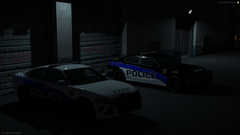
From the album: WIP - Service de Police de l'Agglomération de Longueuil
Une nouvelle génération de véhicules sera maintenant visible à Longueuil! -
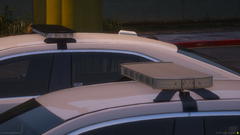 Ces véhicules sont disponible seulement sur le serveur de 911 Québec. Le recrutement du serveur est ouvert à tous les joueurs de 18 ans ou plus! C'est gratuit. www.911quebec.org
 -
-
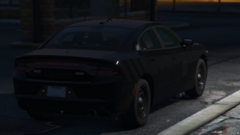 I wasn't talking specificly about cars. Like the guy who comissioned a police vest to only resell it to other people to cover his fees. This is blatantly laughing at the person who spent time making them. Maybe if you would start making cars or textures, you would understand the feeling. But I can say that I understand your point. I was there 10 years ago. But this wasn't a bad thing because it pushed me to understand how theses cars worked and I learn how to make them myself. Also things changed over the years, now people charge for their work (And It is perfectly fine that way) and I can't say it wouldn't annoy me to release stuff that cost me over 2k over the years. That is not even counting the tremendous amount of time I spent learning, redoing and optimizing. Nowadays people want a service given. Not being part of the project. I saw the changes in my server. People don't join to be part of the community, they join to have access to what the community can bring to them. Unless I see a change in the way people see this, I won't be releasing anything. Sorry.
 -
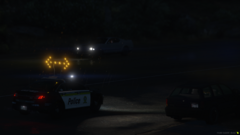
From the album: GTA:V Vehicle Dev [N-ELS]
Toggleable spots casting shadows -
Just some random modelling shots and progress
-
![[N-ELS] Whelen Delta](//s3-gallery.int-cdn.lcpdfrusercontent.com/monthly_2024_08/small.delta_reflectors.png.ebd38f68257f0e5084cf2f5226de6aa6.png)
From the album: GTA:V Vehicle Dev [N-ELS]
Whelen Delta -
Maybe if Quebecers would be promoting the community by supporting other people's work instead of leaking and stealing most of their stuff I would. But considering I am probably the only Qc Dev that supports other Dev's work, and that most of the stuff I made in the past has already been leaked; No I am not. Heck I could even sell them, I already thought about it, but I won't because things are the way they are. People are not going to be nice with me, they will do as the always do.
-
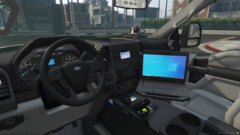
From the album: WIP - Service de Police de l'Agglomération de Longueuil
-
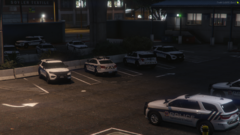
From the album: WIP - Service de Police de l'Agglomération de Longueuil
-
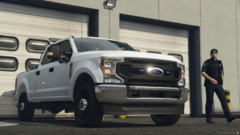
From the album: WIP - Service de Police de l'Agglomération de Longueuil
-
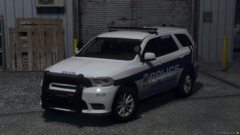
From the album: WIP - Service de Police de l'Agglomération de Longueuil
-
From the album: WIP - Service de Police de l'Agglomération de Longueuil
-
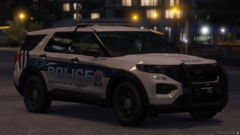
From the album: WIP - Service de Police de l'Agglomération de Longueuil
-
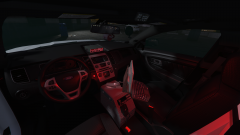
From the album: WIP - Service de Police de l'Agglomération de Longueuil
-
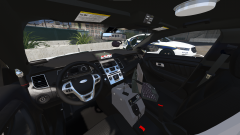
From the album: WIP - Service de Police de l'Agglomération de Longueuil
-
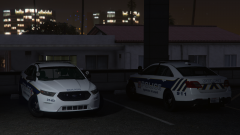
From the album: WIP - Service de Police de l'Agglomération de Longueuil
© LeGeorgettier
-
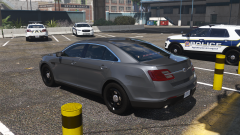
From the album: WIP - Service de Police de l'Agglomération de Longueuil
© LeGeorgettier
-
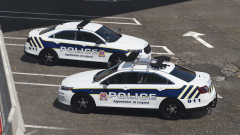
From the album: WIP - Service de Police de l'Agglomération de Longueuil
© LeGeorgettier
-
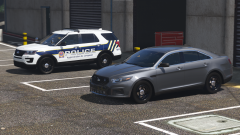
From the album: WIP - Service de Police de l'Agglomération de Longueuil
© LeGeorgettier
-
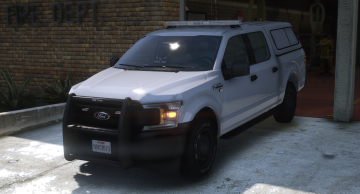 @BlueLine Modifications The bed cap is set on the wrong material so it doesnt change with the body color. Would be amazing if you could fix this! Other than that this truck is sweet AF! I love the strobing carcols. Nice little touch to make it look different




