


cb6
Members
-
Joined
-
Last visited
Everything posted by cb6
-
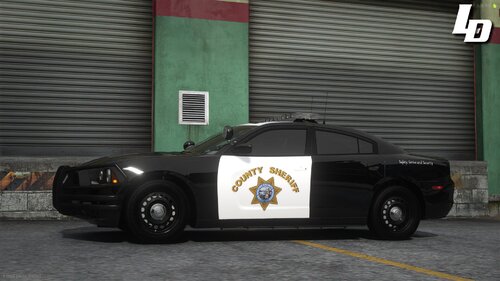 These are AMAZING. Is there any chance you could use the same design, same car pack, but change sheriff to state police? Would be perfect for my game!
 -
-
-
 I’m having the same issue. Preview of the cars in OpenIV shows them perfectly fine but when spawned in game they don’t have textures.
- 200 comments
- 16 reviews
-
-

- 1
-
-
.thumb.jpg.61de846de400ca98f85d205992527de1.jpg) I was wondering the same exact thing. My lights don't work in the sheriff slot as well as they do in police2. Hopefully we get help
I was wondering the same exact thing. My lights don't work in the sheriff slot as well as they do in police2. Hopefully we get help- 265 comments
- 83 reviews
-
sorry about this. The cars I download do not come with a carvariation.meta file. I did as you sad and found the file in mpchristmas2 and opened it with notepad. but none of the police cars are listed in there.....??
-
Hello, so I have been experiencing light bar problems with my police car mods. It is weird. Police slots #1 , #2, #4, and sheriff #2 work just fine. As for police3 and sheriff, only the left side of the light bar works. the other side either doesn't work at all, or is extremely dim compared to the rest of the light bar. PLEASE HELP! much appreciated!


.thumb.jpg.61de846de400ca98f85d205992527de1.jpg)