NoCountdown
Members
-
Joined
-
Last visited
Everything posted by NoCountdown
-
This. It has been happening from 0.1 for me though.
-
Having this issue aswell. This only tends to happen when you approach the vehicle from the passenger side.
-
Sure! An i7 4790 with a GTX970 and 8Gb of ram.
-
Highest settings indeed except for the Anti-Aliasing which is set at TXAA 4x.
-
Looks like I'm one of the first to find an easter egg. Get out of my car you idiot! http://steamcommunity.com/sharedfiles/filedetails/?id=481904366 EDIT: Welp, he got out atleast. http://steamcommunity.com/sharedfiles/filedetails/?id=481904869
-
How about the banner on the top of the page?
-
Definitely looking forward to it. I just had one of my best experiences in 0.1 yet, did a pullover near Grove Street and suddenly had 15 gang members shooting me. Had to call Noose all over the place! I must say, my vehicle didn't really like it. http://i.imgur.com/eKQGSY2.jpg
-
And we all wonder why the RAGE Plugin Hook has to do that, as it should be the job of Rockstar to protect their game and enforce their EULA. Nevertheless, buying GTA V on PC was one of my best decisions yet.
-
Enjoy!
-
I bet you already have Open IV installed, if you do, install both ASI's as stated on the web page. After that, create a new map in your GTA V directory called "mods". In that folder you are going to copy all the folders that you want to modify, and modify your files in there. I've added a picture showing how I got it set up.
-
 I was using it on the latest build indeed, as I had prepared all of my files for 2.0 already.
- 268 comments
- 44 reviews
-
The Rockstar launcher immediately wants to get the original files back in place, this should help you. http://openiv.com/?p=1132
-
So that they would break just after the update leaving tons of people with a version that is not functioning properly? I think that they are doing the best they can to deal with the situation, and that releasing updates before a major patch would be even worse.
-
What banner?
-
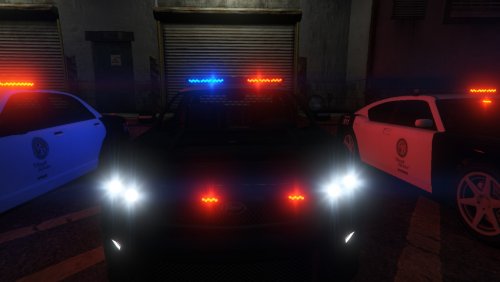
This all the way. http://www.lcpdfr.com/files/file/7753-gta-v-tir6-led-lights/
-
-
Not true, the new RAGE Plugin Hook is already available for download. It supports the latest game version and adds a ton of other cool stuff.
-
Wait, there was actually a countdown before? Quite odd that I didn't notice it.
-
Your CPU usage during GTA V can get quite intense, as it is being used to control the AI. This can potentionally bottleneck your system, and lower your framerates even with such a great GPU. An i5 should be sufficient enough to run GTA V extremely well, but if you need your processor for editing, rendering and alot of multitasking, I'd go for an i7. This being said, an i5 should be great for most gamers! Just noticed that I made a big spelling error again. Welp, I shouldn't get up so early.
-
I honestly don't think that they care about those trainers in single player. Cheating money and reputation in Online is another thing.
-
There has been a mod for this somewhere. I think it was this one: https://www.gta5-mods.com/vehicles/gta-iv-style-handling-mod-for-gta-v Quite odd that this also includes some other things, but it's better than nothing.
-
That's not a bug, it's a feature!
-
As far as I know this service has been halted for quite some time already, and is not availible anymore. Should be available ofcourse
-
 Thanks for V1.2B! Fixes a lot of issues I was coping with!
 -