FlaviusCZ
Members
-
Joined
-
Last visited
Everything posted by FlaviusCZ
-
 Hi, try to change handlingId line in vehicles.meta like this: <handlingId>POLICE3</handlingId>
- 563 comments
- 116 reviews
-
 The most distant LOD is probably missing or something because the whole car disappears from like 100m.
- 221 comments
- 34 reviews
-
.thumb.jpg.4066677156985e22489bfecddc2f6c45.jpg) MASTERPIECE! Perfect quality in every aspect. Main pros: Unrivaled level of details in model and textures (both exterior and interior). Smart extras setup including lightbar not spawning as an extra (slicktop model provided as a separate download). Perfect LODs (no disappearing wheels, lightbar etc.). Surely the best Crown Vic so far.
MASTERPIECE! Perfect quality in every aspect. Main pros: Unrivaled level of details in model and textures (both exterior and interior). Smart extras setup including lightbar not spawning as an extra (slicktop model provided as a separate download). Perfect LODs (no disappearing wheels, lightbar etc.). Surely the best Crown Vic so far.- 376 comments
- 81 reviews
-
The lightbar disappears from like 10 metres, the wheels from like 60. Fixed in version released 2016-01-18. Dash lights should be a bit higher (they are shadowed by the hood).
- 221 comments
- 34 reviews
-
@lok899cz Check you don't have other police3 files in later patchday folders (patchday5ng, patchday6ng, patchday7ng).
-
 Hi, LODs could be better (difference between close and medium distance is too noticeable). But you have my respect for no disappearing wheels! Good job. Improved in version 2.2.1.
- 139 comments
- 38 reviews
-
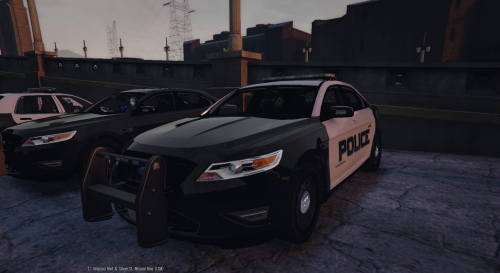 Hi, another tip for fix: Mirror lights don't move properly when doors are open.
- 49 comments
- 8 reviews
-
-

- 1
-
-
Looks good. But please FIX LODs. Wheels disappear from like 80m. The original model doesn't suffer from this. Thank you.
- 49 comments
- 8 reviews
-
-
Please equip this with at least one pair of additional lights (front side). Grille lights would be perfect.
-
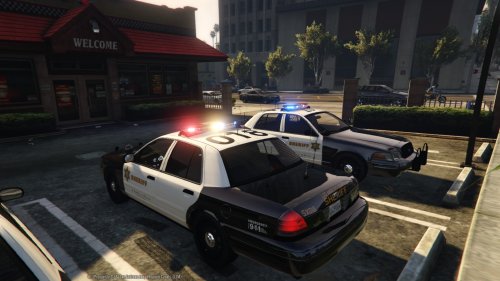 Much better now, almost perfect Thank you for the fix. Any chance of additional grille or window lights?
- 110 comments
- 13 reviews
-
-
- 1
-
-
It's not a problem at all when driving the car myself. But when used by AI, I like look at the arriving backup and then it looks weird. I know it's common problem with car mods, but there are some that don't suffer from this. I hope you manage to fix it.
- 110 comments
- 13 reviews
-
-
-
I think so. I use Mods folder and I've replaced all files in x64e.rpf and added them into patchday7ng...
- 110 comments
- 13 reviews
-
-
 It's this line in vehicles.meta file under the <Item> <modelName>police</modelName> <flags>FLAG_HAS_LIVERY FLAG_EXTRAS_REQUIRE FLAG_EXTRAS_STRONG FLAG_LAW_ENFORCEMENT FLAG_EMERGENCY_SERVICE FLAG_NO_RESPRAY FLAG_DONT_SPAWN_IN_CARGEN FLAG_REPORT_CRIME_IF_STANDING_ON</flags> But it doesn't work. If I change FLAG_EXTRAS_REQUIRE with FLAG_EXTRAS_ALL, the car will spawn with both lightbars at the same time. Vista/21TR doesn't do this and works perfectly fine with FLAG_EXTRAS_REQUIRE - it's always spawning one of the lightbars.
- 137 comments
- 22 reviews
-
Can you make this car always spawn a lightbar like does your CVPI Sheriff Vista/21TR? For some reason this car doesn't do this although both cars have lightbars set as extra 1 & 2...
- 137 comments
- 22 reviews
-
-
- 1
-
-
 Maybe you can remove the lightbar from spawning as an extra like Bxbugs did with his latest Impala update?
- 139 comments
- 21 reviews
-
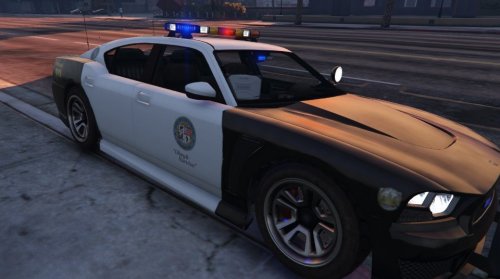 I second this. F5544, can you make a version with the lightbar always spawning, please? Having FLAG_EXTRAS_ALL entry in vehicles.meta doesn't help (FLAG_EXTRAS_REQUIRE doesn't work either). With the upcoming xml backup customization, it would be great to have backup units always equipped with this wonderful lightbar. We're downloading this car because of the lightbar after all ;-)
- 54 comments
- 19 reviews
-
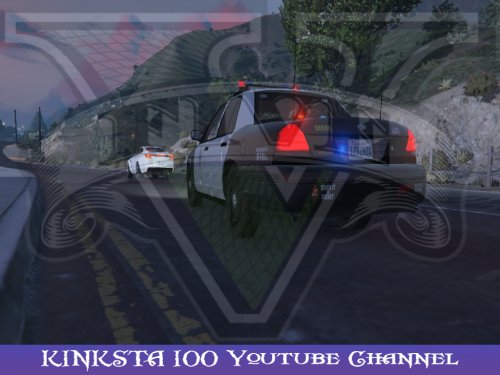 Great Crown Vic. The best I've found so far ! Apart from the red and blue rotator textures being always on when the engine is running, which appears to be a problem with all cars using this vector lightbar, only two other comments: 1. Red and blue coronas in headlights are only visible from the sides of the car. 2. Heating fibers in rear windshield are too much visible to my taste. 5/5 for sure.
- 26 comments
- 13 reviews
-
-
-
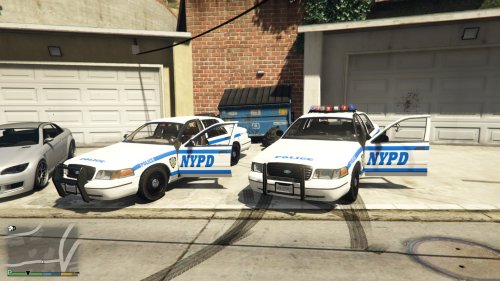 Nice siren and nice Crown Vic in your demo video (nice lights layout). Whose model is that? Is it available for download somewhere? Thanks.
- 19 comments
- 2 reviews
-
.thumb.jpg.4066677156985e22489bfecddc2f6c45.jpg)