

Smokey_Bear
Members
-
Joined
-
Last visited
-
Smokey_Bear changed their profile photo
-
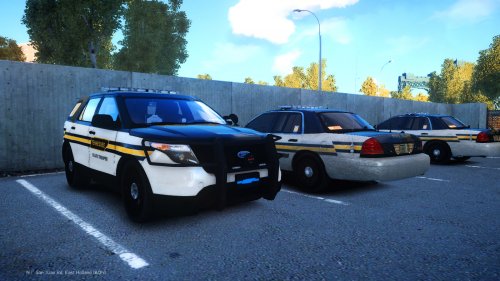 To start off with, I love seeing mods from my home state so kudos for that. Having played around with the pack in-game I can say that it is a pretty solid pack with some fixable issues. The CVPI is very nice, however it has LOD issues. When you walk more than 10 feet away, all of the equipment disappears. Additionally, the park lights are mapped in such a way that you can't turn the park lights on without having the headlights on. The FPIU is a great model as well, but suffers from the same LOD issue. I would love to see a re-release or update that fixed these issues. As it is right now, 3.5/5. Nice job.
- 17 comments
- 6 reviews
-
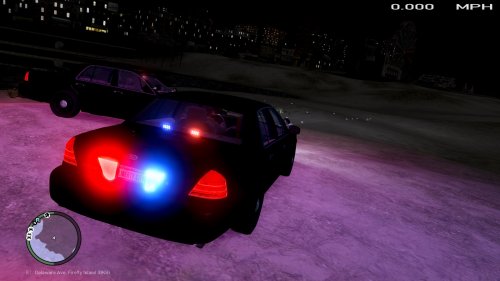 The passenger side front indicator flashes green or purple when you change the lights to blue. Not sure what is causing that, over all though it is a really superb car.
- 7 comments
- 1 review