


ShadowSwipe
Members
-
Joined
-
Last visited
Everything posted by ShadowSwipe
-
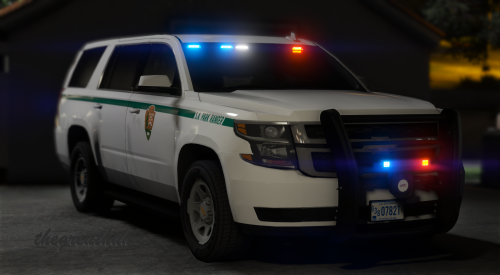 I'm having an issue where even though I have the vehicle clean, the rear window is blacked out completely preventing the rear lightbar from being seen. The same thing is happening to the light mounted on the pushbar, its completed black and no light can be seen from it. I tried reinstalling but no luck.
- 22 comments
- 19 reviews
