


JACK
Members
-
Joined
-
Last visited
Everything posted by JACK
-
-
real or fake ;)?
-
and running the lcpdfr diognostics file?
-
mine usually does that when it crashes after about 40 minuites or so, That means its crashing right away for some reason. Do you have anymods?
-
 ahhh, thanks :) ill switch the settings thanks again!
 -
interesting..., do you like the .0? or is it different in anyway?
-
thats odd, all the other patches usually dont work except for 1.0.0.4 sometimes... and .0.7 usually always worked, is your game have good graphics, and what version are you running? and have you tried the lcpdfr diognostics tool?
-
you shot that image from fraps? every time i try and upload one it says its to big -_-, but interesting sceen :)
-
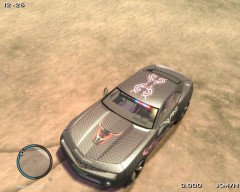 very nice! and I like torro ;) ha ha
 -
LCPDFR, was made to be installed on a fresh venilla folder of gta, if you have lots of mods on it to that may corrupt some of your files. The most common mistake with bad mods is the cars folder ( cdimiges ) ( Vehicles.dat) if you have a car mod that you downloaded with a corrupt file then that will stop your game from worling, ALWAYS MAKE BACKUPS. Also like jay said, try and run the game without mods then if it works install them one by one and remember backups...
-
you could try and check gpm, theres always different kinds of cars there :biggrin:
-
I just use a mod that makes the person approaching from behind you stop/start to slow down 26 seconds so they don't rearend you. And the traffic fix helps out to.
-
trainer will spawn them for you, thats what I use sometimes and it works fine for me.
-
my first call is either suicide or a world event.
-
ELS is probly one of the top things thats gonna make ur game crash, secondly any mods of any kind will to, also theres no perfect file.
-
one of the mods that you can google is the LA 4X4 MOD, many people seem to enjoy it including me very much!
-
its you
-
-
lol sry, i'm just mad because now i'm thinking maybe someone on my teamviewer did it... i only have a limited amount of people that know the password, then i cant think who did it... and now i get the joke ha ha but then i think well maybe the server failed, or something like that happened
-
-
-
-
-
i pressed refresh on my computer because i wanted to see my new stats then it said zero on everything I dont know what the reset button is or anything i just wanted to see my new stats because i had just finished playing my game again maybe it was a glitch jay?? i'm telling u i would never do that
-

