Peak
Members
-
Joined
-
Last visited
Everything posted by Peak
-
-
-
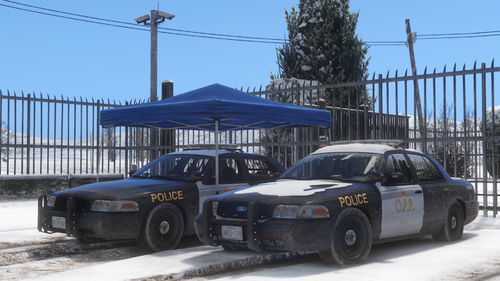 Im trying Replace POLICE in game. Having some issues trying to copy the carcols into Open Iv. I changed the ID number to be 236 and still it won’t let me paste it. Keep getting the error saving. Basically all it says try again later. Also the siren Limit adjuster file didn’t work or change anything. Or maybe I just have no clue how to use it. I put it in the files and nothing changed. Help help would be greatly appreciated while I try to figure this out.
 -
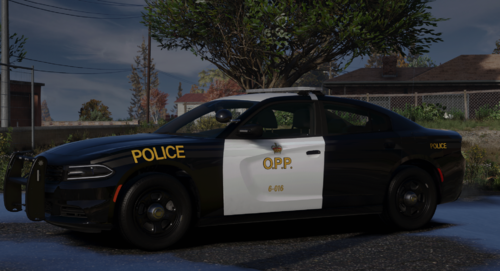 Any Reason you didn't add the back seat protector? Love the car but that's a big missing component. EDIT: Never mind I just read the description. When do you think you'll be adding the interior?
 -
-
 I'm referring to the Emergency uniforms pack - Law & Order 8.1 Uniforms that are compatible with Cop holster and other compatible uniforms. Navigate to lspdfr in you main GTA directory. Then open lspdfr.ini and paste this line. Ambient.DisablePlayerHolsteringActions = true Once you do that save it and your problems will be fixed. Grand Theft Auto V / lspdfr / lspdfr.ini
- 561 comments
- 97 reviews
-
-

- 2
-
-
For anyone that is having the issue where the gun does not go back in the holster, I'm here to help. Basically its because the owner of lspdfr put in the animation to where without this mod you still like pull your gun out the same way you do. Basically when you pull your gun out and put it back in its doing a double animation therefore tricking this mod into not working properly. The animation from this mod and LSPDFR. I know this because if you don't go on duty and you put a compatible uniform on the mod works perfectly. So the fix is deleting the animation of you pulling out your gun from LSPDFR and it should work perfectly fine.
- 561 comments
- 97 reviews
-
-
- 1
-
-
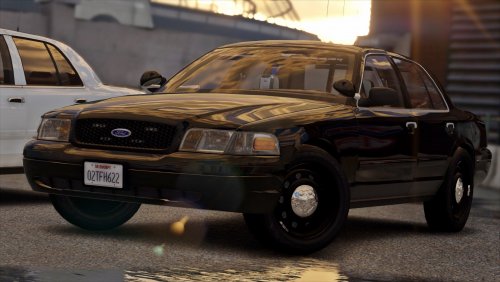 Had it and the wheel aren't the same width so I didn't like that plus the front suspension lower than the back. this is what I use! >[ELS] Unmarked Crown Victoria Police Interceptor 0.1 by him as well<
- 30 comments
- 10 reviews
-
 (Here is both charger's after the fix so if anyone has this problem do the following) Give credit to http://www.lcpdfr.com/profile/165955-xtremeheat/ 1) Go to vehicles.meta located in "mods\update\update.rpf\common\data\levels\gta5\vehicles.meta". 2) Search for your vehicles slots with the above problem (SHERIFF2 and other one, not sure if it is POLICE4 or FBI) 3) Look for the line which has: " <diffuseTint value=" />", after the equal sign should be some value of 0s, X, and other characters. 4) Replace that entire line with the following: <diffuseTint value="0x00FFFFFF" />
- 207 comments
- 94 reviews
-
Fixed all but. But I might have missed it. (ill update this if I did) Turns out I did miss it all fixed(updating Photo soon)
- 207 comments
- 94 reviews
-
Thank you very much I just put all the vehicles in the game and realized its only the ones with (FBI2) and (SHeriff2) that have this issue and also (Park Ranger) shown is the photos! But thank you very much for helping me fix this issue now they can all go in the right places which I wanted because I really enjoy this pack.
- 207 comments
- 94 reviews
-
I love the pack but for some reason the Tahoe (patrol) has a black light bar no lights at on it please someone help me but when I damage it the lights start appearing for under the black light bar does anyone else have this problem if so please tell me. All the other car work just fine. (SHOWN IN THE FOLLOWING PICUTRES) Same problem JUST POSTED A COMMENT TOO!
- 207 comments
- 94 reviews
-
-
-
-
-
-
-