


Hatreyu
Members
-
Joined
-
Last visited
Everything posted by Hatreyu
-
If like maybe add the ability to stand (if not open) your patrol car trunk to maybe access stuff like another armor vest, ammo, or maybe extinguisher. Just a thought this looks excellent already, figure it would just be icing on the cake lol.
-
This sounds great! If need a tester let me know. Been pushing out some great stuff man, thanks for your work.
-
This looks great! Ever need another tester please let me know. Your mods always have a lot of attention to detail, thanks for you work man.
-
 also more than likely you'll need scripthookdotnet also out of that folder too. Sounds like this is going to be the first script you have installed so your going to need those loaders.
 -
Keeps getting better and better. I love the new animation. Just drops his note pad and jumps back in his truck and drives off but lol it's great. The 1 min timer maybe a tad high as some accidents are involving multiple cars, no thanks to GTAs crazy driver frantic mode that happens during most chases or the sight of a gun lol. Maybe instead of a wait you can have it flag the car for tow then mark it with some sort of on screen indication and put truck in route, where then you could flag another for tow a few seconds later and another truck gets dispatched. Sorta like how pullovers are in LSPDFR where you press A and it flags the vehicle. The firefighter mod while active did something similar too, you used caps lock to bring up a small menu then press 2 to dispatch a tow then after hookup the car/tow truck disappears but it got dispatched with a mini map marker and drove up to the accident scene. Thanks again for this, it's turning into something really good.
-
 Open up speedradar.ini file and look for: FlagChance=120 and change it to say: FlagChance=60 this will give a decent chance that feels pretty good as far as random. Tried as low as: FlagChance=20 with this value random flags happen waay more often but feels odd having so many. Feel free to try your own but I wouldn't recommend lower than 20.
- 101 comments
- 40 reviews
-
-

- 3
-
-
Maybe add a delay or wait in between being able to call another tow cause sometimes it seems you can accidentally hit it twice and boom 2 tows on the same car lol. Maybe have the tow trucks spawn a little more away from the player and drive up for more realistic feel. Maybe if get a UI up and running for it then maybe pressing T can bring up a menu so can call for special tow trucks like a flatbed or a phantom with flatbed trailer for multiple car pick ups or the ability to tag multiple cars to be towed.
-
New version is working fine for while on duty now. Thanks for fast update. Working good so far.
-
Excited to stumble across this post. Any news on development?
-
 Works like a charm and sounds great. Especially like the fire truck and motorcycle! Nice job, hope to see more.
- 316 comments
- 31 reviews
-
-
- 1
-
-
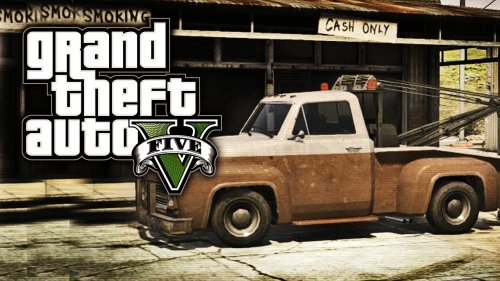
Pretty cool mod. Would be way nicer if tow truck drove up instead spawning right there but works fine so far nonetheless. Nice addition using the old school tow truck btw.
-
If LSPDFR is running then you should only have to add the speed radar files into the plugin folder. Don't add speedradar startup file but do modify the one installed with LSPDFR and add right underneath the load line for LSPDFR to say: loadplugin "speedradar.dll" depending on the version of ragehook you have you may have to put the line in doubled so it'll load the plugin like : loadplugin "speedradar.dll" loadplugin "speedradar.dll" Or can just use the console by pressing f4 in game and typing: loadplugin speedradar but same thing may have to type it again for it to load.
- 101 comments
- 40 reviews
-
Do you have LSPDFR installed and working? Where did you put the radar plugin file?
- 101 comments
- 40 reviews
-
right click it and choose open, then select Open with a installed program. You should then see notepad. Alternatively you could open notepad from a shortcut then navigate to your gta folder then select startup.rphs.
- 101 comments
- 40 reviews
-
-
- 1
-
-
This has plagued my experience bad. Almost every chase or callout ends up with a unnatural shoot out with bystanders, drivers going nuts and suspects escaping because of a gridlocked intersection. Mod runs great but it's these lil things that makes it just not have the same magic as LCPD did. Heck sometimes just my car siren is enough to start the panic overload.
-
cool, yea was trying to avoid the console to load them just to keep things more simple lol. Thanks again.
- 101 comments
- 40 reviews
-
Didn't know if you meant using the console or editing the startup.rphs file. Took a chance and edited the startup file like this: loadplugin "LSPD First Response.dll" loadplugin "SpeedRadar.dll" loadplugin "SpeedRadar.dll" And boom works like a charm, thanks for quick response. Great mod!
- 101 comments
- 40 reviews
-
-
- 1
-
-
Nothing actually, unless I did something odd. Updated ragehook like I've been doing and LSPDFR loads fine saying its a verified plugin but I can't get radar to load even by the console command. Tried to verify the plugin and it's telling me it can't. The only file that was updated in the newest ragehook release was ragehook.exe as like all the others updates were too.
- 101 comments
- 40 reviews
-
-
The file called startup.rhps. One comes with both LSPDFR and this radar mod but need to merge them by just adding the loading line to the other. Can edit the file with notepad and just copy and paste the load line. It will be the only line in there but I believe it has to be written with the quotes like in my post above. Working fine here not many random flags so far but works good and stable.
- 101 comments
- 40 reviews
-
open up the startup file with notepad and can just add the radar line to start up with LSPDFR. Add the line like this can just copy and paste this line into LSPDFRs startup file. with the quotes and itll start up with LSPDFR automatically with the game. LoadPlugin "SpeedRadar.dll" Great work By the way Stray. First addon too lol nice job.
- 101 comments
- 40 reviews
-
-
- 2
-
-
haven't crashed once and been super stable. Having the double suspects too. Also after one chase ended like 10 bikers walked out of a alley and it turned into a sweet shoot out, didn't know if that was scripted in or what but was awesome. This is great so far lol.
-
Awesome work! Very stable and feature packed for a first release. Having a blast so far. Very few issues that I've run into and the police backup is surprisingly well behaved. Thanks for all the work, it shows. The release was smooth too, great jobs.
-
Nearing the 24hr mark. Hype train hitting full Monty soon.
-
Glad you've got it fixed. The ragehook was updated to fix a few crashes and errors by the way, just a little while ago.

