Medal
Members
-
Joined
-
Last visited
Everything posted by Medal
-
on my sheriff & sheriff2 models when i go code 3 the headlights and taillights turn off or the right side head and taillights go out. i tried a different model and i get the issue no matter what.
-
-
i believe i figured it out, thank you for the help and love the pack
-
-
no, it's still white on sheriff2
-
i'm sure, i noticed it right after i installed the pack. when i went and checked the light settings for both are on 1
-
i installed in 1990's sheriff pack and it changed the headlight colors to yellow from white on sheriff and police3 slots, how do i change them back?
-
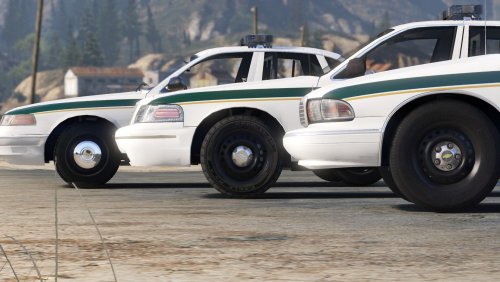 how do you get the reg headlights on the sheriff model after installing the pack?
- 60 comments
- 14 reviews
-
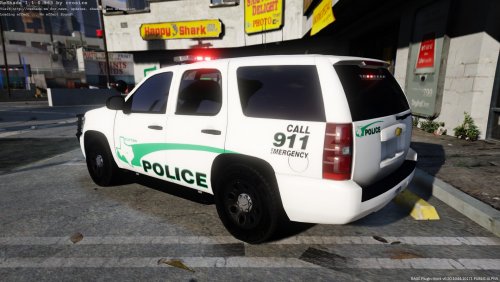 if it's possible could you make a Waterford Police Dept in MIchigan?
 -
they just pop in and out, but i'm gonna grab some sleep. thanks for the help man!
-
just went in game, still doesn't work
-
it's in the sheriff slot. <modelName>sheriff</modelName> <colors> <Item> <indices content="char_array"> 134 134 156 156 </indices> <liveries> <Item value="true" /> <Item value="false" /> <Item value="false" /> <Item value="false" /> <Item value="false" /> <Item value="false" /> <Item value="false" /> <Item value="false" /> </liveries> </Item> <Item> <indices content="char_array"> 134 134 156 156 </indices> <liveries> <Item value="false" /> <Item value="true" /> <Item value="false" /> <Item value="false" /> <Item value="false" /> <Item value="false" /> <Item value="false" /> <Item value="false" /> </liveries> </Item> <Item> <indices content="char_array"> 134 134 156 156 </indices> <liveries> <Item value="false" /> <Item value="false" /> <Item value="false" /> <Item value="false" /> <Item value="true" /> <Item value="false" /> <Item value="false" /> <Item value="false" /> </liveries> </Item> <Item> <indices content="char_array"> 134 134 156 156 </indices> <liveries> <Item value="false" /> <Item value="false" /> <Item value="true" /> <Item value="false" /> <Item value="false" /> <Item value="false" /> <Item value="false" /> <Item value="false" /> </liveries> </Item> <Item> <indices content="char_array"> 134 134 156 156 </indices> <liveries> <Item value="false" /> <Item value="false" /> <Item value="false" /> <Item value="true" /> <Item value="false" /> <Item value="false" /> <Item value="false" /> <Item value="false" /> </liveries> </Item> </colors> <kits> <Item>157_massacaro2_modkit</Item> </kits> <windowsWithExposedEdges /> <plateProbabilities> <Probabilities /> </plateProbabilities> <lightSettings value="2" /> <sirenSettings value="13" /> </Item> <Item>
-
yeah, i made sure i was in edit mode
-
-
-
-
i looked an it is on sirensetting 13 already.I'm currently @Thehurk's CHP pack and the rotators on the '06 vic don't work correctly. Any help?