
AllenKennedy
Members
-
Joined
-
Last visited
Everything posted by AllenKennedy
-
 It's not the same as GTA Online character creation, if that's what you're thinking. IIRC there isn't actually images for the mother/father selection, sorry.
- 631 comments
- 71 reviews
-
-
I'm guessing the latter, personally.
-
Oh god imagine if they started picking on skyrim mods. They'd be there all month vilifying it. It goes to show they're just doing it for clicks and views, and quite simply couldn't give a shit. If they wanted a real story tell them to visit LL for half an hour and see if they decide to make a story on that.
-
-
-
 Right, yeah what trainer do you use? I suspect you haven't disabled quickbinds with SNT V
- 2,341 comments
- 236 reviews
-
At what point in the game are you? My friend had a similar issue because he was at the part in the game where michael & trevor are outlawed from the city. God knows why.
- 2,341 comments
- 236 reviews
-
-

- 1
-
-
-
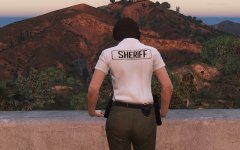 Yes, scenery...
 -
Thank. You. So. Much. The flickering was my biggest problem with the original PoliceRadio, that and coroner spawning on the nearby beach.
-
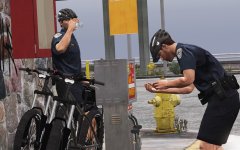 I knew they'd bully you into it. :3 Looking damn nice there.
 -
Hiya, regarding your problems with the patches/decals, are you using the latest version of both EUP, and EUP menu? If so then try checking if you can select the Sergeant patch decals through the wardrobe editor instead. Now with the neck badges, at the moment, they do clip through some undershirt models, this is a problem we're aware of, but thanks for bringing it up regardless.
-
Are you using an outdated game version or a foreign GTAVLauncher.exe?
-
The failsafes for this have been removed from EUP. RDE does not have any either to the best of my knowledge. I'd recommend using menyoo trainer as it's safety changes your character after death, and changes it back after, to prevent infinite loading screens and falling through the map.
- 2,341 comments
- 236 reviews
-
The latest RDE 3.01 update should have fixed this, redownload and reinstall.
-
Ragehook v.49 or v.48? v.48 had crashing issues with many plugins, v.49 fixed those.
- 2,341 comments
- 236 reviews
-
As far as I know, nobody compiled any patch notes of any kind. Just load it up and give it a go for yourself.
-
One way would be finding the peds.meta file, I think it's that file anyway, and changing the settings in there so the freemode characters are treated as cops by the game. This would have problems however, such as unpredictable behaviour towards the player when you're not on duty via LSPDFR.
- 2,341 comments
- 236 reviews
-
-
- 1
-
-
Aha, yes, that is an issue. Some trainers may allow you to make your bodyguard never wanted, but I'm not sure honestly. It's a bit of an issue.
- 2,341 comments
- 236 reviews
-
Haha, happy birthday man.
-
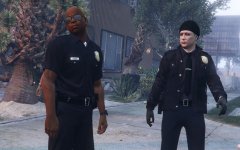 Chain of command privilege at it's finest.
 -
-
-