


High Gear Studios
Members
-
Joined
-
Last visited
Everything posted by High Gear Studios
-
 Unfortunately, no. ELS and non-ELS lighting are made completely differently from each other.
- 43 comments
- 5 reviews
-
#1 on trending, holy shit! Thanks for all of the support on my first large project. Hopefully I can repay with my LSPD pack and my updated SASP pack!
- 43 comments
- 5 reviews
-
I would love to see a development model of a Jeep Wrangler JK or an XJ Cherokee. Think of all the cool park ranger and BCSO models!
-
I appreciate all of the support, this is my first major project after all! Once it's done, an LSPD pack will be out!
- 43 comments
- 5 reviews
-
It's more of a personal opinion, as a lot of SUVs use smaller push bars like that where I live.
- 43 comments
- 5 reviews
-
-

- 1
-
-
I'd have to work on the LODs, but as long as it isnt a huge problem, I don't see why not!
- 43 comments
- 5 reviews
-
-
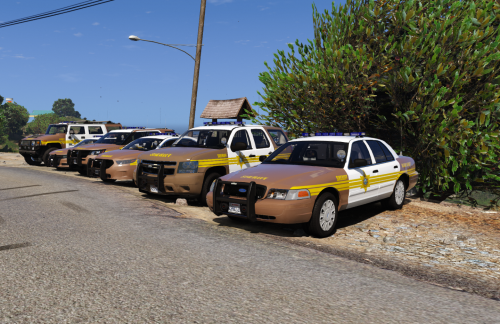
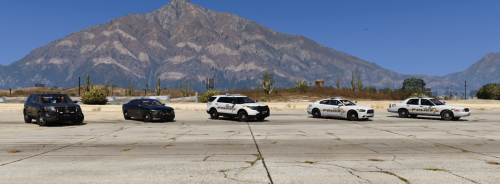
2011 CVPI [Patrol] - UPLOADED 2014 Tahoe [Patrol] - UPLOADED 2016 FPIS [Patrol][Supervisor] - UPLOADED 2016 FPIU [Patrol][Supervisor][Traffic] - UPLOADED 2015 Charger [Patrol][Traffic] - UPLOADED Hummer H2 [Patrol][CVE][SERT] - UPLOADED Impala [Patrol][Pursuit Intervention] - DONE 2009 Charger [Patrol] - WIP Ford Raptor [Patrol][Wildlife Ranger] - DONE Lenco Bearcat [SERT] - DONE Credits: Video by FirstThirtyMinutes: Video by RyWilson:
- 43 comments
- 5 reviews
-
-
- 6
-
-
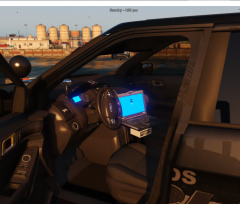
From the album: WIP
-
-
-
-
-
-
-
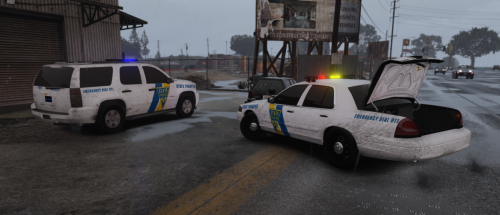 [NOTE: This is my first release, so please do not nitpick, however constructive criticism is encouraged] This is a 2-vehicle pack based on the New Jersey State Police. Both vehicles have the Whelen Liberty, just as in real life. Tahoe - More of a traffic/supervisor vehicle. No partition or window bars, however there is a command cabinet in the rear with cones, and other props CVPI - Basic patrol vehicle. Fully equipped to handle suspects, and is faster than the Tahoe. These vehicles run very well in POLICEOLD1 and POLICEOLD2, so it is recommended to use those slots. Enjoy! Credits are listed below.
- 7 comments
- 3 reviews
-
-
@PNWParksFan Will there be ELS enables sea/land vehicles, or will they stay non-ELS?
-
.thumb.png.2434ced6eeaeeaaf6371f8b8fcd3acd3.png) Good job on the livery, however please do not re-upload models. Put the livery in vehicle textures to avoid stealing models.
Good job on the livery, however please do not re-upload models. Put the livery in vehicle textures to avoid stealing models.- 10 comments
- 1 review
-
 Love the mod, but was the "Hats" folder removed? I didn't get it, and the vanilla hats look horrid with these models, otherwise the peds and EUP unis are GORGEOUS
- 108 comments
- 19 reviews
-
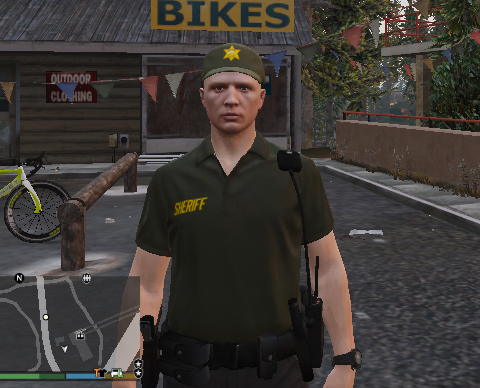 This is a little wardrobe pack for EUP that I put together for people who want a gang unit/special patrol/training/etc based outfit for LSPD and BCSO. These can be added to existing wardrobe.ini's with outfits by adding the included code in the README. Enjoy!
 -
 Los Santos Police Department Livery Pack that is based on the Wanaque Police Dept. Located in New Jersey. Best used with these two packs: Marked: Fort Worth PD by t0y Ghost: BCSO Pack by East Coast Designs
 -
This mod is great so far! Love the random highway patrol cars.
-
I will test!
-



.thumb.png.2434ced6eeaeeaaf6371f8b8fcd3acd3.png)

