EuroLX
Members
-
Joined
-
Last visited
Everything posted by EuroLX
-
 I deleted my mod folder contents and restarted it, and now it somewhat works. Unsure if its this vehicle pack or other mods I've installed recently but I have to launch GTA SP first then launch RPH once its loaded into SP.
- 359 comments
- 26 reviews
-
Sick pack, I just wish I could make it work. 😞 I tried installing it through the standard dlc.rpf way but that caused it to crash gta. I then pulled the ytd(etc.) files individually and into the latest patch and that works but I can only use the replace cars and not the added ones. Anyone had this issue before and have any suggestions?
- 359 comments
- 26 reviews
-
enabled the mod folder and launched it through classic gta then opened RPH and the cars I installed work fine so idk. I guess I'll just run it like this lmao
-
That worked, was able to go on duty without issues but the cars I added to the mods folder aren't showing up.
-
no issues, launched without issues
-
Named the mods folder to mods_ and still crashed.
-
Verified Game Cache, I double-checked to see if the vehicle files were still there, and they weren't. I re-installed them under the mod folder and I'm still crashing. New Text Document (3).txt
-
No, the install path is directly into the update folder>x64>dlcpacks>patchday28ng>dlc.rpf>x64>levels>gta 5>vehicles.rpf
-
I spoke too soon apparently, same issue again... I don't use the mod folder cause I only ever install GTA for lcpdfr so I'm not worried about its files. New Text Document (2).txt
-
Worked like a glove, thanks man!
-
Hello, It's the yearly special of re-installing lcpdfr and getting crash reports. I usually can find what's causing it but I'm hitting a wall this time. I launched the game after having the basics installed, LCPDFR, ELS, 1 Vehicle Pack, Visual Pack and no issues. I then installed ExternalPoliceComputer, StopThePed, UltimateBackup, CompuLite and I haven't been able to launch since. I've installed the latest ragepluginhook (106), the latest RageNativeUI, ScripthookV and no luck. I've re-installed all of the mods listed above and no luck there either. My crash report doesn't seem to give me any clues either. The base game still launches just fine. Your help would be greatly appreciated. Cheers, New Text Document.txt
-
I'd press shift, it would mark them on the map but I'd go code 3 and they just keep on driving. I relaunched and still same issues, I even tried cancelling and redoing it.
-
Occasionally I get into random pursuits that aren't marked on the map therefor I can't call for additionals, this message shows up when it happens "blah blah to advice dispatch of pursuit press ." Idk if it means the punctuation but that hasn't worked.
-
-
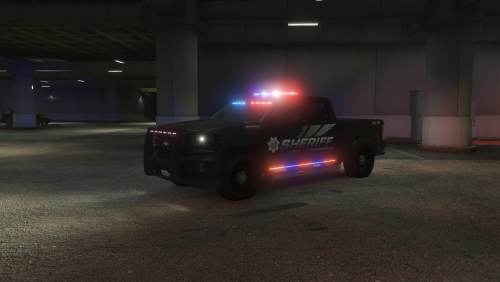
I really like the police cars used on nopixel, is there a bundle with them all on lcpdfr or?
-
-
I haven't really looked into it much but figured forums would know the best to download. Thanks in advance -Daniel.
-
Lights show like this https://gyazo.com/e3fca23ee5a55057ba11495bde765a12 I've installed Radiant and am still getting that as far as lighting goes. (yes my gta settings thing is on ultra) help?
-
-
Hey I'm getting an error for your vocaldispatch after signing in. RagePluginHook.log
-
Hey! I installed this and it wasn't working. When I'd hold the E button it would jump my game like asif it was pausing and playing non stop till I holding E. It would not open it. The original Computer works fine I just can't access yours. I tried re-installing it and even re-installed completely LCPDFR and still it doesn't work. All 3 files as said are put in the Plugins/LSPDFR directory and it doesn't work. To explain what happens when I do hold the E button its like non-stop lag till I stop holding it. Yes, other add-ons like callouts work perfectly fine. I could record a video of what happens when I hold E If you'd like but its almost 3 AM so ill get it done tomorrow just let me know. Cheers!