Captainsam
Members
-
Joined
-
Last visited
Everything posted by Captainsam
-
 if there was coast guard on lspdfr this would be amazing with coast guard skin on get ski
- 1 comment
- 1 review
-
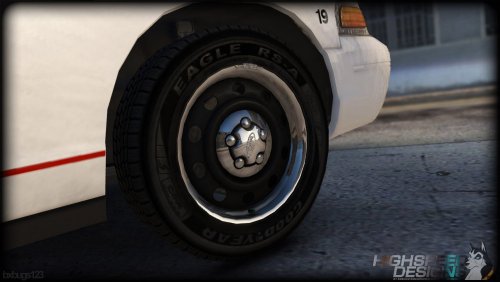 i love the pack but cant seem to get the wheels from the second left of the pitures
- 43 comments
- 10 reviews
-
 i keep getting error's and i dont know how i have made a mistake it said line 24 character number 5 <?xml version="1.0" encoding="utf-8"?> <SirenMastery> <!--Siren Mastery by Albo1125. Please review the Siren Mastery documentation for full instructions on how to set this up. There is also a folder included in the Siren Mastery download containing a few examples for your convenience, along with a tutorial video. You can add as many VehicleSirenSetups as you want. They must be between the <SirenMastery> and </SirenMastery> brackets.--> <VehicleSirenSetup> <VehicleModel>police</VehicleModel> <VehicleModel>police2</VehicleModel> <VehicleModel>police3</VehicleModel> <VehicleModel>police4</VehicleModel> <VehicleModel>policeold1</VehicleModel> <VehicleModel>policepold2</VehicleModel> <VehicleModel>sheriff</VehicleModel> <VehicleModel>sheriff2</VehicleModel> <VehicleModel>policeGT350Rgt350rehicleModel> <VehicleModel>fbi</VehicleModel> <VehicleModel>fbi2</VehicleModel> <VehicleModel>policeb</VehicleModel> <Sirens> <Siren1 SirenType="Primary">PolicePrimary</Siren1> <Siren2 SirenType="Secondary">PoliceSecondary</Siren2> <Siren3 SirenType="Secondary">PoliceTertiary</Siren3> <Siren4 SirenType="Horn">Bullhorn</Siren4> </Sirens> </VehicleSirenSetup> </SirenMastery>
- 852 comments
- 108 reviews
-
-
-
i like the concept of it but when i do the lspdfr one or the others it stops the buttons its supposed to free up stops working for my els mod and i wondering if it something my end or how this is fighting for the control
- 40 comments
- 16 reviews
-
 Would be nice to see a nice well made crown vic in there to replace one of the dodge's other than that brill pack
- 70 comments
- 30 reviews