


gfd4186
Members
-
Joined
-
Last visited
Everything posted by gfd4186
-
@Henessy Thanks for getting back to me. Here's what my plugins look like. I appreciate the help!
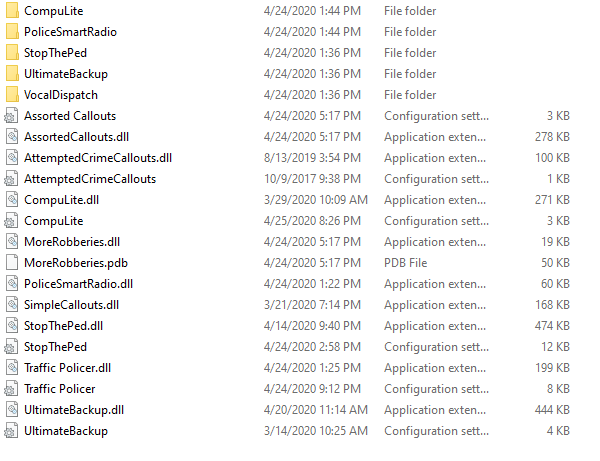
-
I'm sure questions like this are posted on here all the time but I just wasn't to get some opinions from others who play LSPDFR. Basically I have a very hard time getting a decent frame rate while in game. I've played with the settings quite a bit (to the point where the game doesn't look good at all) and haven't had much luck. My current PC specs are: CPU: Intel Core i7 3770 3.40GHz quad core RAM: 16.0GB Dual-Channel DDR3 798MHZ GPU: RTX 2070 Super Storage: 1T HHD I have an SSD on order to move my games off my main hard drive but I'm not sure if that will help my in game fps. I'm guessing my CPU is the issue since LSPDFR is so CPU intensive. I have a good GPU and my CPU is not top of the line so I'm guessing that where the problem lies. Do any of you guys think upgrading my CPU will fix the performance issues or is there something I should look through in LSPDFR itself? Thanks for the help
-
This is a skin for the Biff tow truck made by BOVRILwares: https://www.lcpdfr.com/user/46909-bovrilwares/ This skin is based off of O'hare towing which is one of the biggest towing companies in the state. This company was featured in the tv show WRECKED. MODEL LINK: https://www.lcpdfr.com/files/file/2319-biff-towtruck/
-
 This is a great mod looks great and runs awsome (even on my bad pc) the only problem is I don't know how to turn of the motion blur or even if you can. If anyone knows how please let me know.
- 54 comments
- 10 reviews
-
-

- 1
-
