


magiobiwan
Members
-
Joined
-
Last visited
Everything posted by magiobiwan
-
 If you have a working setup with the .awc, can you export to open formats and upload the .oac from that? It should export a proper one for what you have in the file, and it should work for everyone else as well.
- 316 comments
- 31 reviews
-
 Well, AI random events (random pursuits not spawned by LSPD:FR) still happen randomly. Every time I see a randomly spawned AI officer running code somewhere, I always follow them and see what they're doing.
- 1,081 comments
- 166 reviews
-
Doesn't appear to have. Looks like the latest updates for OpenIV included a new version of the OAC files, with additional properties for each file (Headroom, etc.), and gave names to several as well. It appears to work properly if you just use the .oac file you get when you export the existing vehicles.awc file to import the new ones. I attached that file to my comment here. Replace the vehicles.oac file that's already in the download with this one and you should be able to import it correctly. vehicles.oac
- 316 comments
- 31 reviews
-
I think that has to do with how LSPD:FR handles any spawned officers. As soon as the callout is over, it makes them flee and despawn.
- 1,081 comments
- 166 reviews
-
 The issue is probably that the handling mod you're using didn't implement snow handling properly.
- 85 comments
- 33 reviews
-
-

- 1
-
-
So, after some testing (aka playing), I have found a few minor bugs with the Bank Heist callout scenario. First off, it will give you that callout regardless of where you are on the map (I got it from all the way in Paleto Bay), which can lead to some LONG drives (fun though, running code 3 down the highway in the snow going 130+ MPH. Sorry, cars I ran into...). Second, you can unintentionally arrest the SWAT Team Members, and they can become hostile towards you (though they won't shoot or attack you, and you can't shoot or attack THEM). That's awkward... Third, the Voice Lines all still say you're "Officer" and with the LSPD, even if you're on duty as either County Sheriff, Park Ranger, FIB, DOA, SAHP, etc. I haven't tested it yet, but are there voice lines for Female Officers/Deputies, should you be using those models instead? If you're looking for help with Voice Acting to fill some lines in, I'm sure that there are people who would be more than willing to volunteer to help out. The current voice lines could definitely use some improvement. Overall though, great work! The action inside the bank makes great use of the interior design and layout inside the bank. Having a re-supply location close by is VERY USEFUL for when one of them gets a few hits in on you, AND having it re-spawn you in the nearby ambulance, INSTEAD of at the hospital ~1 mile away is very helpful too. I eagerly look forward to seeing what comes next!
- 1,081 comments
- 166 reviews
-
-
- 1
-
-
Whoo! Any chance you're working on additional bank robbery callouts (possibly for the Blaine County Savings bank, and Fleeca bank, both of which have interiors available for use)? Awesome to see this plugin finally arrived!
- 1,081 comments
- 166 reviews
-
-
- 1
-
-
-
 Sounds like your download corrupted. Try downloading it again and try opening it after that's done.
- 3,646 comments
- 306 reviews
-
-
- 1
-
-
 For some reason when I download the latest version right now, the download I get is the same as the version released in September. The file modified date and size are exactly the same, and the hash for the downloaded file matches the version I already have in my Plugins folder. The MD5 and SHA1 hash for the file I just downloaded and the DLL already in my Plugins folder are the same.
- 182 comments
- 25 reviews
-
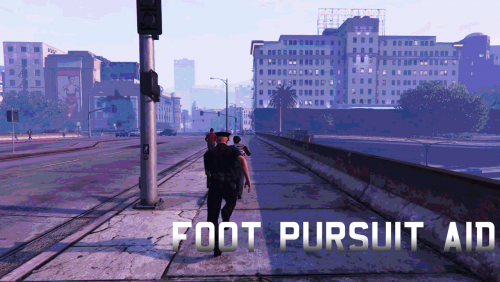 DPad up is already used for the in-game phone though, and can't be changed. Maybe make it configurable, with a default of Right Shoulder button? Normally that button puts you into cover, but without any cover objects by you it doesn't really do anything. User-Configurable is the best way to do it from a User Experience standpoint if at all possible, as everyone has their stuff set up differently.
- 40 comments
- 20 reviews
-
-
- 1
-
-
After updating the Transporter mod today, I've had intermittent crashes of the Owner Wanted callout causing LSPD:FR itself to also crash and die. Attached is my RagePluginHook.log created fresh with the latest session I crashed in. The relevant dump is at the very end. Other than this recent issue, this mod has been GREAT! I've learned to shoot the drivers before approaching just in case they try and Taze me, or shoot me, or just get out with a phone and be assholes! Gotta keep the reputation of the LSPD high, after all! RagePluginHook.log
- 3,646 comments
- 306 reviews
-
 This is, hands down, one of the most helpful add-on mods for LSPD:FR. I used to just "Code 12" my arrestees (AKA shoot them) rather than transport them all the way to the jail. Now, assuming I can actually get them to stop shooting at me and be arrested, they'll actually live until their court date! Maybe IA can finally re-assign their person who has been handling exclusively my incident file. Though with my driving, that doesn't seem likely any time soon...
- 1,915 comments
- 242 reviews
-
-
- 1
-
-
.thumb.jpg.1c0694e0a203c20f1dbec33f8f03aa26.jpg) Good quality audio samples. Replaces the siren (not airhorn) for the police, police2, police3, police4, policet, sheriff, policeold1, policeold2, and riot vehicle models. Basically all of the Los Santos PD Vehicles, the Sheriff Cruiser, the Police Van, both North Yankton Police Vehicles, and the NOOSE Riot Van. It does NOT replace the sounds for the Sheriff SUV, FIB Buffalo, or FIB Granger models, which use a different siren sound. I'll definitely be keeping this vehicle audio mod installed.
Good quality audio samples. Replaces the siren (not airhorn) for the police, police2, police3, police4, policet, sheriff, policeold1, policeold2, and riot vehicle models. Basically all of the Los Santos PD Vehicles, the Sheriff Cruiser, the Police Van, both North Yankton Police Vehicles, and the NOOSE Riot Van. It does NOT replace the sounds for the Sheriff SUV, FIB Buffalo, or FIB Granger models, which use a different siren sound. I'll definitely be keeping this vehicle audio mod installed.- 7 comments
- 4 reviews
-
I have. What happens when I start the game is it just sits on the loading screen constantly. I let it sit for an hour to try loading, and when I came back it was still there doing the cutscene/slides thing. I have the latest drivers for everything, all Windows updates are installed, and I even did a clean reboot right before trying to start it. Also, on a side note, the game start screen looks like this:
-
After I updated to Windows 10, I've had issues getting GTA:IV to load. After a clean install, BEFORE installing any mods, I was able to get in game. However, after I installed LCPD:FR again, it no longer loaded. After some diagnostics and log-file searching, as well as some googling, I found the issue. Windows 10 uses .NET Framework version 4.5.2, however the Scripthook for GTA:IV looks for version 4.5.1 or lower. The relevant line from the diagnostics file is: [System dependencies] The .NET Framework is installed in an unknown version (> 4.5.1)My diagnostics log is attached. I'd prefer to stay on Windows 10 for now, as it's actually pretty nice, and I've noticed performance improvements in other games (GTA V especially). If anyone has any suggestions, I'd love to hear them. While LSPD:FR is awesome and ridiculously stable (I've had it going for 3-4 hours straight without crashing, UNLIKE GTA:IV and LCPD:FR), there's still no Multiplayer for it yet. Diagnostics_13.8.2015_14_34_1.log
-
Right now, when you go on-duty, you're only equipped with a VERY spartan weapon loadout: a Pistol, Stun Gun, Pump Shotgun, Fire Extinguisher, and Baton. It would be nice if in a future update, it would be possible to customize which weapons you start out with, and modifications on those weapons. What I end up doing is using a trainer (my preferred one is sjaak's Simple Trainer for GTA:V, because it does pretty much damn near everything) to customize my weapon loadout and attachments. I tend to play as a LSSD Deputy or a SAPR Ranger, and those agencies typically equip additional gear. Usually a long-gun (I prefer the Carbine Rifle) at the very least. Plus, most officers will have a weapon-light attached to their gun. While doing it manually isn't too hard, and hopefully someone will create a mod that'll allow you to save a weapon loadout for future quick access, it would be nice if LSPD:FR could support customizing the weapon loadout natively.
-
Rigjt now you would need to use a Trainer for that. Because of how the game works, any character model other than Franklin, Trevor or Michael has no way to track money and thus no way to use any store or service that requires it. I use the advanced Simple Native Trainer (similar in functionality to GTA:IV's SNT) to change around my weapon load outs. I also used it to trick out some police cars with upgrades too and save them for easy spawning/access.
-
K9Units, try unblocking the files that came in the Download. The easiest way to do it is to unblock the downloaded ZIP file, then extract it again. See this guide for instructions (couldn't find one in German for you). That's probably the issue.
-
Is there any way to change the default weapons you're given? Right now, I'm using a Trainer to change around my weapon loadout but it would be nice if there was a way to change it normally. LCPD:FR had a spot in the Config file where you could change it (IIRC), but LSPD:FR is so new still. It's not too big an issue, but it owuld be nice (I prefer going with a Heavy/Combat Pistol, Carbine Rifle, and Pump/Assault Shotgun, as well as the Stun Gun, all in the "LSPD" skin for my loadout). Also, something that would be cool to see would be the ability to use the Spike Strips which the AI normally spawns for 3+ Star Wanted Levels. GOOD WORK SO FAR GUYS!
-
Does this version have Controller support yet? I haven't been able to try it out yet, but I don't see anything in the User Documentation about Controller Support right now.
-
So, I fixed the black screen glitch. Turns out the ENB I was using was doing it. However, removing said ENB managed to break a couple other things (due to it leaving files behind), so I'm doing a fresh install right now. I'll do this mission, THEN install all my mods again. I'm still not sure what exactly was causing it, but it was mysterious.
-
Bence, I tried that, and I still warp over to Westdyke. I'll record a video of what happens when I get home today. EDIT: Video uploading (Estimated 30 minutes from now until it finishes. Yay crappy ISP!!!). Link will be
-
For some reason, I'm experiencing a very strange bug with the "Blow Your Cover" mission in GTA, one which I haven't been able to find by Google-ing around. System specs, Modlist, and such will be after the description. THE ISSUE: When I go to do the "Blow Your Cover" mission, I'm able to take out the first two UC cops just fine. However, when I begin moving out of the room to go upstairs, right about the point where I reach the doorframe, I suddenly get teleported ALL the way over to Westdyke (and suffer quite a fall as well, given I end up about 40 feet in the air) with a 6 Star wanted level. Ouch. Playboy doesn't come with me however, so I fail the mission. Attempting to retry doesn't change anything. Also, after I get teleported, I'm no longer able to pause the game by hitting ESC. Any clues you can offer would be appreciated. Screenshots and video can be provided upon request. What I've Tried: Removing LCPDFR and addon scripts, using SNT to enable never-wanted mode, using the mission help to try to advance through the mission, rebooting it... MODLIST: LCPDFR (latest version) ELS v8 Simple Native Trainer Loading Screen skip mod (can't remember the name, but it gets rid of the damned intro screen when starting the game. FU Rockstar Games...) Graphics ENB (ENBSeries I believe?) SYSTEM SPECS: HP ENVY 17t-j100 laptop Windows 8.1 Professional 64-bit i7-4702MQ CPU @ 2.2GHz NVIDIA GeForce GT 750M w/ 4GB VRAM 8GB DDR3 RAM XBox 360 Controller
.thumb.jpg.1c0694e0a203c20f1dbec33f8f03aa26.jpg)