



MarkyG892
Members
-
Joined
-
Last visited
Everything posted by MarkyG892
-
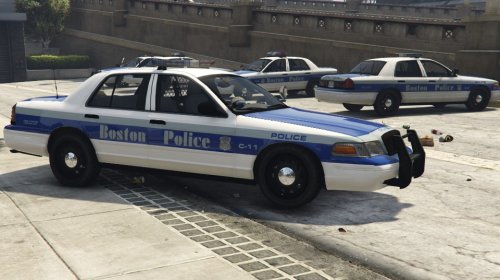 Looks great!!!!!
 -
Episode 19
-
Episode 18
-
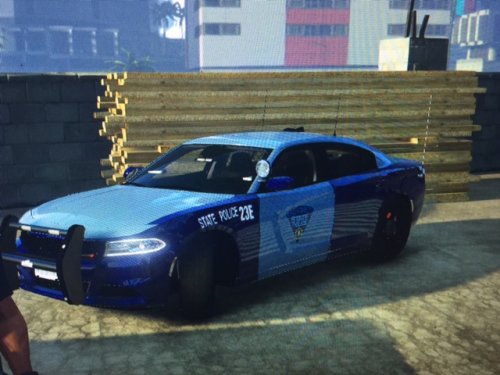 I'm pretty sure MSP don't use new Chargers for any reason (at least I've never seen a new one). I think they stopped at the 2010 Charger.
- 7 comments
- 1 review
-
Episode 17
-
-
Thanks so much Monarchco! Episode 16
-
Episode 15
-
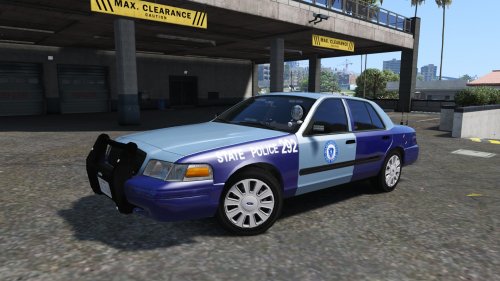 I'm afraid I don't know how to do lights! I only do skins :( This was the closest model I can find to represent a MSP CVPI.
- 5 comments
- 4 reviews
-
Episode 14
-
Episode 13
-
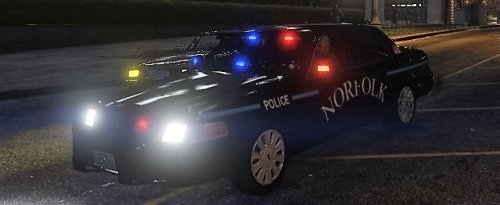 Awesome! I don't see too many people from Massachusetts on LSPDFR! If you haven't, check out my Mass State Police CVPI texture! :) Anyways, pretty dope texture!! Looking forward for more.
- 7 comments
- 2 reviews
-
Thanks so much!
-
Episode 12
-
Episode 11
-
Episode 10
-
Episode 9
-
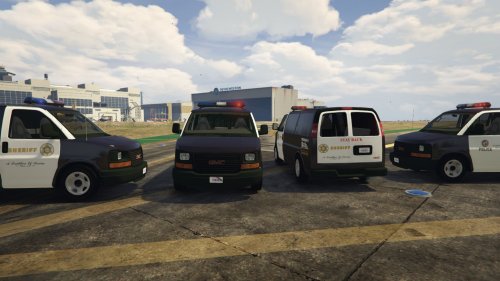 Awesome, it's about time we get a modification for the transport van! Thanks!! After installing, I noticed all the wheels are missing, but I'm sure you'll fix that soon enough since it's a WIP!
- 26 comments
- 8 reviews
-
-

- 1
-
-
Episode 8
-
Episode 7
-
Episode 6
-
Episode 5
-
-
Episode 4 features my new skin that I've created: The Massachusetts State Police! http://www.lcpdfr.com/files/file/9355-massachusetts-state-police-cvpi-skin/
-
Hey guys, this is my first ever skin that I have created for GTA 5. This skin features a Massachusetts State Police CVPI. Please give me feedback of how you guys think it looks! I find it looks most realistic with this vehicle model: http://www.lcpdfr.com/files/file/9073-unmarked-cvpi-pack/ This skin is featured in episode 11 of my LSPDFR series: https://youtu.be/KXyZmiGUD5E To install: Start Open IV and navigate to GTAV\mods\x64e\levels\gta5\vehicles.rpf\police4.ytd Enable edit mode and open the .ytd file. Replace my texture with the "cvpi_sign_1" and then hit save and exit. (For the vehicle model itself, I did not make, so follow those separate instructions on how to download the police4 model first.) PLEASE DO NOT PLAGIARIZE MY SKIN <3
- 5 comments
- 4 reviews

