


Invictus
Members
-
Joined
-
Last visited
Everything posted by Invictus
-
I didn't think of that. I'll have to try that. I guess with the other way it'd be easier to start from scratch. Especially if you want to use a female ped. Didn't think many people that use lSPD:FR knew about it. Every video I watch is always the same peds over and over. Thought I'd lend a helping hand with this discovery.
-
By any chance do you know where that option is located on the trainer?
-
I'd like to bring back the way you can interact with peds in LCPD:FR. Hold e at a ped without aiming your gun at them. Checking their ID from there, frisking, and detaining. Plus, I miss the shiny blue/red type dot thing that appeared when aiming and interacting with peds. Although there's already a way to do it.. I'd like to see a user friendly way to customize a custom ped model from GTA V Online and get them into Police attire. Same thing with Sheriff and Highway uniforms.. Possibly SWAT as well. I know I'm not the only one who gets tired of using the same cop models over and over. One important thing, near by Police need to respond to calls. Especially if you're right next to a cop car during a traffic stop and you start getting shot at. The cop will just mind his own business. Same thing during pursuit call outs as well. The cops will just sit at a light instead of responding to a code 3 call with you. Back to player model when dead animation/spawns Michael. If I use any other model besides the cop model when I force duty or if I go into the station and manually go on duty to use Sheriff or HW models I notice my model changes to Michael when I die. I don't die often (unless it's an intoxicated civilian with a knife that somehow kills me in two blows with body armor on.) but when I do, my model completely changes and I don't get my other model back. Although this doesn't seem like much of a deal for those using the FBI, SWAT, Sheriff, or HW patrol because you can just simply go into the trainer and editing takes like five seconds. When you're using the Online peds, the customization can be taxing, especially when the save/load ped option doesn't work %100 with Online peds.
-
This is extremely useful, especially when you're tired of playing as the basic cop models. There is so much customization following using the GTA V Online ped. You will need the Simple Trainer for this. https://www.youtube.com/watch?v=52yfL983TXk
-
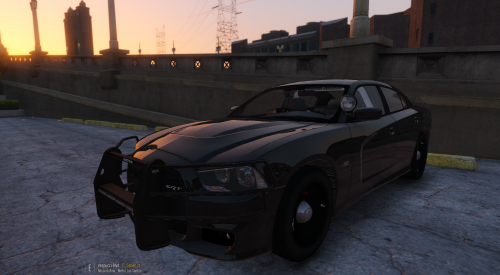 Just change the file names to fib and remove the +hi version of the file and replace the fib buffalo that way.
- 38 comments
- 23 reviews
-
-

- 1
-
-
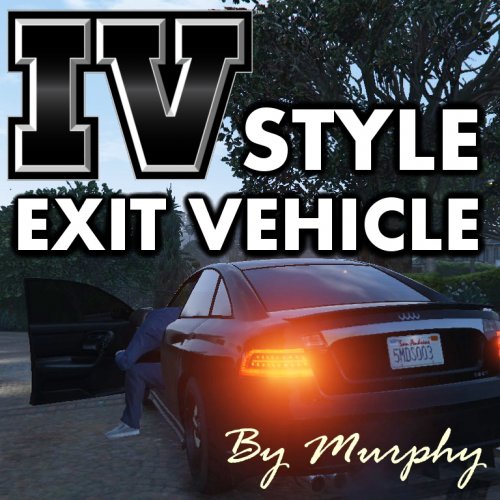 Not working for me.
 -
-
Only complaint I have is that the LED's on the mirrors don't move when the doors open. Unless that's because I replaced FBI instead of Police4, but it's not that big of a deal.
- 38 comments
- 23 reviews
-
 I noticed that one of the rear window LED lights (the blue one) isn't flashing and seems glitched. Not sure if this was already addressed, but if it was how do I install it?
- 202 comments
- 51 reviews
-
 The Yelp for the Federal Signal Siren is way too quiet compared to Wail and Priority. Not sure if I'm doing it wrong, but when I tried replacing the Federal Signal Sirens with the Code 3 Mastercom B sirens they all got muted in-game. There really isn't a good explanation on how to do it. I replaced the files exactly the way were named in the vehicles folder after I put everything in the new folder on my desktop. I'm not sure what I'm doing wrong unless it's just broken.
- 316 comments
- 31 reviews
-
I'm super confused. There is no read me. I click on the file .doc that's named "Read me or the car won't work" and it just brings up another folder with a bunch of stuff I don't understand. Never mind, I got it opened in Word Doc, but I had to scroll down half way through to see the install instructions..
- 202 comments
- 51 reviews
-
-
I can't wait for this... and I hope there will be a way to do multiplayer.This is true with the new version of GTA. Although, with version 1.24 there is no chance of getting banned. We cannot play with players with the current version so it separates us from the non-modders. I will be releasing new content soon with the new trainer etc.These were done using version 1.24 with the Native Trainer.
 So, people are already editing peds and cars yet they are too selfish to share them.. Why?If you don't mind. I've got a question about the Police Mod (v1.0b). Would it be possible to use this mod with the old version of the game? Currently, I use the mod Native Trainer and the Online bypass so I can play with my clan members. The only issue I have is the fact that there are only a few LSPD male models that are usable and I'd like to have further customization.There is a crack out where you can use this in multiplayer although you cannot spawn vehicles with it yet.Some appearances are not here, but the uniforms are.With the exception of the Police Bike ( Forgot about it )Oh wow! Thanks I did not know that. And yeah, sorry I didn't know that was seriously enforced. I'm new.I just want to say thanks! This car looks amazing. I've finally found a car WITH a lightbar that has the reverse lights flashing in code 3.


Account
Navigation
Search
Configure browser push notifications
Chrome (Android)
- Tap the lock icon next to the address bar.
- Tap Permissions → Notifications.
- Adjust your preference.
Chrome (Desktop)
- Click the padlock icon in the address bar.
- Select Site settings.
- Find Notifications and adjust your preference.
Safari (iOS 16.4+)
- Ensure the site is installed via Add to Home Screen.
- Open Settings App → Notifications.
- Find your app name and adjust your preference.
Safari (macOS)
- Go to Safari → Preferences.
- Click the Websites tab.
- Select Notifications in the sidebar.
- Find this website and adjust your preference.
Edge (Android)
- Tap the lock icon next to the address bar.
- Tap Permissions.
- Find Notifications and adjust your preference.
Edge (Desktop)
- Click the padlock icon in the address bar.
- Click Permissions for this site.
- Find Notifications and adjust your preference.
Firefox (Android)
- Go to Settings → Site permissions.
- Tap Notifications.
- Find this site in the list and adjust your preference.
Firefox (Desktop)
- Open Firefox Settings.
- Search for Notifications.
- Find this site in the list and adjust your preference.