



Daywalker1974NL
Members
-
Joined
-
Last visited
Everything posted by Daywalker1974NL
-
 sure, i will but also here. i mean a picture of the person pops up like a passphoto. like when you use the compulite tablet.
- 221 comments
- 22 reviews
-
-

- 1
-
-
All good m8, all good xd. I'm just a Dutchman XD, maybe i did read you reply wrong and i did not notice it as a compliment, depends how you read it xd. But yes, i did come back than a give my solution. and i did share it. because there are indeed so many people who write a problem and write after ow nevermind i fix it. and than erm oke what did you do to fix it? 🙂 again m8 miscommunications right 😛 🙂, sry from my side to, for defending myself hehehe 🙂
-
just a cool pluggin, one request can you link the photo's to it? from peds and vehicles to? would be great.
- 221 comments
- 22 reviews
-
-
- 1
-
-
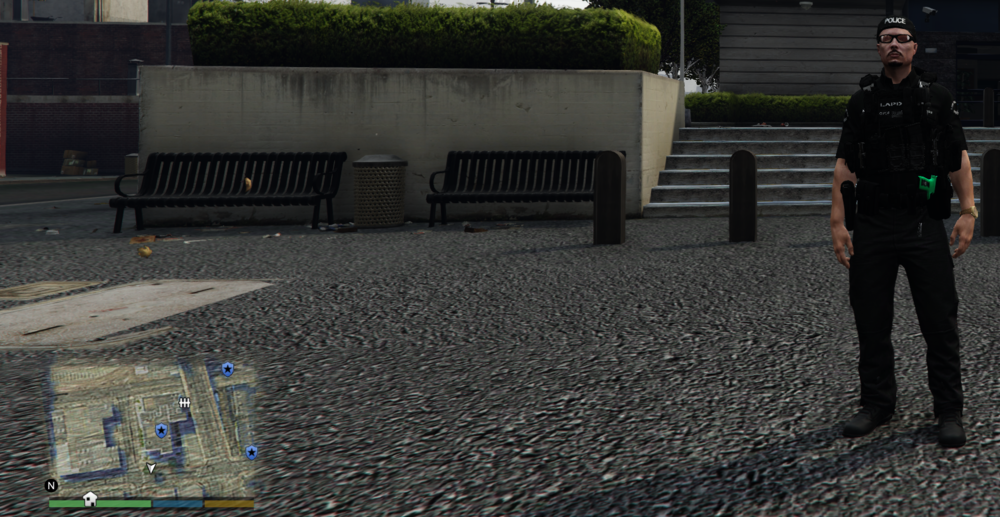
Well, first, i don't have that much time as you. 😉 But still i know some video's of you m8 😉 keep on the good work 😜 Second , i wrote in the text how and where also a screenshot how it looks. and 2 screenshots 2 with the minimap before and after. only it's confusing indeed cause i put 2 problems in one post. I did not think about to put it here as a tutorial. i just reply to it how i fix it. but take it as a readme 😉 If i had more time, and how i know how to record screen to make a tutorial i would like to do it, in the future 🙂
-
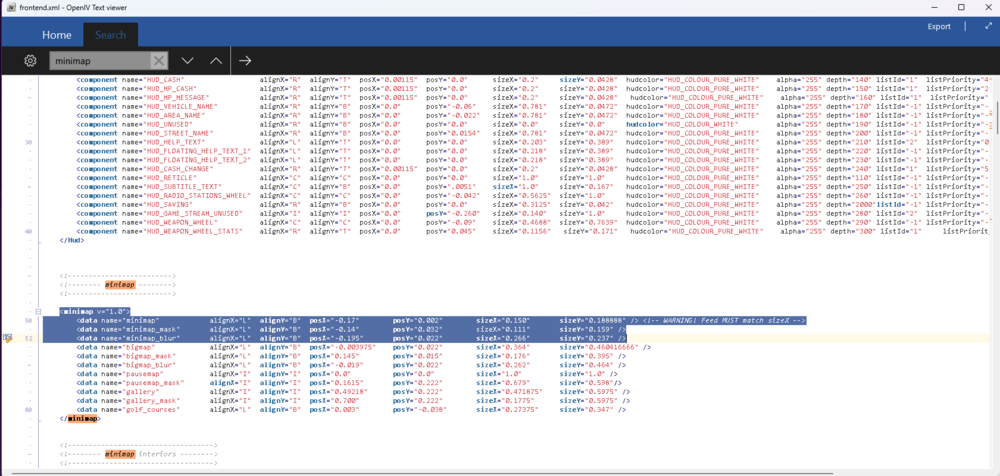
Oke, I found the solution for the minimap on a widescreen monitor: Open openIV: go to GTAV - mods - update - update .rpf - common - data - ui and edit the frontend.xml for safe copy that file to desktop to have a backup. than in the file search for minimap and change ''ONLY these 3 lines. at posX'' to these <data name="minimap" alignX="L" alignY="B" posX="-0.17" posY="0.002" sizeX="0.150" sizeY="0.188888" /> <!-- WARNING! Feed MUST match sizeX --> <data name="minimap_mask" alignX="L" alignY="B" posX="-0.14" posY="0.032" sizeX="0.111" sizeY="0.159" /> <data name="minimap_blur" alignX="L" alignY="B" posX="-0.195" posY="0.022" sizeX="0.266" sizeY="0.237" /> It works for me 🙂
-
hi, tnx for your reply, but i did not change clothing for ultmate backup. it's default. also i try to change screen resolution but i have a wide 35'' curverd LG monitor. i have the setting that the mini map should be in the left corner but it is not.
-
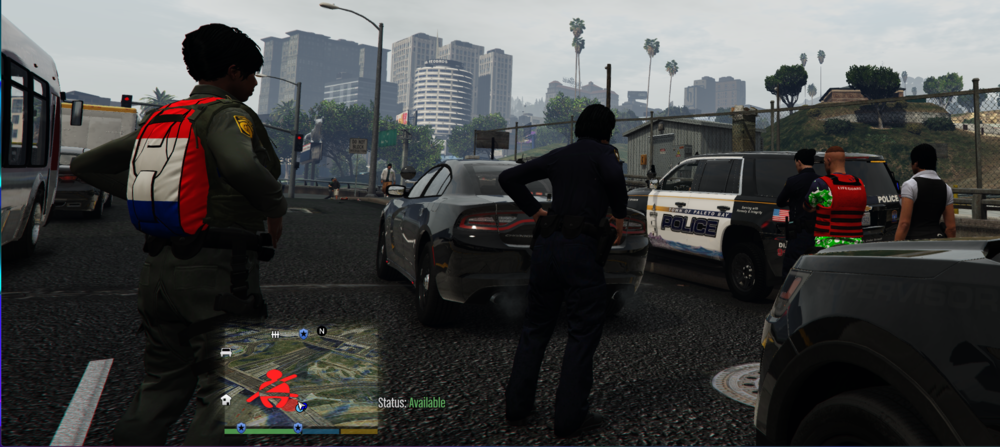
hi, i got 2 questions, why are my backup peds messed up? like parachute, and lifeguard as FBI. and how can i get the radar to the left of the screen on a wide screen monitor?
-
cool mod run it on my ipad. also fast and good help 5 stars rolling out 🙂 keep up the good work
- 221 comments
- 22 reviews
-
-
- 1
-
-
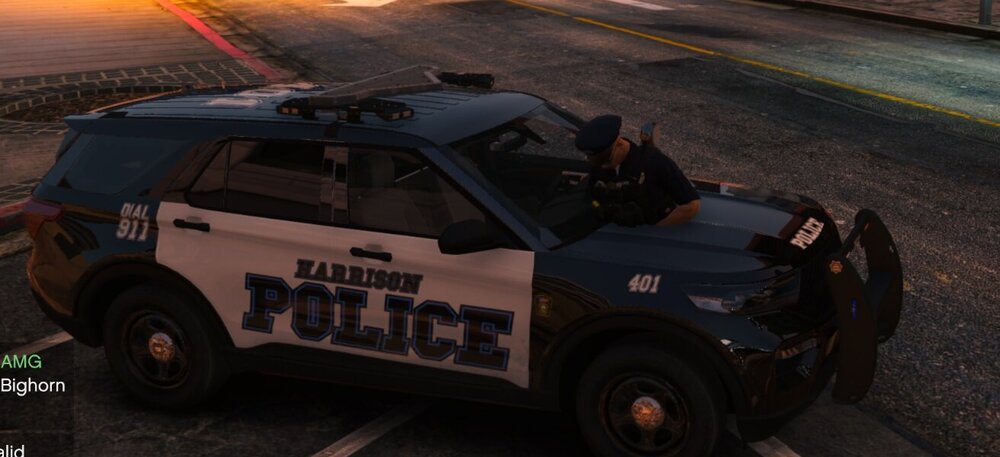
I got this car as police 3 drives nice, all is working. but i can walk trough the cars and when i stop a car he drives trough me to, how can i fix this? 2023 Ford Police Interceptor Utility
-
 I have the same thing, I see a armor trough the jacket. Also My ped has always On duty clothes now, i cant change the outfit. the upper body stays as a police outfit. the rest i can do and change.
- 2,349 comments
- 237 reviews
-
oke i will wait until a fix comes 🙂 tnx m8
-
still drops me to the desktop i deleted assorted callouts like wrote above. who knows to read the logfile? RagePluginHook.log
-
Tnx for the fast reply, i will try this right now 🙂
-
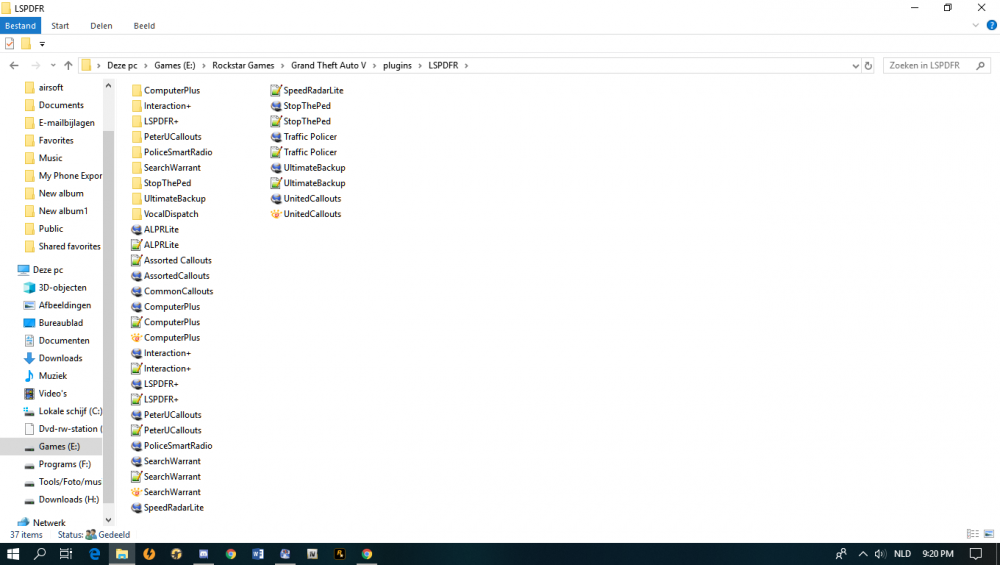
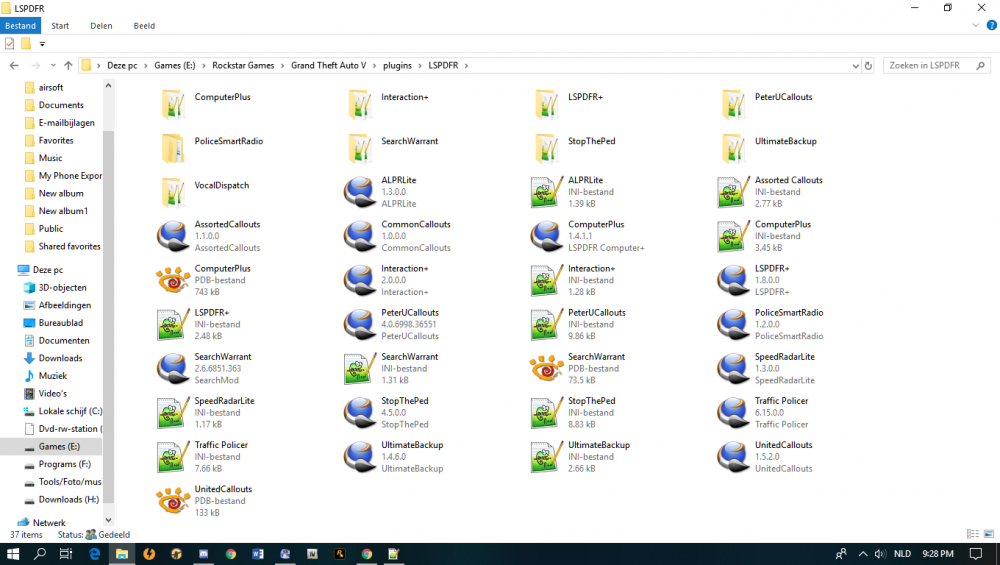
Hello everyone, My Lspdfr keeps crashing random with plugins clean install it went oke. But, now i play with some mods and it keeps dropping me to the desktop random. Also when a call comes is I here the call but don't here the the street name. I contact rage support on discord but there is not much help. Here is a screenshot of my plugin folder and my rage log file: Who can help me out? RagePluginHook.log
-
-
I reinstalled laspdfr 4.0 it works now 🙂
-
 Hi, i put these files in the GTA V/lspdfr/data/custom folder. now i have this also cops have parachute and other clothes. 🤔
- 195 comments
- 24 reviews
-
-

- 3
-
-
-
Hello, I'm sorry to post it here because i don't see a other option for it. I have a clean installed gta V i installed lspdfr 4 and i start rage first start all went good but after a second start i hit rage it startup rage but than it starts the GTA V game normal without rage. I reinstalled rage buit still the same. anyone else got this? or how do I fix it?
-
Not at that time 😉 I think Feb 14. what should be Valentins day. So they give you a big test. Be with you love together, or play the update lol. what would it be? lol 😛
-
It would be great for some Intel info 🙂 Do we need a clean install when we use the scripts/police mods/cars etc? lucky I have a clean installed Backup 😛 Day of release 😛 would be saving allot of questions 🙂 With kind regards, Day,
-
Today i installed GTA 5 again, now i see also this great update coming, just a question what about all the mods of lspdfr and laspdfr itself? wise to install the one we have now or better wait cause now i have a clean installed GTA 5 TNX! KEEP UP THE GREAT WORK!
-
that's the best news this year! Keep up the great work! RESPECT!!!!!!!!!!!!!!!!!!
-
-




.thumb.png.2a9b51dd0b48ed59377971b5be08d0c3.png)