


PRPKaeden
Members
-
Joined
-
Last visited
Everything posted by PRPKaeden
-
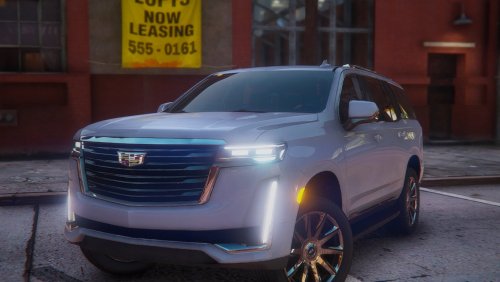 So you may want to either remove the FiveM option or fix it yourself because it's entirely broken. If you try putting the vehicle into a server using the provided "FiveM" folder several things about the vehicle are broken. Including handling, fuel level (if server is equipped), and the vehicle bounces around when driving. However, if you rip the files from the "Add-On" dlc.rpf and put them into FiveM that way the vehicle works perfectly. Just a bit of advice.
- 13 comments
- 4 reviews
-
Nevermind, I seem to have fixed it. I'm honestly not sure exactly what I did different, but for the first time since trying to get it to work, I forced duty instead of going into a station and it worked so maybe that was the key.
-
Okay, so I've done quite a bit of searching through this thread and haven't found anything regarding my issue yet so I'll just go ahead and post the problem I'm having. TIA for the help. Problem: So unlike most other people it seems, I'm not having an error which causes my game to crash, however the plugin simply won't load. I've tried re-installing both the main files through LML and the plugin, I've tried reinstalling the gameconfig and heap adjuster as well with no luck. I'm honestly not sure what else to try doing. LSPD:FR seems to function normally otherwise. Any help would be greatly appreciated. I was really looking forward to giving this mod a try. ModManager.log RagePluginHook.log vfs.log
