.jpg.a9884d43f5b7e27e1d9913e4e7162f44.jpg)

Straysify
Members
-
Joined
-
Last visited
Files posted by Straysify
-
I can be found on both the Rage Plugin Hook discord as well as the Bait Car discord if you have any questions, or feel free to PM me on here.
Join the new Bait Car discord here! (For support and general discussion)
About
Bait Car is a plugin that allows you to catch car thieves in the act. Select a vehicle model, wait for it to arrive, park it somewhere, hide down the street, and wait for the car thieves to come in. Once someone steals the vehicle, follow them and the on screen prompts to proceed. Vehicle models, Ped models, Weapons used in scenarios, wait times, keybinds, etc. are fully customizable in the configuration file. Vehicles can be re-used multiple times. Multiple suspects can now take the bait car!
Currently Supports
RAGE Plugin Hook 1.89 & 1.90 (Latest)
LSPDFR 0.4.9 (Build 8037+ required for new API functions. Older versions will work, but will crash the plugin when you call for backup)
Installation
Extract the included zipped folder to any location (ex. your desktop) Drag all files from the "Grand Theft Auto V" folder included with this plugin into your main Grand Theft Auto V game folder. If asked to replace any files, select replace. Once all files have been copied, start up your game, and go on duty with LSPDFR to load the plugin. Installation is complete
Support
If you need support, be sure to:
Report issues at https://github.com/bmk-dev/Bait-Car/issues, or message me/leave a comment and I'll add them there (easier to track) Please ALWAYS include your RagePluginHook.log file from your main directory (the text document) with any support request State your issue, what you were doing when you caused it, details on how I can replicate it, etc.- 96,691 Downloads
- 212 Comments
Updated -
Lightweight and simple to use speed radar for LSPDFR.. Uses the same concept as Braveheart's from GTA IV. Whipped it up for personal use with LSPDFR, and thought I might as well share it.
Read the included readme file for details on how to use and install. Thanks for downloading!
NOTICE: If using traffic policer, both radar mods use F5 as the default key. Be sure to change this before playing or you will get an error.
- 146,280 Downloads
- 101 Comments
Updated -
StraysCallouts is an LSPDFR API plugin, made to improve the playing experience by adding more callouts. Installation and use instructions are included in the readme.
Current Callouts:
Mugging Suspicious Person Fight in progress Gang Related Violence Do not load this plugin using the RAGE Hook's console, as it is loaded by LSPDFR.
- 73,960 Downloads
- 76 Comments
Updated -
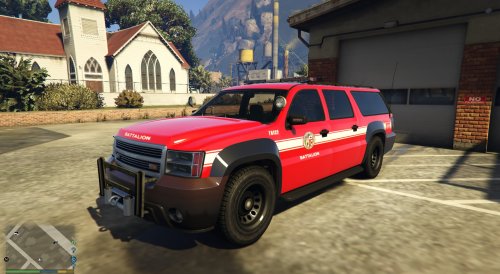
This replaces the Park Ranger livery with a fictional LSFD battalion one. This was made mainly for use with my firefighter mod.
Read the readme for installation instructions.
- 192 Downloads
- 2 Comments
Submitted -
Simple fix for a bug that many people hate; The GTA IV Snow mod V2 reactions. When you're driving, any nearby peds will scream and run away as if you're driving offroad. This is caused by the way the snow mod is created, which turns roads into offroad conditions. This simple edit to ShockingEvents makes it so peds don't scream and run away when you drive offroad.
**The only other fix I found online didn't work, so I released mine.**
Snow mod v2.0: http://www.gtagarage.com/mods/show.php?id=5740
- 2,116 Downloads
- 2 Comments
Updated