Skip to content
View in the app

A better way to browse. Learn more.

LCPDFR.com

A full-screen app on your home screen with push notifications, badges and more.

To install this app on iOS and iPadOS
  1. Tap the Share icon in Safari
  2. Scroll the menu and tap Add to Home Screen.
  3. Tap Add in the top-right corner.
To install this app on Android
  1. Tap the 3-dot menu (⋮) in the top-right corner of the browser.
  2. Tap Add to Home screen or Install app.
  3. Confirm by tapping Install.

19Legan81

Members
  • Joined

  • Last visited

Everything posted by 19Legan81

  1. Im really glad because it´s going to be shitty weather on midsummer here in sweden. So instead of (sill, nubbe och färskpotäter) = swedish food and beverage, i´ll be sitting here counting down as if it was newyears eve. =)
  2. vanished here too, and i live in sweden =/
  3. i´m gonna get drunk as hell and hope the clockwork is some kind of weird thing in my head. And then i´m gonna drink som more, just to make it those 3 days. X-) BTW here is my policecar waiting for a callout =)
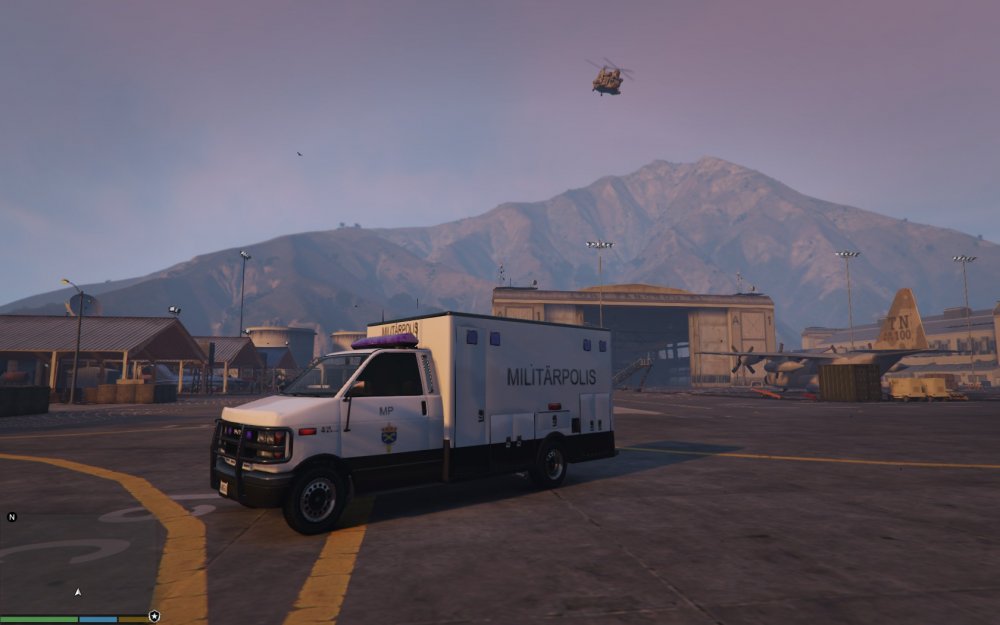
  4. ​Thats true. Just saw the script on a nother mod forum and it looked cool. Im also sure they know what they´re up tp =) so there was no disrespect from me eighter =)
  5. ​mabye they could use this script? https://www.youtube.com/watch?t=15&v=jUHSQTIRrG0

Account

Navigation

Search

Search

Configure browser push notifications

Chrome (Android)
  1. Tap the lock icon next to the address bar.
  2. Tap Permissions → Notifications.
  3. Adjust your preference.
Chrome (Desktop)
  1. Click the padlock icon in the address bar.
  2. Select Site settings.
  3. Find Notifications and adjust your preference.
