Skip to content
View in the app

A better way to browse. Learn more.

LCPDFR.com

A full-screen app on your home screen with push notifications, badges and more.

To install this app on iOS and iPadOS
  1. Tap the Share icon in Safari
  2. Scroll the menu and tap Add to Home Screen.
  3. Tap Add in the top-right corner.
To install this app on Android
  1. Tap the 3-dot menu (⋮) in the top-right corner of the browser.
  2. Tap Add to Home screen or Install app.
  3. Confirm by tapping Install.

DetroitDon

Members
  • Joined

  • Last visited

  1. hardimw3766 started following DetroitDon
    • 50 downloads
    • Version 0.1.0
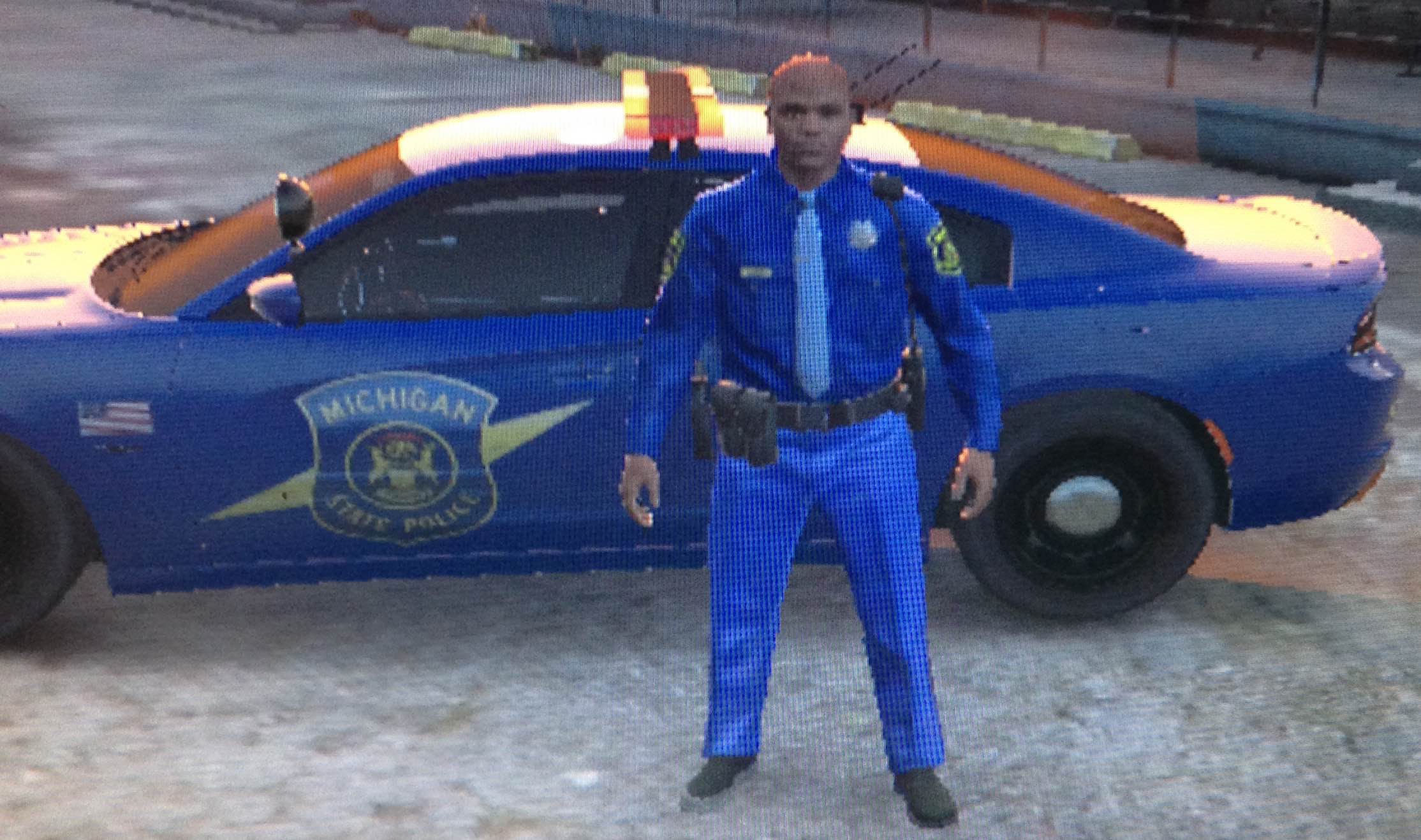
    Changes Coming!: (Brighten the blue lettering, add STATE POLICE to the rear quarter panels) Check out my other Michigan State Police work! Updates will come periodically to the texture as well as my other files! Installation: Use Openiv and go to GTA V/update/x64/dlspacks/patchday3ng/dlc.rpf/x64/levels/gta5/vehicles.rpf Activate edit mode Replace police2.yft, police2_hi.yft, police2.ytd and police2+hi.ytd with KAMELKFB's files available at: https://pl.gta5-mods.com/vehicles/2015-dodge-charger-rt-police Edit police2.ytd and police2+hi.ytd by replacing the policenew_sign_1.png with the one provided. Delete policenew2.png Save and exit Any questions feel free to comment in the post! NOTE: If you do use this skin in a video please provide a link to this post. Also please do not redistribute this skin and claim it as your own!
  2.    DetroitDon reacted to a comment on a file: Michigan State Police Uniform
  3.    Nutt reacted to a file: Michigan State Police Uniform
  4. Yeah, I used my phone to take pictures of the screen; I will use screenshots next! I will switch it over to the policeman in the next update!
  5. bidexy2k started following DetroitDon
    • 546 downloads
    • Version 0.1.0
    Changes Coming!: (Glossy leather belt and boots, shirt colors fixed, bottoms colors fixed, badge background re-colored, whistle lanyard, post number collar tabs) Check out my other work: 2015 Dodge Charger RT MSP - http://www.lcpdfr.com/files/file/8609-2015-dodge-charger-rt-msp7z/ Updates will come periodically to the texture as well as my other files! Installation: Use Openiv and go to GTA V/update/x64/dlspacks/patchday3ng/dlc.rpf/x64/models/cdimages/patchday3ng.rpf/s_m_y_hwaycop_01.ytd Activate edit mode Replace decl_diff_000_a_uni, decl_diff_001_a_uni, lowr_diff_001_a_uni and uppr_diff_001_a_uni with the textures provided. Save and exit Any questions, comment bellow! NOTE: If you do use this skin in a video please provide a link to this post. Also please do not redistribute this skin and claim it as your own!
  6. DetroitDon started following michiganpolice
  7. That is very cool, I will do that! I'm not sure where in Michigan you live, however, at the Saint Clair Shores Station from time to time they do have a Ford Police Package parked there.
  8. The Arial Bold is on the back, just not the front yet, and I will add the MSP Plate in the next update!
  9. I live in Michigan too man, I will add the cherry light soon, still new to LSPDFR skin modding.
    • 163 downloads
    • Version 0.1.0
    Updates Coming!: Cherry light, Michigan License Plate Check out my other work: MSP Uniform - http://www.lcpdfr.com/files/file/8645-michigan-state-police-uniform/ Michigan State Police Skin for KAMELKFB's 2015 Dodge Charger RT KAMELKFB Model :https://pl.gta5-mods.com/vehicles/2015-dodge-charger-rt-police Updates will come periodically to the texture as well as other cars! Installation: Use Openiv and go to GTA V/update/x64/dlspacks/patchday3ng/dlc.rpf/x64/levels/gta5/vehicles.rpf Activate edit mode Replace police2.yft, police2_hi.yft, police2.ytd and police2+hi.ytd with KAMELKFB's files available at: https://pl.gta5-mods.com/vehicles/2015-dodge-charger-rt-police Edit police2.ytd and police2+hi.ytd by replacing the policenew_sign_1.png with MSP.png Delete policenew2.png Save and exit Any questions, comment bellow! NOTE: If you do use this skin in a video please provide a link to this post. Also please do not redistribute this skin and claim it as your own!

Account

Navigation

Search

Search

Configure browser push notifications

Chrome (Android)
  1. Tap the lock icon next to the address bar.
  2. Tap Permissions → Notifications.
  3. Adjust your preference.
Chrome (Desktop)
  1. Click the padlock icon in the address bar.
  2. Select Site settings.
  3. Find Notifications and adjust your preference.