HotFuzz
Members
-
Joined
-
Last visited
Everything posted by HotFuzz
-
 Train Engineer 'Loco' Rails was drunk as a skunk, but to his credit he did not swerve all over the road rail but followed them as if he, indeed, was on rail.
- 3,646 comments
- 306 reviews
-
-

- 1
-
-
Do you have Menyoo? I noticed with that that it had a plethora of keyboards short-cuts, including F5 spawning that car. Try pushing F5 a few times and you'll be swarmed if you have Menyoo active. You can always change the keys, or possibly disable all keys, but I only used it briefly to get my MP character into SP. Hope this helps.
- 3,646 comments
- 306 reviews
-
-
- 1
-
-
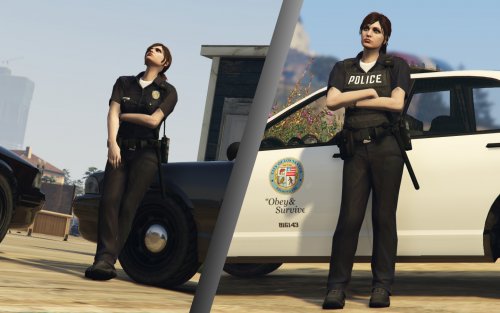 Your work is very much appreciated, @Jill Valentine ! ___________________________________________ By using your MP character or using Skin Control, for instance (I find it easier than Native Trainer or Simple Native Trainer), to tweak the Freeroam (MP) character to your liking. It also allows you to change to these outfits and save your character and outfits (seems bugged when it comes to makeup, though, for me any way, so I avoid using makeup) Then you do the usual ForceDuty via the console and play.
- 45 comments
- 8 reviews
-
Semi trailer trucks, flatbed trucks and all those big rigs, they never pull over to the side for me. They do stop if I am get front of them, of sorts, but if I come from behind them or similar they appear to completely ignore the sirens and lights alike. Buses as well, come to think of it. Oh, and RVs too. I assume they run a different code or something, similar to the police? It can be really frustrating sometimes. I have seen it in plenty of videos so I know it is not just me. So, can anything be done to correct this?
-
I use a tiny programme called 'JoystickCursor Control Tool' to assign key presses to my gamepad (which I use for driving, while I use mouse and keyboard on foot). Hope it helps.
-
-
 Haven't got that one due to loss of HDD, would you be willing (and allowed?) to share, please? I have gotten so used to it I really miss it now, ha.
- 149 comments
- 29 reviews
-
 @Officer420 It works fine for me with the 678 update and the old Skin Control.
- 2,352 comments
- 238 reviews
-
 I rarely post on here, but if I could make a mod myself and got an offer from @Albo1125 I'd jump at it, because he knows what he is doing. Learn from the best, can only help improve your mod (that to me seem to behave as intended, to the extent AI in the game ever do at all - almost certain they randomise whether or not to play nice, ha!). So, go with the help, and thanks for making a mod and sharing, @timnboys.
- 538 comments
- 42 reviews
-
-
- 5
-
-
-
-
-
-
Very nice, great to see the dedication and work.
-
Looking forward to this, what a sandbox to try to enforce the law in. It will be stunning, considering what LCPDFR achieved. Keep up the good work!
-