Skip to content
View in the app

A better way to browse. Learn more.

LCPDFR.com

A full-screen app on your home screen with push notifications, badges and more.

To install this app on iOS and iPadOS
  1. Tap the Share icon in Safari
  2. Scroll the menu and tap Add to Home Screen.
  3. Tap Add in the top-right corner.
To install this app on Android
  1. Tap the 3-dot menu (⋮) in the top-right corner of the browser.
  2. Tap Add to Home screen or Install app.
  3. Confirm by tapping Install.

JerkeyRoope

Members
  • Joined

  • Last visited

  1.    Cosmo reacted to a review on a file: Altamonte Springs Police Pack (Impala & Tahoe)
  2. JerkeyRoope started following Cosmo
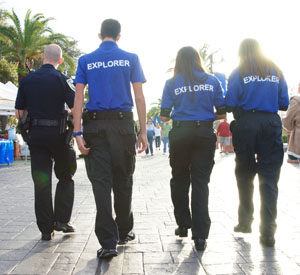
    Thank you so much from post 596 Altamonte Springs Police Explorers (:
  3. it actually fixed in openiv it was white but when i got in the game it was the right color
  4. I love it but the hat is white for some reason
  5.    RyWilson reacted to a post in a topic: Ped mods
  6. yeah i put it as the normal uniform and the traffic one i put the lapd uniform cause it looks like a normal patrol officer uniform maybe i should put the lapd as the normal and let the deputy uniform be the traffi one
  7. Nvm i got it working thank you for your help (:
  8. so i have those 3 now what do i do?
  9. http://www.lcpdfr.com/files/file/5900-updated-evis-sheriff-ped/
  10. yeah ill need more help lol so do you remove the textures from the orignal or what? Also i dont see any textures that come with it its only pictures and the duty belt it all good but the pants and shirt are messed up
  11. So I've been trying to get new peds and I went to openiv and edited the ones i wanted done but now when i get in the game the cops uniform if all messed up and i have no idea how to get the uniform i want them to wear to stay on. Can someone help please?
  12. JerkeyRoope started following Ped mods
  13. it does and i love the look of the impala (:
  14. I would like it to be yellow

Account

Navigation

Search

Search

Configure browser push notifications

Chrome (Android)
  1. Tap the lock icon next to the address bar.
  2. Tap Permissions → Notifications.
  3. Adjust your preference.
Chrome (Desktop)
  1. Click the padlock icon in the address bar.
  2. Select Site settings.
  3. Find Notifications and adjust your preference.