


supergrunt
Members
-
Joined
-
Last visited
Everything posted by supergrunt
-
-
-
-
-
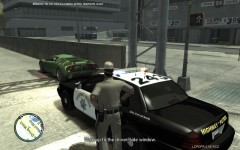 he was driving dangerously slow
 -
-
hi there been playing this script lately with loads of extra fun and realism (especcialy the breathalizing option :) ) but after i changed some of my squad cars i now get the following (information taken from ScriptHookDotNet) 2012-09-01 01:19:16 - Error during Tick in script 'Policing.Policing': System.AccessViolationException: Attempted to read or write protected memory. This is often an indication that other memory is corrupt. at Scripting.?A0x4fcbe03a.TaskStandStill(Int32 , Int32 ) at GTA.value.Tasks.StandStill(Int32 duration) at Policing.Policing.Resisting(Object sender, EventArgs e) at System.EventHandler.Invoke(Object sender, EventArgs e) at GTA.Script.TryTick() at GTA.Script.DoTick() at GTA.ScriptThread.OnTick() 2012-09-01 01:19:16 - Error in Thread.Abort: System.Threading.ThreadAbortException: Thread was being aborted. at System.Threading.Thread.AbortInternal() at System.Threading.Thread.Abort() at GTA.NetThread.Abort() 2012-09-01 01:29:37 - Direct3D device lost! 2012-09-01 01:29:37 - SCRIPTS TERMINATED! and as you can guess no more breathalizing anymore :( i will try some things to see how and why this happens )
- 356 comments
- 140 reviews
-
i got a little problem, when i try to change the vest or jacket textures sparkiv crashes to desktop (only one or two can be changed but the rest results in crash)
- 35 comments
- 19 reviews
-

