


PristineAccuracy
Members
-
Joined
-
Last visited
Everything posted by PristineAccuracy
-
 I'm honestly stumped. I deleted my handling.meta and installed the one directly from the download, along with redoing my vehicles.meta. The handling file still works for me, so it might be an installation issue. I've posted some pictures of installation just in case, but I'm not sure what else it could be.
- 13 comments
- 2 reviews
-
What vehicles are you trying to use? Tahoe, Explorer, etc. I'll verify it within my game as well.
- 13 comments
- 2 reviews
-
Hmm interesting. First I would verify that my file properly installed by opening the handling.meta in OpenIV and verifying it says Better Handling at the top. If that's the case, the handling should work if you've modified your vehicles.meta file with the according handling lines. Keep in mind this handling file won't change the audio of the vehicles or work on DLC vehicles unless using the Raw Handling.
- 13 comments
- 2 reviews
-
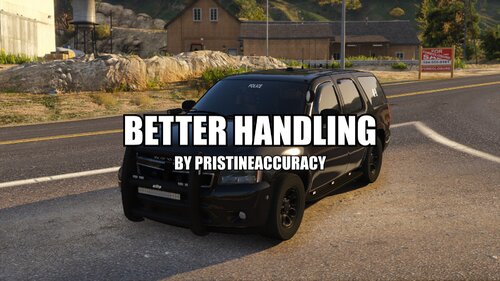
Better Handling Currently in version 1.0.3 Details: This is a custom handling.meta file for emergency vehicles. The file aims to make emergency vehicles operate in a more realistic manner. Specifications have been made accurate while at the same time enjoyable for in-game usage. This was a personal handling file I utilized for my game, but one I no longer work on. So, don't expect any anymore updates or vehicle additions unless there are significant issues. Enjoy! What's Included: Preset Installation (Not For Addon Vehicles): Preview (v1.0.2): Please read the README before asking for any help with the file. If there are any issues that you are having with the file please put it in the comments. Any requests for support found in reviews will be ignored. Please base reviews off the quality of the download, not based off of installation trouble. Thank you. Please do not reupload or redistribute this pack without my permission.
- 13 comments
- 2 reviews
-
-

- 4
-
-
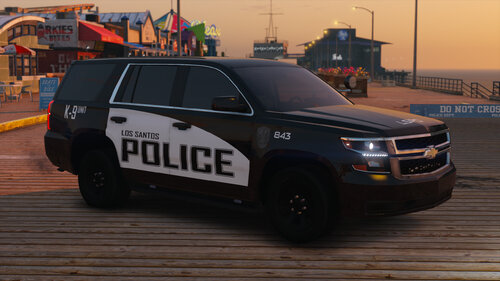 LSPD (Little Rock Based) Texture Pack Currently in version 1.0.1 Details: This is a pack I made a while ago lightly based on the Little Rock Police Department. These skins were for personal use, but I have decided to release them cause why not. I no longer make modifications for this game, but may post preexisting modifications I have previously made. That being said, this pack will not receive any (anymore) updates, so please do not ask for additions. If there are significant issues I may consider fixing them. The pack features 8 skins that were optimized for danwithdavan's Tahoe. It's a very simple pack, so enjoy! What's Included: Vehicles: Known Bugs/Issues: None This file was created by PristineAccuracy. Please do not reupload or redistribute this pack without my permission
 -
 The vehicle itself should be released at a later date, by the main modeler for our AZ DPS Project.
 -
Not exactly 😐. Just releasing some older files I never put out
-
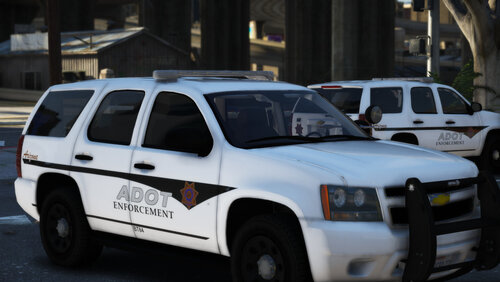
Arizona DOT Texture Pack Currently in version 1.0.0 Details: This pack is based on the Arizona Department of Transportation. The pack currently contains liveries for 1 vehicle and has a total of 4 unique designs. All textures in this pack have been made as accurate as possible and feature a light reflective texture. This texture pack was intended to be released with a ADOT pack apart of Project Arizona DPS, but is now a separate file to more readily provide updates if needed. Want to know what's being done? Check out the Project Arizona DPS forum & Discord What's Included: Optimized With: Known Bugs/Issues: None Please read the LICENSE, it contains important information regarding the use of skins. Thank you. This file was created by PristineAccuracy. Please do not reupload or redistribute this pack without my permission.
-
 I wont be making any Phoenix based skins. I would recommend the following:
 -
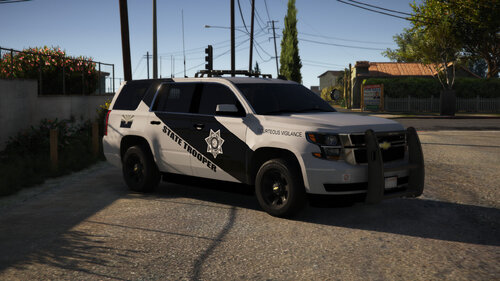
Arizona DPS Texture Pack Currently in version 1.2.0 Details: This pack is based on the Arizona Department of Public Safety. The pack currently contains liveries for 6 vehicles and has a total of 105 unique designs. All textures in this pack have been made as accurate as possible and feature a light reflective texture. This texture pack was previously released with the Arizona DPS Pack [Hybrid/Add-On], but is now a separate file to more readily provide updates if needed. Want to know what's being done? Check out the Project Arizona DPS forum & Discord What's Included: Optimized For: Known Bugs/Issues: None Please read the LICENSE, it contains important information regarding the use of skins. Thank you. This file was created by PristineAccuracy. Please do not reupload or redistribute this pack without my permission.
-
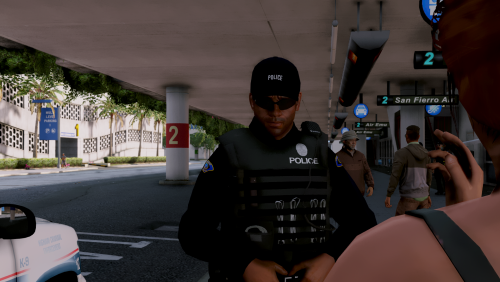 It doesn't need an update. It will still work with any version of the game, regardless of this files release date. Any future updates made to this pack will be for EUP.
- 25 comments
- 10 reviews
-
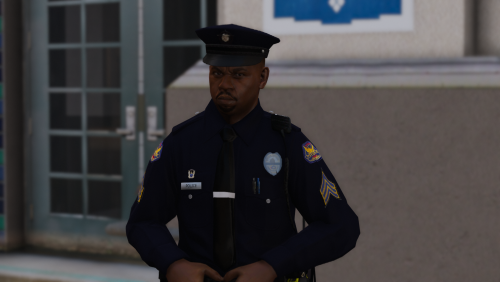 No, there currently is no EUP for these peds. When I add EUP, eventually, it will say in the file name.
- 7 comments
- 4 reviews
-
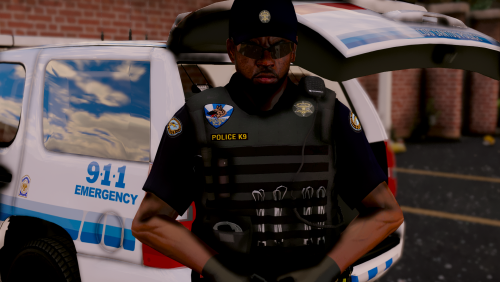 Scottsdale PD Ped Pack Currently in version 1.0.0 Details: This pack is based on the Scottsdale Police Department in Arizona. The pack contains two male peds and one female ped. Please keep in mind there are different variations of SPD badges, patches, insignias and uniform colors in real life. The ones selected for use do in fact represent an actual uniform style for both male and female officers. *Additionally, I'm currently aware the peaked cap for the female officer is inaccurate. Once I find the proper badge for the hat I will update the file.* What's Included: Original Files: Known Bugs/Issues: Game issues - If the peds will not spawn in, game crashes or will not start after putting in peds please do the following. Simply open the .ytd file -> Click on skin textures and change Mipmap levels -> Depending on installation it should be high or low, try changing based on your system. If low, such as 1, increase. If high, such as 12, decrease. Phoenix patch on females long sleeve right arm is shorter than left arm. I've attempted fixing this bug, but it continues to remain shorter. Please read the README before asking for any help with the peds. If there are any issues that you are having with the peds please put it in the comments. Any requests for support found in reviews will be ignored. Please base reviews off the quality of the download, not based off of installation trouble. Thank you. Credits: majorpaine2015 - LE Redated & LE Redone RekraM - [WIP] Enhanced LSPD Cop This file was created by PristineAccuracy. Please do not reupload or redistribute this pack without my permission.
 -
Arizona Ped Collection What is the Arizona Ped Collection? Simply, this is a collection of different Arizona themed peds. Note these peds will not be contained in one large pack, but instead put into separate packs. This thread will really just contain any current releases I have and any other future planned peds I plan to make. I'm open to suggestions for Arizona agencies/departments to include. Release Date(s) The collection is an on and off project of mine, really for when I have time off. So, don't expect any immediate releases from this list. Status of Peds Below are the listed items that are currently planned for use. Please keep in mind more may be added in the future. Each section has the following color themes based on completion. Red being no resources available. Orange being resources available, but the project has not begun. Yellow being project work has begun on the current item. Green being the item or model is completed and most likely released. Lists of Items Arizona Department of Public Safety Please check the Project Arizona DPS forum EUP Phoenix Police Department Male Officer Female Officer EUP Maricopa County Sheriff's Office Male Deputy Female Deputy K-9 Deputy EUP Scottsdale Police Department Male Officer Female Officer K-9 Officer EUP Chandler Police Department Male Officer Female Officer EUP Flagstaff Police Department Male Officer Female Officer EUP Pima County Sheriff's Office Male Deputy Female Deputy EUP Mohave County Sheriff's Office Male Deputy Female Deputy EUP
-
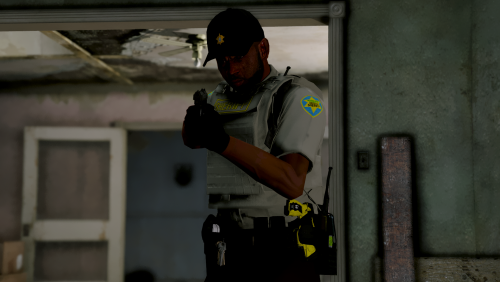 Maricopa County SO Ped Pack Currently in version 1.0.0 Details: This pack is based on the Maricopa County Sheriff's Office in Arizona. The pack contains two peds; one male deputy and one female deputy. All uniforms have been made as accurate as possible and are based on different variations of the MCSO uniform. *Additionally, I'm currently aware the campaign hat for both male and female deputies is inaccurate. Once I find the proper badge for the hats I will update the file.* What's Included: Original Files: Known Bugs/Issues: Game issues - If the peds will not spawn in, game crashes or will not start after putting in peds please do the following. Simply open the .ytd file -> Click on skin textures and change Mipmap levels -> Depending on installation it should be high or low, try changing based on your system. If low, such as 1, increase. If high, such as 12, decrease. Future Updates: Campaign hat fix K-9 Unit Please read the README before asking for any help with the peds. If there are any issues that you are having with the peds please put it in the comments. Any requests for support found in reviews will be ignored. Please base reviews off the quality of the download, not based off of installation trouble. Thank you. Credits: majorpaine2015 - LE Revamped & LE Redone RekraM - [WIP] Enhanced LSPD Cop This file was created by PristineAccuracy. Please do not re-upload or redistribute this pack without my permission.
- 3 comments
- 1 review
-
-
- 5
-
-
Official Discord: https://discord.gg/tJqy7Vg
-
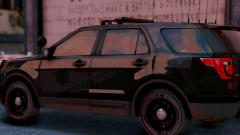 Ominous
-
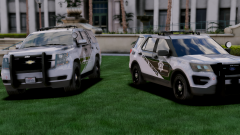 Big Boi's
-
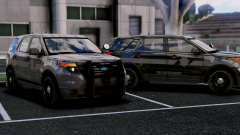 The Nighwatch
-
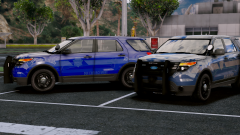 The Blue's
-
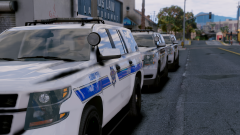 "Roundup"
-
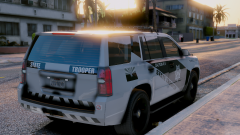 New DOG On The Block
-
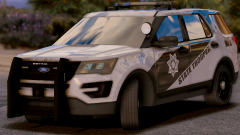 2017 FPIU
-
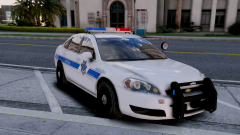 Wait, wut...
-
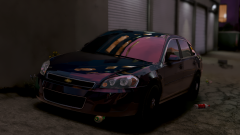 Is that a cop car?
-
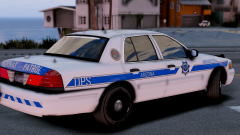 Old school
-
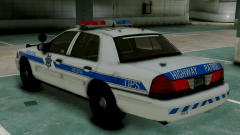 Trusty & reliable.
-
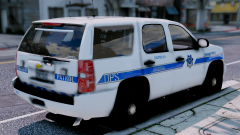 Don't get bit!
-
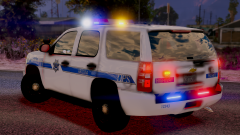 The so-called "Christmas Tree"
-
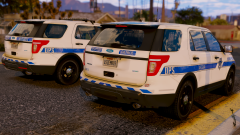 Twins?
-
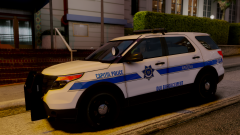 Capitol Police
-
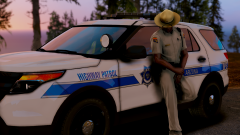 2013
2013
-
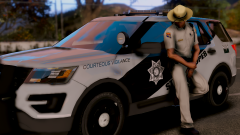 "Courteous Vigilance"
-
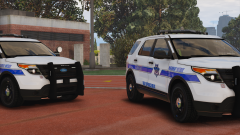 Don't drink & drive
-
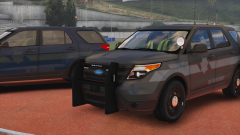 New DUI patrol cars
-
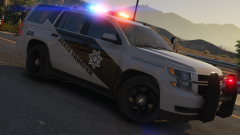 2015 Chevrolet Tahoe PPV
-
-
From the album: Project Arizona DPS Vehicles (WIP)
-
From the album: Project Arizona DPS Vehicles (WIP)
-
From the album: Project Arizona DPS Vehicles (WIP)
-
From the album: Project Arizona DPS Vehicles (WIP)
-
From the album: Project Arizona DPS Vehicles (WIP)
-
From the album: Project Arizona DPS Vehicles (WIP)
-
Update --> x64 --> dlcpacks --> (lastest patchday, I use 17) --> dlc.rpf --> x64 --> models --> cdimages --> (patchday number, ex patchday17ng.rpf) --> drag and drop. The process is basically the same as installing vehicles, except its put into a slightly different folder. If I don't end up replying right away, I would just search it up next time. I am unfortunately not always able to check in on the site.
- 25 comments
- 10 reviews
-
Yes, they will be eventually. There is no set release date at the moment.
-
From the album: Project Arizona DPS Vehicles (WIP)


