TYPHOONTIGER2
Members
-
Joined
-
Last visited
Everything posted by TYPHOONTIGER2
-
Not to revive a dead thread but, to revive a dead thread, anyone have any luck with this?
-
I never had an issue with 4K cars before 0.4
-
I tried that but didn’t work at first. Changed the car models I was using and it has worked so far. Not sure why it was doing that. I’ve never had a problem using any other LSPDFR version
-
4k to 2k?
-
I have the Vancouver based police pack which was just recently added, the EUP protect and serve and law and order. Visual V with Radiance, ELS and RGS sound mod. Did the same thing with Vanilla too unfortunately.
-
Happy with the release and new features but the texture issues are KILLING me. My computer is built to play GTA 5 WELL above 60 FPS and I wouldn't expect any issues with 24 Gigs of memory but I have disappearing buildings etc... Tried the solution to disable preloading models that was posted but still no luck. Can't wait for it to be fixed.
-
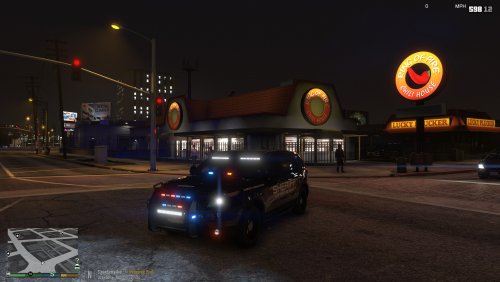 Like the bottom review says, just SLIGHTLY too dim with Visual V. Honestly, other than that its perfect. I'm not blinded by ugly ELS lights anymore, Its simply a perfect edit. Thank you
- 7 comments
- 5 reviews
-
-

- 1
-
-
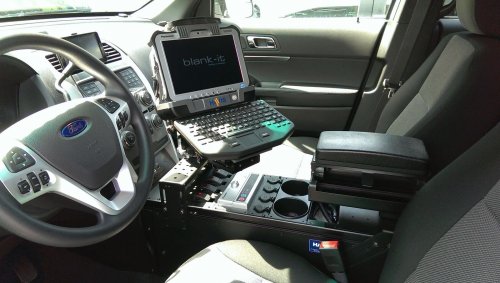 Exactly. I've been extremely busy lately so it's been a little hard to get any work done on it. Its not actual recording background noise, its actually something with the file I have just yet to find it. :/
 -
 Yes I did. Sorry for the hassle. I'm not new at modding either, just a little stumped on this mod here. Could a plugin I have installed interfere?
 -
Installed correctly but no noise? Do I have to press something while in pursuit? Did I miss something? Thanks! script was installed to plugins/lspdfr/
-
Still working on it, been slow to update it because of how busy work has been but I haven’t stopped on it no worries. Hard to get it to sound exactly like the actual engine with the restrictions the game has.
-
Re extract it and look in the folder that extracts out of it. It SHOULD be in there. I just checked
-
What seems to be the problem?
-
That’s awesome to hear. It’s a pain to make a good FPIU sound with the way Rockstar created their sounds. But we can get close. I may use you for some start up and exhaust sounds if you’d be willing!
-
Do you really? The CVPI is pretty damn good imo. I may not be an expert but I’m definitely trying to put as much as I can into this sound mod with the time I have. If you do drive a 2016, that could honestly help me a lot😅
-
Haha you’re probably right. Thanks!
-
<audioNameHash>police3</audioNameHash>
-
No problem!
-
Meaning that I was waiting for a sound mod for the explorer.
-
Of course! After being in the same boat you are, decided to take some time to see what I could do. Glad you like it!
-
Honestly dude that’d be great. Right, it’s been on list of things to do but Work has been getting in the way. It’ll be added next though!
-
Yes, default police3
-
Lowered the volume a little. Seemed to help not mess it up as much but GTA just doesn't like custom engine mods apparently.
-
Exactly. I think I notice it too. But I'm so used to hearing it lol. I may have to bring down the volume on it
-
What seems off?