


Mrboom431
Members
-
Joined
-
Last visited
Everything posted by Mrboom431
-
 You can spawn all the textures for Countryside Mountain V from the trainer. Go to object spawning then if you installed all of it correctly, there will be an option on the bottom right hand corner to spawn all textures from object.ini. After hitting it you will be teleported to the road to Countryside Mountain and you will have to wait awhile then the textures will start to spawn.
 -
From the album: LCPDFR Patrolling
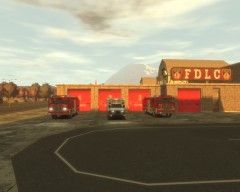
FDLC Starts the Day In a New Station -
Yeah... I tried doing that too. I get the same thing as the Steam one
-
Hello Everyone! I've recently encountered a severe problem that has stopped me from playing. Whenever I try to play GTA IV (through Steam and LaunchGTAIV.exe) the Social Club Launcher pops up and then I hit play. Then nothing happens. Nothing pops up and no errors seem to pop up either. I've tried to search for a solution on old threads and posts but I've yet to see a post that solves this. I have all my patches installed and I'm pretty sure I installed everything correctly. Diagnostic: BEGIN *SIGNED* LCPD First Response Issue Report Diagnostics Tool Version: 0.4.3 Operating system: Unknown Unknown (6.2.0.0 Build: 9200) Service Pack: System RAM (GB): 8 CPU cores: 4 NET Framework 4.0 installed: True Visual C++ 2010 Redistributable installed: True GTA IV - Installed: True GTA IV - Install folder: F:SteamsteamappscommonGrand Theft Auto IVGTAIV GTA IV - Version: 1, 0, 7, 0 GTA IV - Asi loader installed: True GTA IV - Asi loader: DSOUND GTA IV - Asi loader valid: True GTA IV - C++ ScriptHook installed: True GTA IV - C++ ScriptHook valid: True GTA IV - C++ ScriptHook version: 0, 5, 1, 0 GTA IV - ScriptHookDotNet installed: True GTA IV - ScriptHookDotNet valid: True ===============BEGIN .NET SCRIPTHOOK LOG=============== 2013-01-27 11:54:02 - Initializing ScriptHookDotNet v1.7.1.4 BETA (GTA IV version 1.0.7.0) ===============END .NET SCRIPTHOOK LOG=============== End of *SIGNED* LCPD First Response Issue Report Digital signature: KdVt8y/ZlLrYc10iv0RjNA== I also took a video of the issue: http://www.youtube.com/watch?v=BC1TNZ6lOFw&feature=youtu.be I hope you guys can help me fix this problem. Thank you all in advance!
-
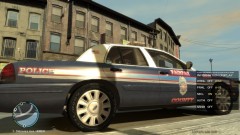 Yeaaah! Fairfax :D
 -
I agree with EFox this looks pretty interesting
-
-
Um wait a minute.... The badge on your skin says department of veteran affairs. That's the VA Police not MPD
- 4 comments
- 2 reviews
-
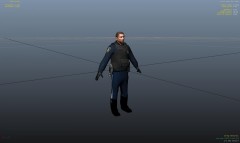 Oh my! amazing work! are you going to release it?
 -
Yeah me too. Nice textures but u kinda need to put a little more stripes to make it more accurate
- 4 comments
- 2 reviews
-
-
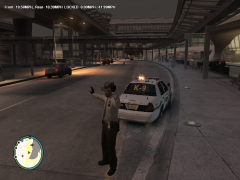 Yeah where in the trainer do you find that animation?
 -
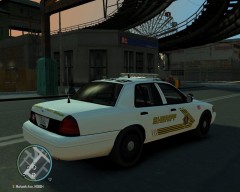 nicee
nicee -
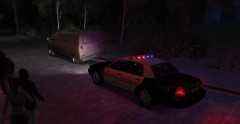 I am really surprised that people actually like the design of the FCPD car. BTW: I live there. A lot of people say that our cop cars look ugly and stupid, especially the rims. Great picture
 -
The First video you posted was from a guy at GPM named PFCBarefoot he never released that tahoe
-
XD Why don't you just PM him?
-
Yeah uhh I did try to install 91 but it gave me the same error EDIT: PROBLEM HAS BEEN FIXED! The reason why the installer wasnt working was because my steam version left my game running so I couldn't do anything to gta 4 files
-
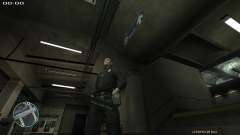 Did you install the taser along when you downloaded rc2? If you already did, you could also go to the firstresponse.ini and look for show holstered for the taser gun. It should be set to true for you but you need to change it to false
 -
Hi Community! Yeah this seems like a problem a small amount of people like me are having. For example when I download rc2 and I just decide want to delete it because I wanted to switch back to 0.91. If you try to do that the installer just goes haywire. This is the error: Yeah this seems like a problem a small amount of people like me are having. For example when I download rc2 and I wanted to delete it because I wanted to switch back to 0.91. If you try to do that the installer just goes haywire. This is the error: Installation component 'NETScriptHook' error'd! at System.IO.__Error.WinIOError(Int32 errorCode, String maybeFullPath) at System.IO.FileStream.Init(String path, FileMode mode, FileAccess access, Int32 rights, Boolean useRights, FileShare share, Int32 bufferSize, FileOptions options, SECURITY_ATTRIBUTES secAttrs, String msgPath, Boolean bFromProxy) at System.IO.FileStream..ctor(String path, FileMode mode, FileAccess access, FileShare share) at System.IO.File.WriteAllBytes(String path, Byte[] bytes) at 1.LCPDFR-Obfuscated-0.0(String A_0, String A_1, Boolean A_2) at 1.LCPDFR-Obfuscated-0.2(String A_0, String A_1) at 1.0.LCPDFR-Obfuscated-2.6() at G17MediaSetupEngine.UI.Interface.7(Object A_0, EventArgs A_1) at G17MediaSetupEngine.UI.Interface.7(Object A_0, EventArgs A_1) Thank you
-
Yes please! Release the unmarked! It looks amazing <3
-
hehe that reminds me of law and order special victims unit looks very nice! gj and just a little question here. Is it possible to just include a gun holster and a radio instead of all the equipment a normal patrol officer uses.
-
Hi Yak! I love all the mods you have made! I just wanted to say that the link for your Amarillo CVPI is broken. Sincerely, Mrboom431
-
Thank you very much for responding. I have no idea what validating my game files is and I might want to try that because I have a lot installed on my current game so uninstalling is not the best priority for me.
-
Dear Community, I have a very weird problem. I downloaded a mod that somehow deleted my pedprops.img and componentped.img and I forgot to make a backup. and This prevented me from going on duty because none of the peds could spawn. I was wondeirng if someone could copy one of their backups of their pedprops.img and componentped.img I have tried using the recovery tool but It wasn't able to work since I have a steam digital copy of the game. Sincerely, Mrboom431 P.S. Thx and I know I am very stupid also, I dont care if any of your files are modded I just want those 2 files
-
I really like the laptop screen! where did you get it? also what car is that? EDIT: Just looked and found out what car it was lol Great video btw

