



Jedahdiah
Members
-
Joined
-
Last visited
Everything posted by Jedahdiah
-
 Hey Hank, Thanks for the kind words man. That’s is the L0 issue that seems to be occurring now-a-days. It doesn’t just happen with this pack, but across the board with a few previous packs. In those pics, that looks like it’s L1. Myself and a few other devs are investigating it 😊
- 143 comments
- 23 reviews
-
-

- 1
-
-
-
-
Theyre not anymore. The newest DLC option is fixed. Spawn names are in the file
- 143 comments
- 23 reviews
-
-
Please standby, there's an update in the works that fixes that. It's literally uploading.
- 143 comments
- 23 reviews
-
-
Please don't post comments like this until you read the full ReadMe. If you see there, using a trainer you can change the liveries (they are 4 for each car), of which one of the is a transparent skin for an unmarked unit. Straight from the ReadMe: 'Note: Each vehicle comes with 4 liveries and these can be toggled using an ingame trainer, such as Simple Trainer.' Literally the Addon DLC download.
- 143 comments
- 23 reviews
-
-
- 1
-
-
Thanks man, shoot me a DM Actually I think Ainsley May be into something. Standby, I might have included the wrong dlc.rpf
- 143 comments
- 23 reviews
-
-
- 1
-
-
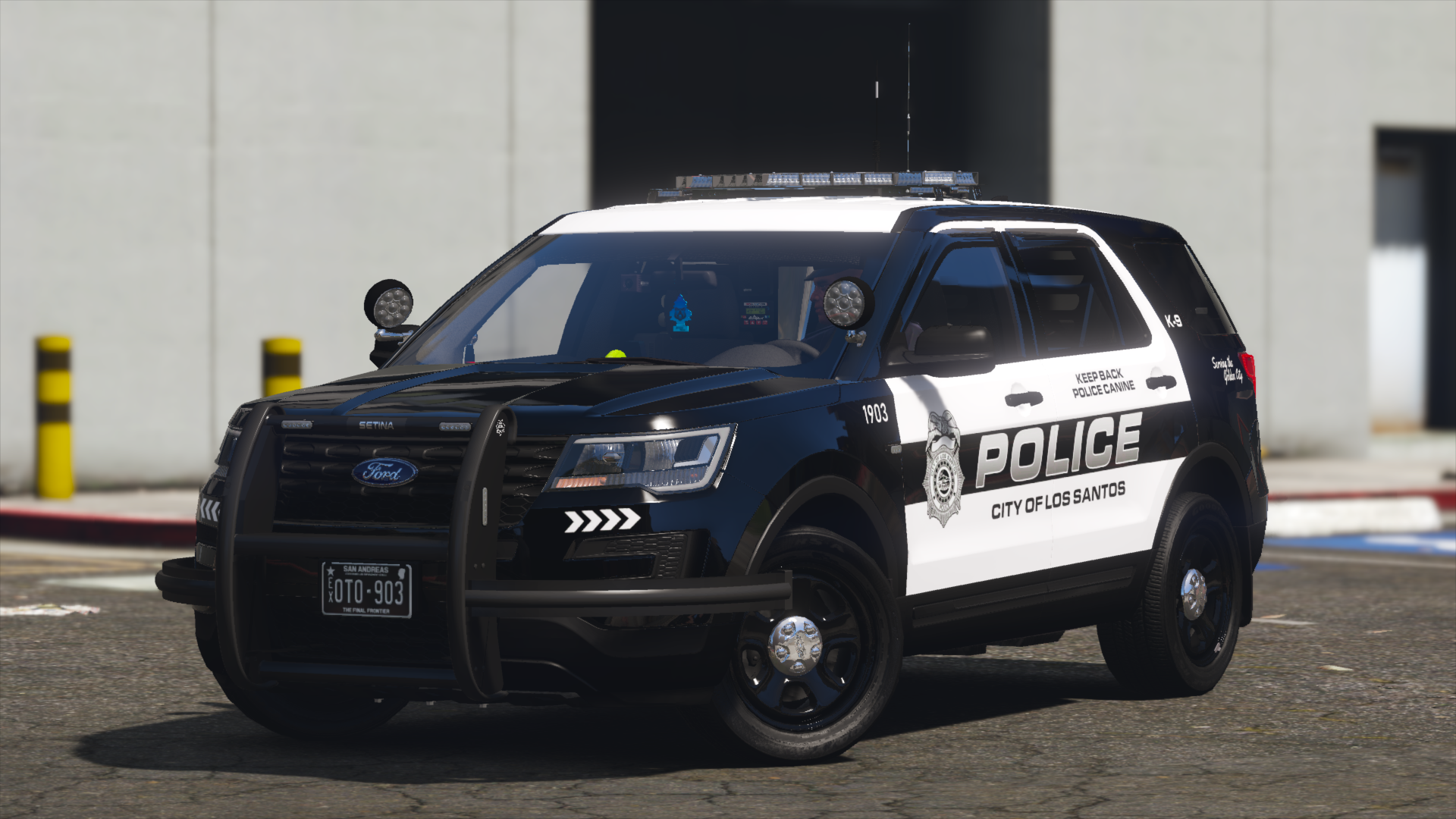
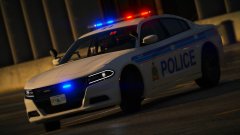
Los Santos Police Mega-Pack [ELS] (Ah, no pit would be complete without a Jed climbing out of it) ----------------------------------------------------------------------------------------------------------------------------------------------------------------------------------------------------- Information: Hello boys and ghouls, I'm back with a pack. Wow that rhymes, what a crime. Okay I'll stop now. With a livery that is based loosely off Overland Park in Kansas, I bring you 16 vehicles for Los Santos. I seem to be doing a lot of vehicles for the city at the moment, so I might change that up. The lighting style is very much just something I put together. I know some of you have heavily wanted this pack, and so here it is. I was going to add an additional 10 cars, but my motivation went and they were never completed. I'll finish and add these to the pack when I get around to it. But instead of canning this whole pack, I thought I'd release it. ----------------------------------------------------------------------------------------------------------------------------------------------------------------------------------------------------- The nitty-gritty part of the description: This might be a tad long, but has lots of useful information. Please read the ReadMe's as they contain the installation information. THIS PACK HAS TWO OPTIONS! 1) Normal pick and choose pack 2) @AndersForPresident2020 has very kindly helped me set up the vehicles as an Addon pack, so that's available too. All the vehicles at once! [EDIT] The DLC version will be updated and reuploaded when a fix has been found for it. See 'File Updates' below for more info. Please use the first option for now. This pack contains: - 2014 Charger Marked - 2014 Charger Slicktop - 2018 Charger Marked - 2018 Charger Slicktop - 2016 FPIS Marked - 2016 FPIS Slicktop - 2013 FPIU Marked - 2013 FPIU Slicktop - 2011 CVPI w/ Liberty Lightbar Marked - 2011 CVPI w/ Raydian Lightbar (Lighting Pattern 01) Marked - 2011 CVPI w/ Raydian Lightbar (Lighting Pattern 02) Marked - 2011 CVPI w/ custom Excalibur Lightbar Marked - 2011 CVPI w/ Vector Lightbar Marked - 2011 CVPI Slicktop - 2014 Tahoe Marked - 2014 Tahoe Slicktop If I get around to it, I'll finish and add the 2016 FPIU, 2020 Tahoe, 2010 Charger and the 2016 Impala. Don't keep asking me for it though, they'll be added if I get around to it. Features: Flashing lights Toggleable extras for each vehicle Marked units: Extra_ten is the radar unit Slicktop Units: Extra_ten is the radar unit and Extra_12 is the rambar 4k liveries (x4 per vehicle) Marked units have changing unit numbers, and the divisions are: Patrol Services, Traffic Services and Supervisor Unmarked and Slicktop units have changing unit numbers, and the divisions are: Patrol Services, Traffic Services, Supervisor and unmarked Optional 2k liveries Templates Included Detailed ReadMe's and guides to setting up the packs A massive thanks to everyone of my Patreon's who BETA tested this pack. I know this'll raise questions so please DM me, it's closed until end of July To see how the lighting looks, please see the videos/gifs in the following video(s): Helpful forum posts: I have written a guide on how to get the rotors working in 2020 if you find you can't get them to work: Fixing textures issues with NVR: Window Tint Fix (3rd post down): These vehicles are not made to the specification of any specific department. Please don't comment on it being inaccurate or whatever. It's not meant to be accurate. I will not be providing support in installing these files. All the info is in the ReadMe. DO NOT USE the review system for reporting installation issues, issues already reported, or for anything other than review. Please use the comments and see if your solution to the issue is there, and if not, leave a comment. ----------------------------------------------------------------------------------------------------------------------------------------------------------------------------------------------------- Known Bugs: Just the standard: I'm not sure what R* has done, but sometimes no vehicle loads the L0 (closest and highest detail) or it pops in an out regardless of distance from the vehicle. There is NOTHING I can do about that. I'd advise clearing all vehicles away and relocating to a another area of the city As always, this is a MEGA PACK. A lot of vehicles and 4k textures MAY result in issues, glitches or bugs. Either use less vehicles (The other download to pick what ones you want) or remove the 4k textures. If there are bugs or whatever, just PM me or leave a comment. ----------------------------------------------------------------------------------------------------------------------------------------------------------------------------------------------------- Please consider donating, as you help keep myself making models and help show your appreciation towards my work. This is entirely optional though If anyone is interested in becoming a tester, please join my discord or drop me a PM. Patreon will be back up and running at the end of July 2020. ----------------------------------------------------------------------------------------------------------------------------------------------------------------------------------------------------- Feel free to follow me on my Discord Server for updates, WIP, and releases, or join my + support ----------------------------------------------------------------------------------------------------------------------------------------------------------------------------------------------------- Disclaimer: DO NOT distribute my content without my express permission! This includes the file itself, liveries, models or the screenshots. This is a LCPDFR.com and gtapolicemods.com ONLY. Do not modify the carcols codes without my permission. That includes taking the custom codes and using it for your own personal packs, public packs or FiveM server. DO NOT use the vehicles in a FiveM server, group or clan without my express permission. Just ask me. Please do not upload this file or a part of it to any other website without explicit permission from me This file is freeware. Do not sell or distribute the content. The author accepts no responsibility for any damage caused to your PC, game, or anything else. DO NOT rip, dismantle or change the vehicle in any way (except for texture files). Vehicles are LOCKED for a reason. Credits can be found in the documentation. If I've missed anyone, or you feel they're not right, please PM me.
- 143 comments
- 23 reviews
-
-
-

- 28
-
-
From the album: Jed's Showcase
© Jedahdiah
-
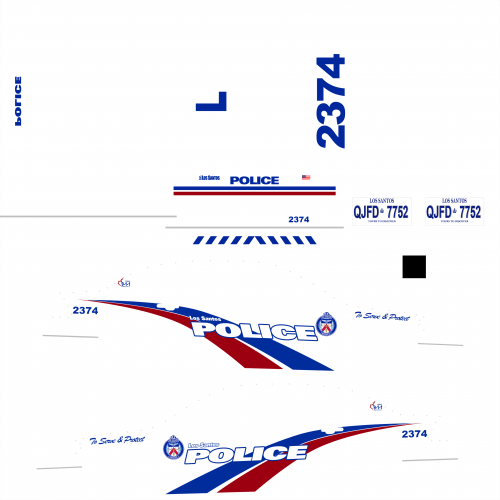 Well, mine was by @Skin Works who gave me permission (coz he's one of my best buds and someone I often work with) to use and adapt them to my vehicle pack.
 -
 Jed's All Blues (All blue's for my packs, both LED and Rotor) ----------------------------------------------------------------------------------------------------------------------------------------------------------------------------------------------------- Information: Hello everyone! I often get bombarded with asking how to turn my packs all blue, so here's my official release for it. This pack will contain all the texture files and carcols files to turn all my LED and rotor packs all blue. Simply follow the ReadMe. But ya'll won't so it's simply: Figure out if the pack is pre-2020 or post-2020 Add the textures from the folder that denotes when it was made (as above) If it has rotators, drag and drop the carcols into the correct place ??? Profit Please note: this might not work with all packs, as some of the LED mapping won't allow it. Paranoid Cabbage has released an all red version of this file. Perfect for EMS/Fire vehicles. It can be found here: Credits to Paranoid Cabbage for requesting it, testing it and the screenshots. Please note: 'Jedlites' and 'shitlites' were created by myself, and therefore please do not use these in or any works if you are a developer. I will not be providing support in installing these files. All the info is in the ReadMe. DO NOT USE the review system for reporting installation issues, issues already reported, or for anything other than review. Please use the comments and see if your solution to the issue is there, and if not, leave a comment. ----------------------------------------------------------------------------------------------------------------------------------------------------------------------------------------------------- Known Bugs: None found If there are bugs or whatever, just PM me or leave a comment. ----------------------------------------------------------------------------------------------------------------------------------------------------------------------------------------------------- Please consider donating, as you help keep myself making models and help show your appreciation towards my work. This is entirely optional though If anyone is interested in becoming a tester, please join my discord or drop me a PM. ----------------------------------------------------------------------------------------------------------------------------------------------------------------------------------------------------- Feel free to follow me on my Discord Server for updates, WIP, and releases, or join my + support ----------------------------------------------------------------------------------------------------------------------------------------------------------------------------------------------------- Disclaimer: DO NOT distribute my content without my express permission! This includes liveries, models or the screenshots. This is a LCPDFR.com and gtapolicemods.com ONLY. Do not modify the carcols codes without my permission. That includes taking the custom codes and using it for your own personal packs, public packs or FiveM server. DO NOT use the vehicles in a clan or group without my express permission. Just ask me. Please do not upload this file or a part of it to any other website without explicit permission from me This file is freeware. Do not sell or distribute the content. The author accepts no responsibility for any damage caused to your PC, game, or anything else. DO NOT rip, dismantle or change the vehicle in any way (except for texture files). Vehicles are LOCKED for a reason. Credits can be found in the documentation. If I've missed anyone, or you feel they're not right, please PM me.
 -
Hello everyone! You may know me as the developer who makes mediocre cars, some of which have rotating lights on the lightbars. I understand that some other developers have their own way to get the rotators working on their vehicles, and this does not substitute their instructions on how to use their vehicles. This is a mini-guide on how to get the the rotators working on my previously released cars, of which you can find in the spoiler below: Again, this is solely to get my vehicle packs working, and this has not been tried on other packs that other developers make. This is also not an ELS fix guide. It's purely just to get the rotators on my packs working. However, this guide can be used to try and get other developers rotators working if all else has failed. Okay, here we go. I've put some of the code in spoilers so it doesn't make this super-long. Rotator Fix One (The most effective way) This is the most RECOMMENDED way to get the rotators working - You'll need Albo's DLC or an equivalent DLC modding file. If you need Albos DLC file, google for it, then return here. Once you've set up the DLC pack, navigate to the following location: mods> update> x64> dlcpacks> -NAMEOFDLC-> dlc> common> data> carvariations.meta Once there, open and edit. Add the following line of code between <variationData> and </variationData>: Remember to delete the brackets too. So, for example, your code for the 'POLICE' slot would look like this: Simply do this with every slot for the vehicles you wish to use. Works with addon cars too. This should now allow you to use my rotator packs in game! --------------------------------------------------- Rotator Fix Two (Not Recommended) I HIGHLY suggest you use the above method. It works 98% of the time. Again, I HIGHLY SUGGEST the above method. If you're using this method, navigate to: mods> update> x64> dlcpacks> mpheist3> dlc> common> data> carvariations.meta And simply follow the above method. I'd advise putting the code for each slot at the top of the file, for ease of removal. --------------------------------------------------- Hopefully this helps you sort out getting the rotators to work! Any issues, please do not heistate to create a forum post or contact me via my discord. I do not respond to support DMs, so please use those methods of contact. - Jed
-
From the album: Jed's Showcase
© Jedahdiah
-
 Well no actually, because its a very specific laptop. I'd suggest taking your laptop specs and running them against the GTA 5 recommended specs. Then kinda guess how much strain mods can put on it. So mine is a higher end medium spec PC, and when I add LSPDFR, scripts to go with it, I probably loose a few frames. Whereas depending on how the map mods are made, some can maybe loose a frame or two. But poorly made maps or excessive 4k vehicles can have a massive drop. I'd suggest trying it out and finding a balance. Just experiment and try it out. Just remember the more mods you have (scripts, LSPDFR, vehicles, map mods) nearly always will reduce your FPS, even if you specs are quite high. - Jed
- 52 comments
- 17 reviews
-
-
- 1
-
-
You'll get a small drop, as with any map mod that adds more stuff. But it's really not noticable on medium and up PCs
- 52 comments
- 17 reviews
-
Yeah exactly this. Can't help until I rebuild I'm afraid
-
We'll see. There's a few I wanna rebuild. but atm I have like 80 billion projects, from public packs to commissions to Patreon work. But it would be the TPS pack and the LSMPD pack that would be redone first
-
" I was trying to look at how to do it after the fact but it looks to be not easy at that point. " Yeah it would require me to go back and do it, as I'd be the only one to be able to do it legitimately. Yeah, I know. My HDD has gone once or twice. But simply I do not keep the files after maybe a month, I simply do not have the storage to keep everything I ever made.
-
Many thanks man, I'm glad you like it. I mean it would require just adding them. But that pack is so old, I simply do not have the old zmod files anymore, so we'd be looking at a total rebuild.
-
Hello all, Thought I'd weigh in as my vehicles were being linked. Maybe I can provide an insight as a developer. I'm sure a lot of this has already been covered by others above, but TL;DR. Coronas are depend on a number of things with regards both ELS and Non-ELS. Non-ELS coronas tend to be seen at the point of where the mesh (The bit thats emissive) tends to be. This is because with Non-ELS, the 'sirens' as they're called use the position of the dummy to work with. The dummy also emits the corona. However, there are a number of factors that can prevent this: The developer has moved the corona into a location where it is obscured. This is mainly used when more than one 'meshes' are attatched it it, and it prevents the scaled down mesh (when the siren and lights are off) being seen. You'll find this on a lot of 'ELS Mimicking' vehicles, e.g. like Captain 14's LSPD pack. The visual mod you are using destroys the coronas by scaling them down, or by simply removing them. I often found this issue when using VisualV or NVR. NVR isn't as bad, and personally it's why I turn the corona scaling up massively in the code Unfortunately for both, there's no real fix. You'd have to speak with the developers about corona locations, or adapting new models to show them, and the Visual Mods you need to know the files and the code to change to get them to work. ELS vehicles don't work the same way, as ELS turns of and on rather than scaling. The reason's you're not seeing a corona is because: Again, as above, the coronas have been slaughter by visual mods. The ELS Coronas are awfully set up (imo anyway). They appear waaayyyy to close. As you move away from a vehicle, it loads various LoDs, or levels of detail. Same goes for ELS. Coronas appear still at L1, whereas it's still fairly close to the car and cause overlap. So the developer just decided to get rid of the coronas and hide them. ELS Coronas flash setup is.... unusual. It's based off the co-ords in the VCF, but it's not very well covered, and at least in my opinion. So again, the developer just decided to get rid of the coronas and hide them OR the corona is simply being hidden by the A-Pillar or whatever because of the position. Personally, when I build ELS vehicles, I simply reset all my ELS meshes to the world, and they're hidden under the cars. The combo of awkward positions for the coronas and the fact they appear to close and overlap the ELS meshes, just puts me off, so I hide them. Unless, ofc, they're rotors. I should note, unless you know whatcha doing with visual or siren setting files, I wouldn't touch them. They're quite convoluted, and could cause a realm of issues. I should also mention, just because a developer doesn't respond/ won't adapt models to showcase coronas, DO NOT resort to any form of unlocking/ ripping/ etc just to get your way. Just respect their choice. And I know those last few sentences, a lot will be like 'FFS Jed, duh. I'd never do it'. But it has become more prevelent recently, so just thought I'd mention it in an effort to be transparent between Devs and the community. A lengthy response I know, but thought this might help.
-
From the album: Jed's Showcase
© Jedahdiah
-
Not at all! Glad I could be of assistance
-
Please do let me know how you get on!

