


Pinker
Members
-
Joined
-
Last visited
Everything posted by Pinker
-
I love you yanno. Thanks fixed it perfectly
-
OH GOD so i manually load the plugins and they just start spamming that they have crashed.
-
I just fixed it sorry very simple fix of just putting an _mods instead of mods for the folder, i loaded in fine
-
So as you can see from the title for some reason i cannot seem to get past the ragehook loading screen. Im not loading any plugins or anything however i do have them installed. I reinstalled GTA V before and ive look for solutions but couldnt find any for this time period. Also i have LSPDFR, lastest version of rage, latest version or script hook v and i have RDE installed, note that i removed the 6th star script https://gyazo.com/bc4921ed1eabc18c4d3ac0028a0a571f ^^ Picutre of the loading screen.
-
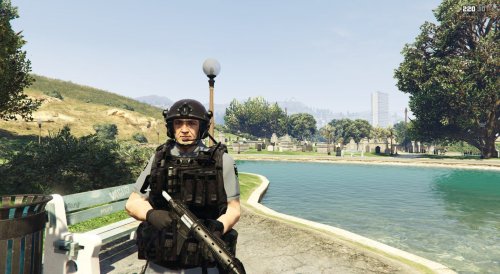 unfortunately i didnt make the model like @ sergeant frank said however i may chnage the vest colour in a later update, thanks for the feedback
 -
This model comes with to helmet types including a regulat black one and a medic one. For the future add more skins including rank insignias Models used to create skin: https://www.gta5-mods.com/player/lspd-lapd-swat Ped Base: LSSD SEB Ped Model Chaleco (vest): Enhanced US Army #DO NOT DISTRIBUTE WITH MY PERMISSION#
-
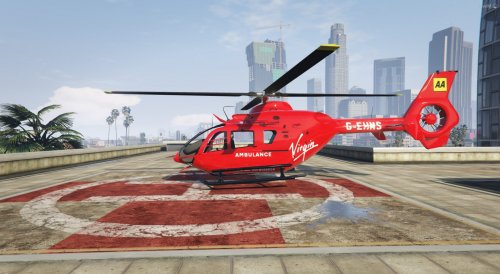 Model used to create texture: https://www.gta5-mods.com/vehicles/ec-135-gendamerie-template Credits: Game68240 , MattZepol Model Edits - rozzer03 Original model from GTA SA by Rasper Modified and templated by Game68240. Improved and fix by Game68240 If the helicopter spawns a dark red just use a trainer and change to primary colour to frost white #DO NOT DISTRIBUTE WITHOUT PERMISSION#
 -
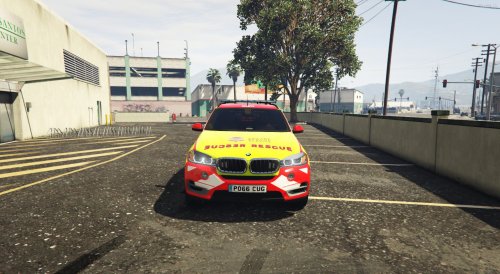 Model Used to make skin: https://www.gta5-mods.com/vehicles/west-mercia-police-bmw-x5-els I am aware that this may not be used by LFB but thought i would be nice as i have not seen this made before. Also this is my first ever upload and the textures may not be up to scratch compared to others. Credits: BritishGamer88 #DO NOT DISTRIBUTE WITHOUT PERMISSION#
 -
 When will this mod be updated, my game crashes because of it and i love everything about the mod.
- 1,524 comments
- 85 reviews
-
-

- 1
-
-
-
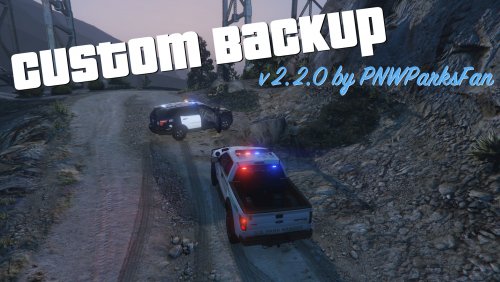 I have used an adoon called Police Vehicles as ADD-ONS as a mod and added two police cars into the game ( a ford tarus and an impala). I wanted these to spawn as back up and with the mod i used i had to rename the files of both to: Ford Tarus- fpi13 and the Impala- police31. I went to the CustomBackup.XML and done this <!-- you can replace these with the custom port police models you have installed --> <Vehicle chance="20">police2</Vehicle> <Vehicle chance="20">police3</Vehicle> <Vehicle chance="20">police</Vehicle> <Vehicle chance="20">police31</Vehicle> <Vehicle chance="20">fpi13</Vehicle> Ithink i have done somthing wrong because i see this is port police but dont know where to put Los Santos Patrol units any idea on how to do it?
- 378 comments
- 23 reviews
-
 these cars look great but am struggling on how to install these can anybody help me or possibly link me to a YouTube video on how to install?
- 62 comments
- 26 reviews
-
-
- 1
-


