



Sopphic
Members
-
Joined
-
Last visited
Everything posted by Sopphic
-
HAHAHAHAHAHAHAHHAHAHAHAHAH
-
Seconded. The blue light redo for the packs is really good too, if that's your kinda thing.
-
Ayyyyy
-
 link?
link? -
Ah ok. I must have misunderstood. :(
-
Hey man, I saw albo had a version of this, it's great that you are at that stage already! If you need any more help testing, hmu
-
RPH Debug.txt
-
edit carcols and disable it in the sirensettings..... not that there's no way, just a difficult way
-
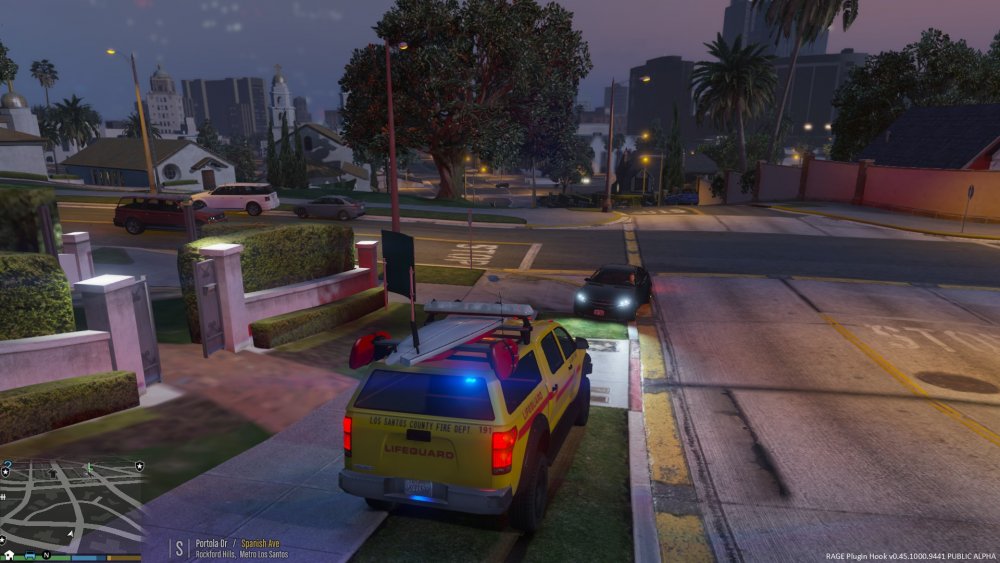
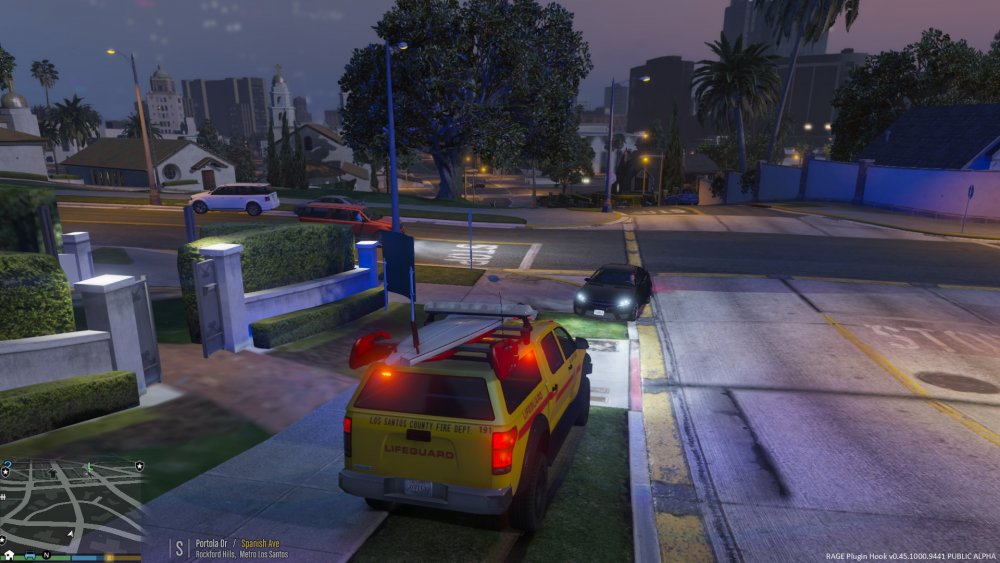
I done made a thing! the entire thread is linked below, but to sum up: modified some textures and made a custom carcols setting to allow red and blue lights and coronas on the lguard model, by request. However it uses @Lt.Caine's model (with his permission), and i don't know how I'd feel about releasing something that is based mainly off of his work. What do you guys think? in the meantime, if you happen to want it. drop me a PM and i'll send you the zip
-
YES YES YES YES YES made a custom sirensetting, now in a releasable state. BUT (and it's a big but) it uses @Lt.Caine's model. and i don't know how i feel about releasing something mainly based off of his work. PM me if you happen to want it.....
-
I commented before you edited your post
-
can i get a hell yeah?! (still needs a bit of fixing. not sure what sirens setting to use.) Thank you to @Lt.Caine for the model!
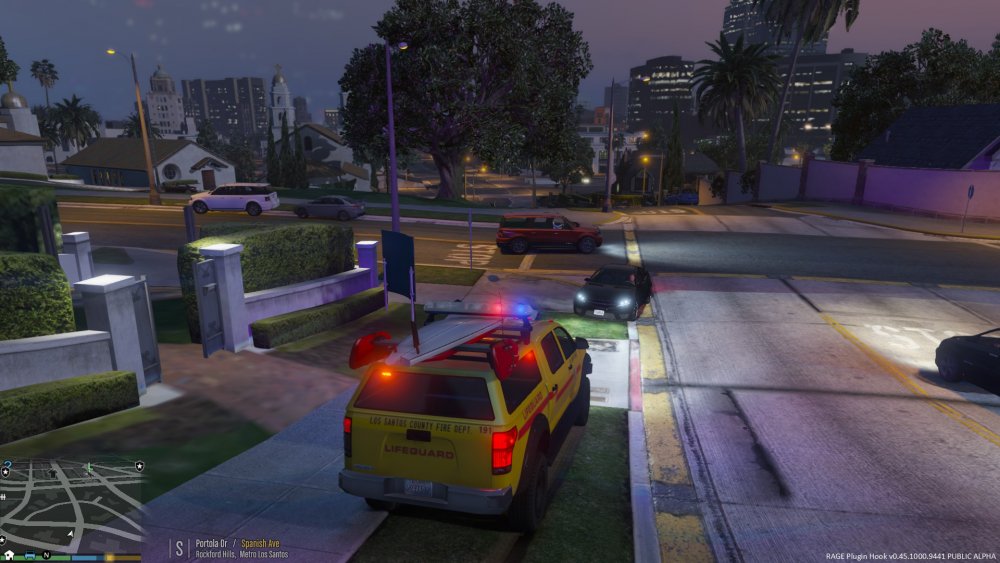
-
ok, all that's left to do is test. wish me luck!
-
lemme check. you'll have to change carcols as well, so the coronas are correct colour. if need be, i'll do it for you. but it might take a while if you can find a templated one that'd make this a lot easier. rockstar's default mapping is fucky bollocks. the lightbar on the lguard is modelled, not textured. so even if you change the colors in carcols.ymt, the actual lightbar will still be yellow, just flash red/blue right, gonna use the lguard from that ok @Suffolk County Skin Co?
-
what resolution is the texture file? it needs to be 2K at least (2048x2048), preferably 4K (4096x4096)
-
yes yes yes yes yes yes yes yes yes yes yes yes
-
traffic control mod. no link rn, sorry.. but it exists
-
-
just thought i'd point out that since 0.46 this produces crashes for me. i know it's not the right place to put it but thought @FAXES might want to know.
-
 What I mean is the shadows look really different to how they're cast default, and in my opinion it looks worse.
- 29 comments
- 10 reviews
-
i agree. let's not. i'm too tired to word my view on this matter atm. gimme a couple hours.
-
the video for this looks very weird, especially the shadows around the car at 25 seconds, they look like are not casting on the floor where they should be, but floating behind the light. can also be seen in screenshots 1, 5, 6 and 8. also, the light texture does not mould around the terrain if you see what i mean. noticeable at 10-15 seconds and in pretty much all screenshots. really don't like the look of it. sorry.
- 29 comments
- 10 reviews
-
@Cyan
-
i have a similar problem to this, only it is the other way round. i use an adblocker, but i have lcpdfr.com whitelisted as it is one of my favorite sites, but every now and then, i get a popup asking me not to use an adblocker, even though i'm not.
-




