MarionatMoseby
Members
-
Joined
-
Last visited
Everything posted by MarionatMoseby
-
i havent installed gta 5 in a long time i dont have either version installed currently so that is why im asking which one should i install the old release of gta 5 or the enchanted edtion?
-
i wanna play LSPDFR do i install gta 5 the old release or gta 5 enchanted edtion
-
Is it ever coming out or will we be stuck playing on legacy version
-
i was trying to install eup menu and law and order and when installing this shows up in my lenny mod manager.
-
ragepluginhook isnt loading lspdfr and there is no option to turn it on in plugins in the launcher Image
-
my crash log.RagePluginHook.log
-
I am not sure why my game keeps on crashing. This is my log file. i fixed it i cahnged pugin time out to 60000 RagePluginHook.log
-
-
-
Hello my game is stuck on "Waiting for game window." and then it tells me that gta 5 exited unexpectedly.. I am on the latest version of lsdpfr and ragehook.
-
which one should i use?
-
What do you mean by L ALT?
-
So i do know that the short cut for names is TAB when your on the police computer but could anyone please tell me the short cut for driver license plates too? I have tried looking online and couldnt find any info on it
-
i just deleted everything in the plugins folder (and its working now but its just vanilla lspdfr) and renamed plugins/lspdfr to _LSPDFR I guess i just need to be careful when installing plugins that they work with 04
-
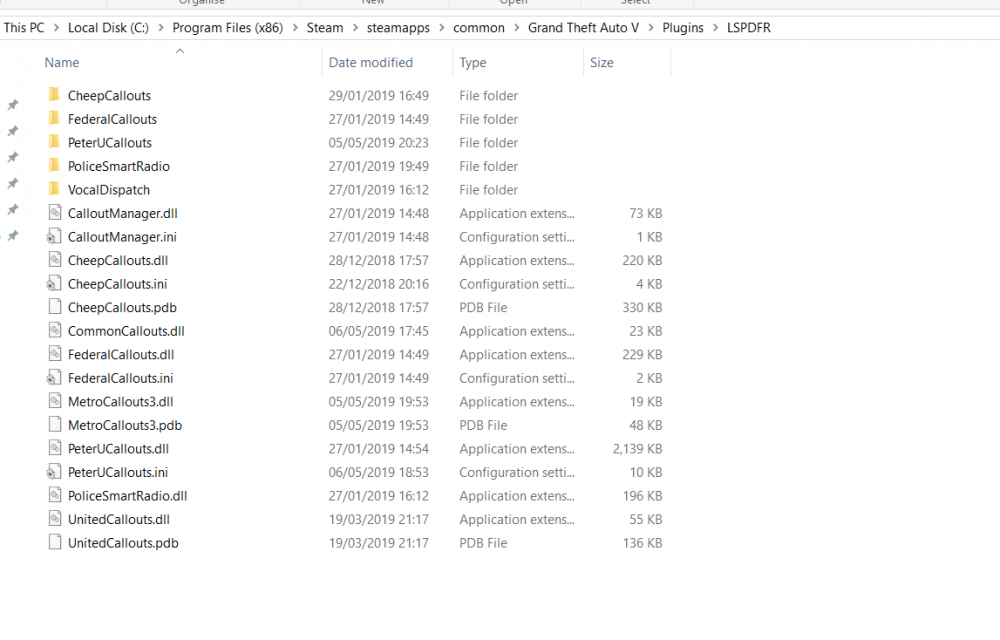
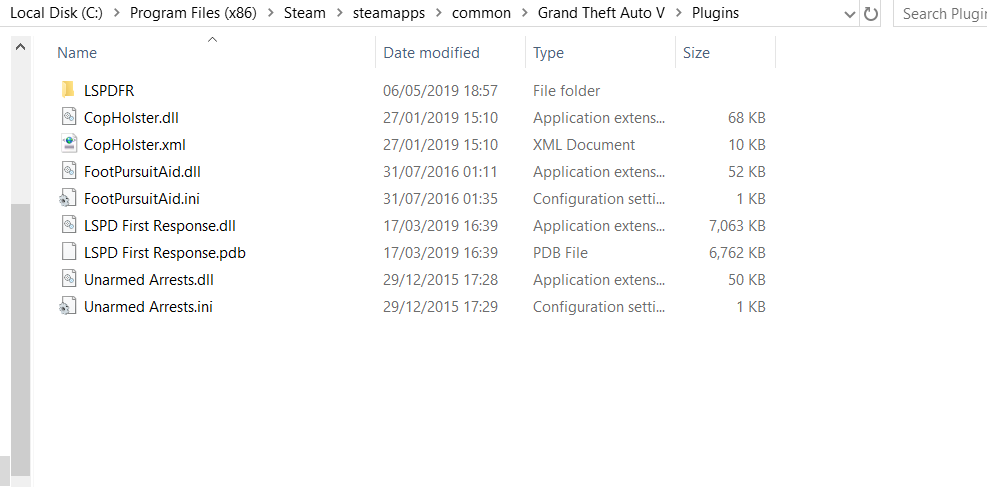
I have looked at all the plugins on the website to see if they were working with 0.4 and i deleted the ones that didnt. so this is what my plugins and plugins/lspdfr folder looks like now but i am still getting the crash my Ragehook log is in my comment. Screenshot: https://imgur.com/a/sFICk9h RagePluginHook.log
-
i dont understand what you are saying if you want me to delete all the plugins then say so you just told me to post a screenshot? Here is my GTAV folder: https://imgur.com/a/41EgWiW
-
Ok screenshot: its in my comment. What should i do?
-
I have been deleting them. Im in the main gta folder search for the older plugins like police smart radio assorted callouts arrest manager because when in game they said they were outdated. but now that i have done that it keeps on telling me that police radio is outdated and i have deleted it many times but when i launch the game it crashes so i go in to my gta 5 folders (were ragehook is) and i search for police smart radio and i still see it there even though i went to the exact folder location and deleted it here is a image album that shows this https://imgur.com/a/wxxv3kG
-
"The logfile must be in the GTA folder. Called Ragepluginhook. It´s a text document. You have 3 files called like that. The exe with RPH-Logo. Than an ini (configuration file) And then the text document. Please now everything else in the topic, so everyone can see it" okay so @rabbit1988 sent me that message here is my LOG file RagePluginHook.log
-
Hello after reinstalling gta v and installing lspdfr 04 i am still having the same issue and I couldnt find a log file without the number next to it
-
Oh sorry if this is off topic but is it worth downloading the newer version?
-
sorry i hope this is the right one RagePluginHook.log
-
here: RagePluginHook_05052019_042702.log
-
I have done that and it still crashes
-
when i go on duty and all my plugins load in i just have the meyou trainer some callouts and lspdfr installed and i go on duty but i get this message saying that lspdfr was blocked because it caused the game to freeze i try to load LSPDFR again but i am still getting the same error message here is a screenshot