Tukkan
Members
-
Joined
Everything posted by Tukkan
-
Does anyone know, which gameconfig is the best for playing GTA 5 with RDE & LSPDFR? (I've tried several ones, but game crashes after while - with or without LSPDFR, just crashes - & graphic is a bit stuttering even with latest graphics software update)
-
 I don't know if someone mentioned before, but when I call air support in pursuit, they shoot at perp (rarely they don't) and peds are panicking. I have selected all options in RDE package, I have installed Albo's better pursuits (which, I believe, come in LSPDFR+) and I'm using Custom Backup mod. Does anyone know, how to fix it? (That never happened w/ RDE 2.1.)
- 1,521 comments
- 85 reviews
-
-
-
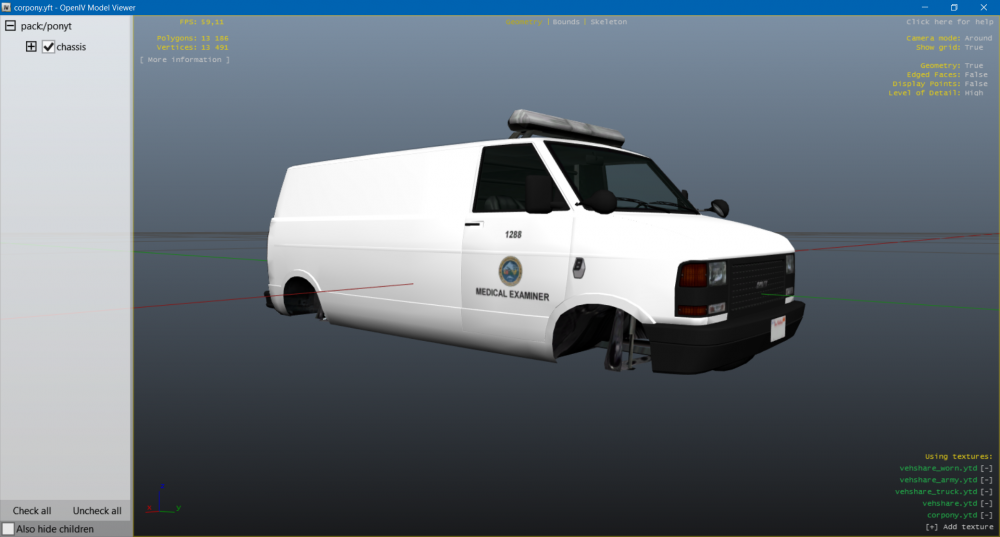
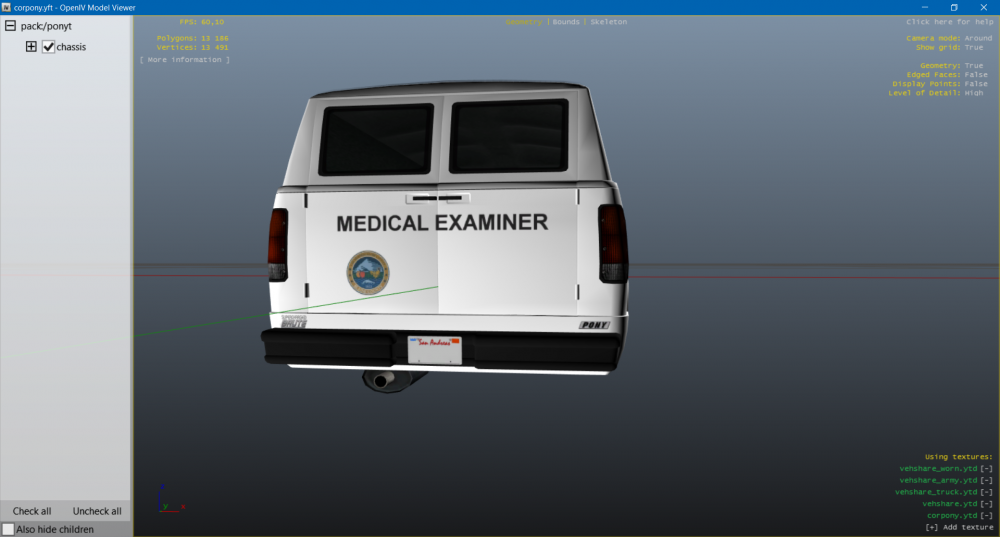
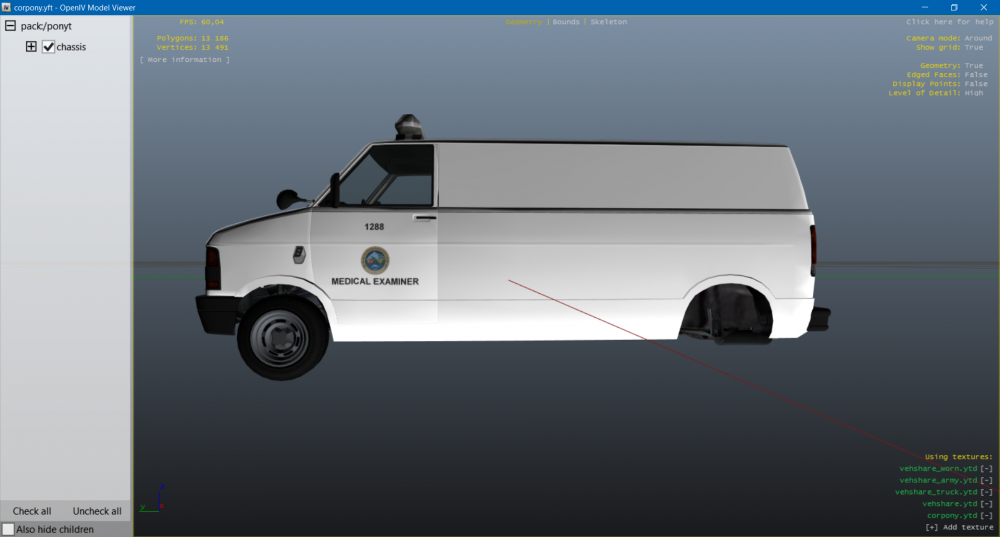
BC coroner skin done, based upon Ventrura County Medical Examiner.
-
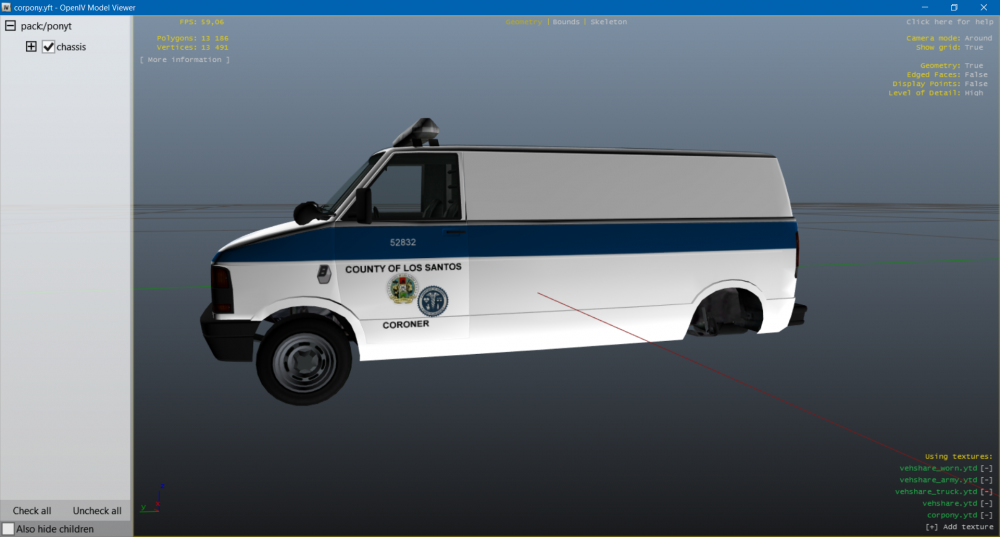
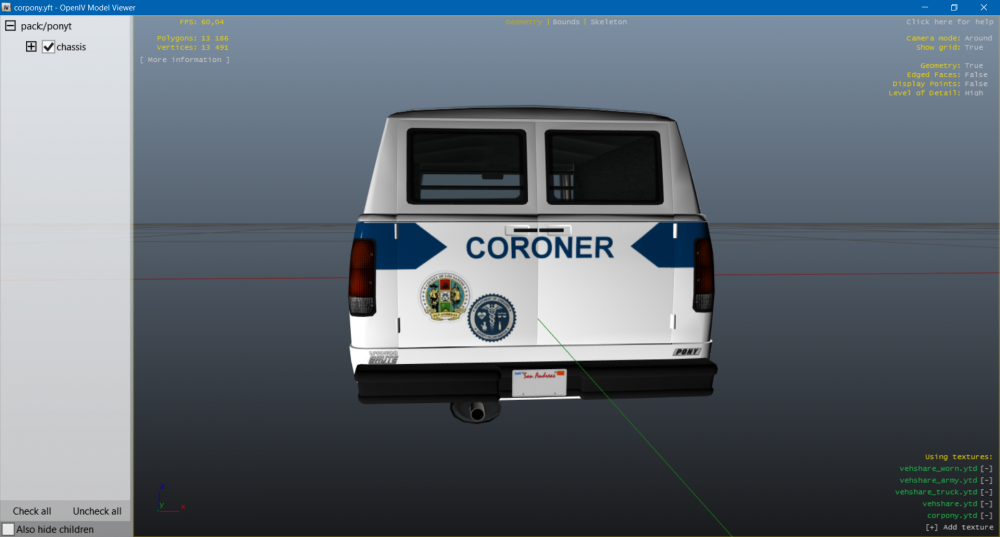
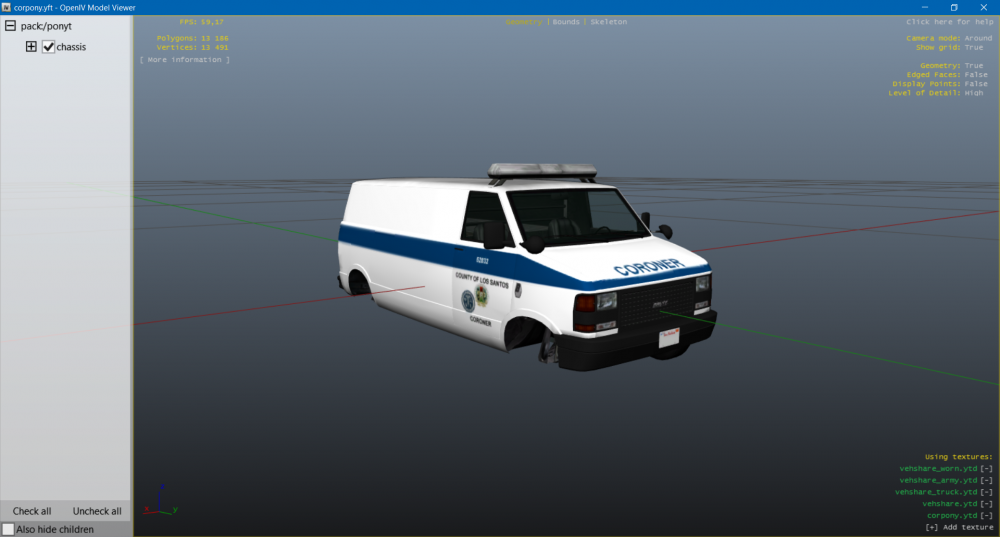
I'm making coroner liveries for this model. You can check it out here:
-
Since we have script, that changes liveries depending on certain area, and RDE 3.0 which comes with separate law enforcement and emergency agencies, I decided to make coroner skins for LS and Blaine County. I looked for some suitable vehicle, but finally, I've found it! At the time, I have completed LS coroner livery, Blaine Co (based on Ventura Co) is coming. It will be similar as my previous livery for Speedo. You can check it out here: + I will try to make proper lines for that livery mod, so if you call for coroner, proper car should show up. Stay tuned for updates.
-
I looked in vehicles.meta and found out there's no record for fire truck. I put a one from vanilla game files, add livery flag, removed no respray, just to be sure, but it does not work either. Even with livery flag, trainer shows -1 in livery changer. + the model has something with door glass collision. Makes no sound when opening doors 'with fist'. @Yard1 @SoloMan Edit: I forgot about vehicles.meta in update.rpf. So I added livery flag, and it's finally working! I haven't had this issue with 3.0.0 cause I put dlcs in dlc folder, but now, I keep them in mods folder (injected by mod manager).
- 1,521 comments
- 85 reviews
-
OK, that's good to know. As I mentioned above, the livery problem, I made a clean install of RDE, but firetrucks spawn only with LSFD livery worldwide, I tried calling fire dept. from various places. Ambulances are fine. I didn't do any changes to liveries, nor livery script ...
- 1,521 comments
- 85 reviews
-
@dilapidated Don't know why, but firetrucks are appearing only with LSFD livery and when calling for paramedics via police radio, it causes game to crash. I've tried to uninstall Coroner Speedo, which I put in the RDE eme since in RDE it did not work, but liveries are still not changing. Ambulance does not seem to have this issue. I think it started after patch 1. + As somebody mentioned before, FBI SWAT and FBI police don't spawn (I have realistic dispatch, didn't do any changes, army responds at 4 stars with hummvees)
- 1,521 comments
- 85 reviews
-
-

- 1
-
-
 I've tried this mod together with VisualV, but when I turn on siren on certain cars (e. g. SAHP Buffalo), the screen darkens. And when I turn them off, the screen goes back to normal brightness. Plus there are not many reflections of those lights, just along the vehicles (not slicktop). Any suggestions how to fix this? (I also tried Custom Visuals, but the problem's the same.)
- 337 comments
- 71 reviews
-
Thanks. That's a lot better. ... Even though reflections are just along vehicles and not in front + front red lights have no coronas and sahp buffalo has not any, but that's not that big problem. But you did a very good job, you guys. Amazing mod.
- 1,521 comments
- 85 reviews
-
Which graphic (or just emergency lights-targeted) mod is the best to use with current version? I had Custom Visuals but it's not working more ...
- 1,521 comments
- 85 reviews
-
-
-
 @Thehurk When I switch to first person POV, brightness is going down. If it is 'common' problem, can you fix it, please?
- 501 comments
- 104 reviews
-
-
-
 It is RPH, what causes this (.45 update), I'm 90% sure ... I was using previous version of your mod and it was fine, now even with that I get drops ...
- 149 comments
- 33 reviews
-
I don't know why, but I'm experiencing performance drops esp. when multiple vehicles at one place ... Can version without coronas fix this?
- 149 comments
- 33 reviews
-
 I did that. But they are correct volume in the begining and then volume goes down ...
- 851 comments
- 108 reviews
-
However AI can't use this mod, it's still a leap forward. But I get some volume bug pretty often, well, in 99% ... Sirens are incredibly silent, and only once upon a time, they have the right volume.
- 851 comments
- 108 reviews
-
Is there any way to easily arrest driver when you order them out of the vehicle? Like it's in LSPDFR. I know, that is it kinda possible by holding E, but sometimes it does not work, officer just swears or not even that and nothing happens. Sometimes, multiple officer stops multiple people (eg drivers who stopped behind police car).
-
It's working now, I transfered all RDE files to the new update.rpf and it work ... Did exactly the same, like before. Some files must not copied properly ...
-
NP. I've spend several hours trying to solve this but ... And redo mods is not worhty. As I said, I've tried vanilla RDE, so when this not works, redo is useless. Plus other mods are just fine, they work.