michiganpolice
Members
-
Joined
-
Last visited
Everything posted by michiganpolice
-
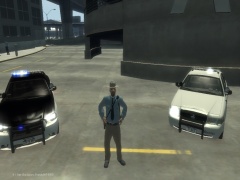
From the album: Sort Of Fictional Colorado State Patrol Ped
-
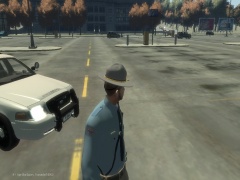
From the album: Sort Of Fictional Colorado State Patrol Ped
-
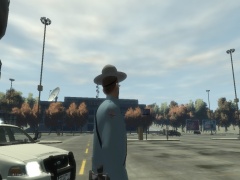
From the album: Sort Of Fictional Colorado State Patrol Ped
-
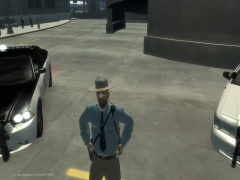
From the album: Sort Of Fictional Colorado State Patrol Ped
-
This is for what do you do when you are finished playing LCPDFR like do you drive the police car back to the station and drop of evidence or do you just close out GTA IV Or do you also drive back to the safe house like in real life driving home. What I do is mixed sometimes if I'm in a rush and have lost track of time I will just close out GTA IV but most of the time ill drop Of the car and the evidence I've collected then close out. Feel free to leave comments
-
Yes I would really like this feature
-
Hi everyone this is my 2nd ped model & it is a sort of fictional Colorado state patrol uniform. Only part fictional because I don't think they have the straps that go around the body. Also they have a badge on the hat I wasn't able to get that on it. And last of all there is no badge on the front of the uniform. (I put these here so there are no nasty comments I'm putting them here for that reason!) This ped model was requested by saints5468 So shout out to you :) This is the Colorado state patrol website: http://www.colorado.gov/cs/Satellite/StatePatrol-Main/CBON/1251592908196 This is there YouTube channel: http://www.youtube.com/user/ColoradoStatePatrol IMPORTANT: DO NOT UPLOAD OR MODIFY THIS FILE WITHOUT PERMISSION FROM ME How to install 1. Using open iv or spark iv go to the main gta iv folder 2. Open PC 3. After you are in PC go to models 4. After you are in models open cdimages 5. After you are in cdimages open componentpeds img file 6. After you are in componentpeds img file drag everything from the folder in the zip file named componentpeds into the componentpeds img file 7. Go back to the cdimages page 8. Then go to pedprops 9. Repeat step 6 but drag everything from the pedprops folder into the pedprops img file 10. You are done! now enjoy the game Enjoy my file :)
- 8 comments
- 1 review
-
-
im going to give it a try :)
-
-
-
I had the same issue I installed 1.0 I pressed Alt-P in game and it didn't work but I have the asilog txt please help
-
-
-
-
-
This is my detriot police ped I released yesterday link: https://www.lcpdfr.com/files/file/6434-detroit-police-ped-model/
-
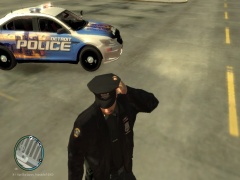
From the album: Detroit police ped
-
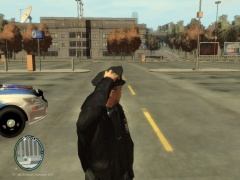
From the album: Detroit police ped
-
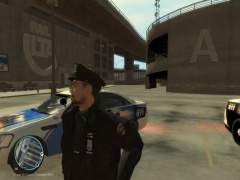
From the album: Detroit police ped
-
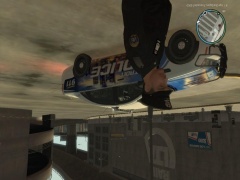
From the album: Detroit police ped
-
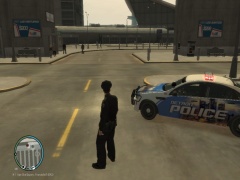
From the album: Detroit police ped
-
That is crazy hopefully they catch that guy
-
-