
HWade
Members
-
Joined
-
Last visited
Everything posted by HWade
-
-
-
Hello there. I have had this problem myself but with the help of a friend I have been able to resolve it. The handling line itself isn't actually called 'sheriff2', it's actually called 'fbi2'. Steps: Copy the handling line for fbi2 I have placed below (In the spoiler).Go to update/update.rpf/common/data/handling.meta in your Grand Theft Auto V game files.Open the handling.meta file and find 'fbi2'.Replace the fbi2 handling line with the one I have placed below (In the spoiler).Save the handling.meta file and replace it with the original.Done.So I hope that helped you guys out as it did for me.
-
 What a brilliant mod! I highly recommend downloading this since it adds a lot more variety to LSPDFR.
- 3,646 comments
- 306 reviews
-
-

- 1
-
-
Don't worry about it my friend. I just upgraded to RHP 0.24 and it works like a charm. It's such an amazing mod and I'd like to thank you for the work you've put in.
- 3,646 comments
- 306 reviews
-
-
- 1
-
-
The log is attached in the spoiler below and I can assure you it is located in GTAV/Plugins/LSPDFR.
- 3,646 comments
- 306 reviews
-
Hello there! I have recently downloaded your Traffic Policer mod and your MoreJailpoints and Prisoner Transport mod. Whenever I launch the game, no notification shows up to say these mods are running and nothing from either mod seems to be showing up but in the Ragehook log file it says it is running. I am running Ragehook .22 and LSPDFR 0.2b. Thanks
- 3,646 comments
- 306 reviews
-
Thanks for this guys!
-
-
I don't really mind weather they're brought back or not. They do look good though!
-
 Thanks for the information. I've bought a few guide books about navigation and everything but the funny thing is that I have actually flown a light aircraft in real life. It was an AA-12C and it was pretty fun! But i'd love to get into flight simming. (I just had an account change, hence the guest name.)
 -
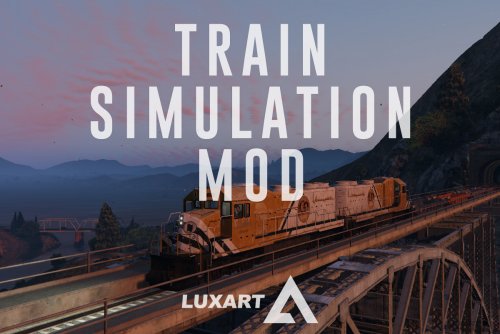 Absolutely brilliant. I was waiting for a mod like this to be released and it's finally here. Excellent mod.
 -
Wow, you must have some time on your hands haha! I'd love to get into flight simming but I have no idea where to start.
-
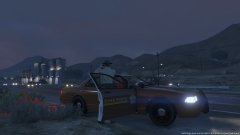 That's a quite a nice skin you have there. And a cool photo!
 -
-
-
 So far, this mod is absolutely amazing! I've enjoyed every moment playing it and I can't wait to see what the future holds.
 -
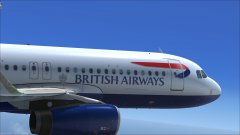 Wow. Very nice A320!
 -
These sound like some good additions to LSPD:FR. I would like to see: Vehicle breakdown callsAbandoned vehicle callsVehicle escortsCar accident callsThose are just a few but I would like to see what we in the community could add as well.
-
That does sound like a good idea. I've had a couple of instances where a vehicle would escape from me before I even had a chance to catch it. So having the description of the vehicle sounds like an excellent idea.
-
LSPDFR is absolutely amazing! The customisation of the police vehicles and police uniforms is such a good feature which I think you guys have done a great job of and the user interface (Interaction menu, backup menu...) is clean and simple which I like very much. Overall, you guys have done a great job for version 0.1 and I cannot wait for future versions!
-
 Sorry for the wait throughout the mission lol! I'm still trying the get the hang of the keyboard controls.
 -
That looks amazing to be honest! Keep up the good work!
-
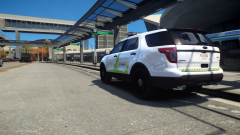 Absolutely amazing Scrimpy.
 -
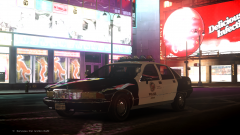 That Impala looks great!