Spitfire7
Members
-
Joined
-
Last visited
Everything posted by Spitfire7
-
-
-
-
-
-
-
-
-
-
-
 Its suppose to work like that. J just actives the lights and then you hit 1-4 for the siren. I believe there is also a way to have it to where lights and siren come on when hitting J, but I don't think its default that way.
- 534 comments
- 206 reviews
-
-

- 1
-
-
-
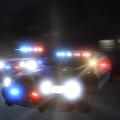 File is back up and running. Let me know how you like it. I believe I made it exactly like the real car in El Segundo.
- 18 comments
- 19 reviews
-
Thanks. I haven't revisited this mod in a long time. Glad to see its still working and people are loving it even 3 years later.
- 43 comments
- 20 reviews
-
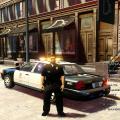 Thank you. The car is one of CJ24's LAPD cars. I don't have a link, but just search on here for LAPD cars and look for ones done by the author CJ24. Thanks man.
- 20 comments
- 12 reviews
-
-
 Shoot, it would seem during the LCPDFR website updgrade some if not all my files have been changed offline. I will put it back up hopefully tonight. Sorry about that. If I didn't get to it, remind me tomorrow through PM. Thanks.
- 24 comments
- 6 reviews
-
Okay, its working now. Not sure what happened and thank you for letting me know. Enjoy.
- 20 comments
- 12 reviews
-
For the most part ticket time works for me with the known glitches. I heard PoliceHelper sometimes conflicts with LCPDFR and I have been forced to only use small bits of Policehelper such as just the tow truck. This ran pretty stable, but when I installed Ticket Time I was getting some crashes more so than common. I think my biggest issue is when I ask the ped to step out and he just walks away. What this was doing for my game was causing it to hang up on the traffic stop. LCPDFR would not respond until the traffic stop was done, but the ped walked off and is gone. This also caused anything with LCPDFR like the taser to not work either. I am forced to shoot the walking away ped who ignores me or let him go and face an inevitable crash. I know you know all this, but thats where I am getting hung up the most. I love your work though and you are definitely quite popular with this. So keep up the good work and if you need anymore info I would love to help. Thanks.
- 129 comments
- 12 reviews
-
 I think it was a while going back and forth in the game. Mostly what I had to change was the characters attitude. Everyone is really on edge and if you do the smallest thing it would cause them to react. So I fine tuned their personalities to be a little more flexible and gentle. This keeps them from panicking and swearing. Now with the jokes that was some find tune editing work I believe with a lot of things. I got there by trial and error. Give my mod a shot and see if you like it. Its the same direction you are heading with yours but already done.
 -
I love it and thanks for contributing and I agree with you. Thats why a little while back I created my own version of this eliminating people swearing, dirty jokes, people running around and shouting if you honk your horn etc. Im just trying to save you some time since my mod pretty much already fixed all that in the game. Its called quiet pedestrian mod. http://www.lcpdfr.com/files/file/2642-spitfires-quiet-pedestrian-realism-mod/
-
-
-
Great job man, since this was your first car, thumbs up and keep up the good work.
- 16 comments
- 1 review
-
-
- 1
-
-