


randomdigits
Members
-
Joined
-
Last visited
Everything posted by randomdigits
-
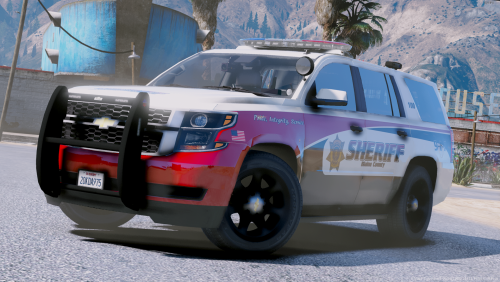 Got a question pertaining to your photos, which trainer are you using to get snow on the ground? Vehicle looks great. Edit: Figured out the setting is in the INI file, not in the Weather settings in-game via the trainer. Set snow=1 for anyone wondering
- 20 comments
- 25 reviews
-
First stop worked for me, ped and vehicle information showed up like previous builds. I'm now getting an error "C+: Could not parse VehicleDefinitions. file not found: plugins\lspdfr\computerplus\vehicledefinitions.xml" With stops now, the ped information shows up but the 2nd window with details does not show up but instead goes to the history menu. Vehicle information is not clickable and does nothing. EDIT: installed the " VERSION 1.3.5.2 Tag 8fb5eb0 (Stable Open Beta) " and then pasted the ComputerPlus-1.3.5.9-UPGRADE-ONLY.zip files over and that seemed to fix the C+ error.
-
 I decided to mess with the new update and the first use worked fine but Computer+ stopped working properly after the original stop. I tried 4 or 5 different traffic stops, the Computer+ plugin will show the current ped and vehicle but I'm unable to access the detailed window for the Ped and vehicle information. If you click on the Ped name, it takes you to the current history window. Clicking on the vehicle plate does nothing.
- 1,743 comments
- 172 reviews
-
Runs after removing CalloutsV and changed the force callout to X. The config file was set to END key. So one of those 2 things fixed it
-
I didn't load it manually, I'm saying it shows up in the Rage F4 screen as having loaded without issue when getting into the game. LSPD and my other callout plugins work but this one
-
Loaded the plugin per instructions, it loads without any error via RageHook F4 screen but alas, no callouts from this happens. I've tried the force button "End" but nothing occurs. Ideas? All other plugins work, would it interfere with another callout plugin (CalloutsV)?
-
Bring up the console and repair/clean your car that way via the simple commands
-
So for the people who used Scripthook and the other offline police mod to see what it was about, we're safe? I've never connected online yet, still doing SP stuff
-
-
-
Love the touch to the first-person interior with the cam having the lighting depending on which stage is active
- 21 comments
- 7 reviews
-
-
Really clean looking, I like it. Only problem I'm having is with the site looping on the download page so I have yet to actually download the file.
- 14 comments
- 2 reviews
-
-

- 2
-
-
 I forgot to ask the other day, is the script now all islands or is the map with the highlighted areas reflecting the current coverage?
- 132 comments
- 23 reviews
-
I had an issue on my end (car; police) would effect the script from the AI officer not continuing his script and just standing there or the AI officer on a felony stop would be invisible. Swapped models and haven't had any issues with the regular backup calls, I've been trying to get a disregard callout to test that out
- 132 comments
- 23 reviews
-
-
So I've tried to troubleshoot and have found whats causing my issue in regards to traffic. Randomly last night, when I go Stage 3 lighting, traffic automatically slams on the breaks despite no siren being on. I checked my settings, "Lstg3LightsMoveTraf = off " so its not that command. I found that when I change [ PRML ] type from leds to drot, this causes the traffic to stop based on just lights. Is this a built-in thing for drot lighting? Am I missing another setting causing traffic to stop based on Stage 3? Also to note, I was using ?do=embed' frameborder='0' data-embedContent> for the models and their ELS config files. I went piece by piece from the default config of ELS and the issue pops up once I arrive to the primary lighting No one knows if its intended for 'drot' lights to move traffic without the use of a siren? I've gone over the manual a few times and there's no mention of such a function.
